

How to create email accounts from the Client Area?
Hashtags: #Email #Corporate #creation #mail
There are two ways to create email accounts, directly from your Client Area or from the control panel.
Below we will show you how to create email accounts from your Client Area:
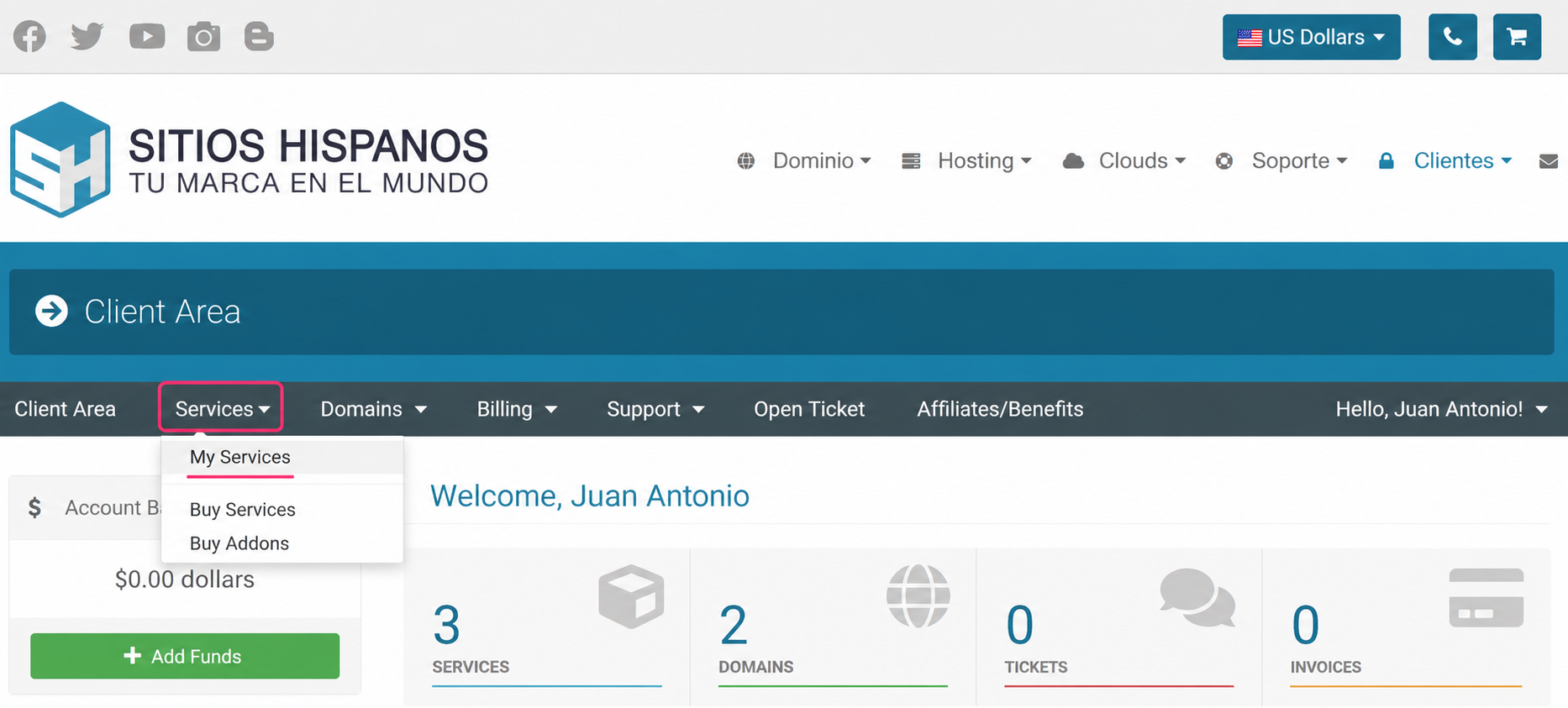
- Log in to your Client Area and click Services and then My Services.
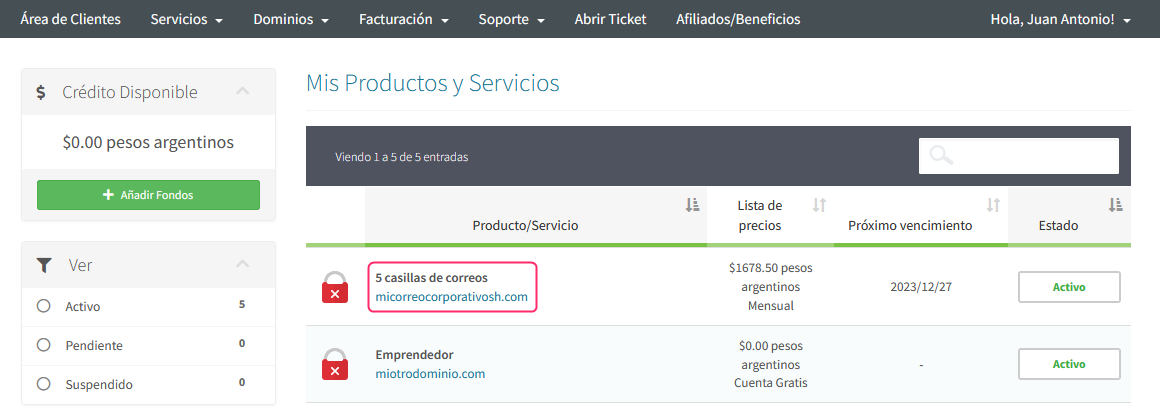
- Find the Corporate Email plan in the list of purchased plans, click on the name of your plan.
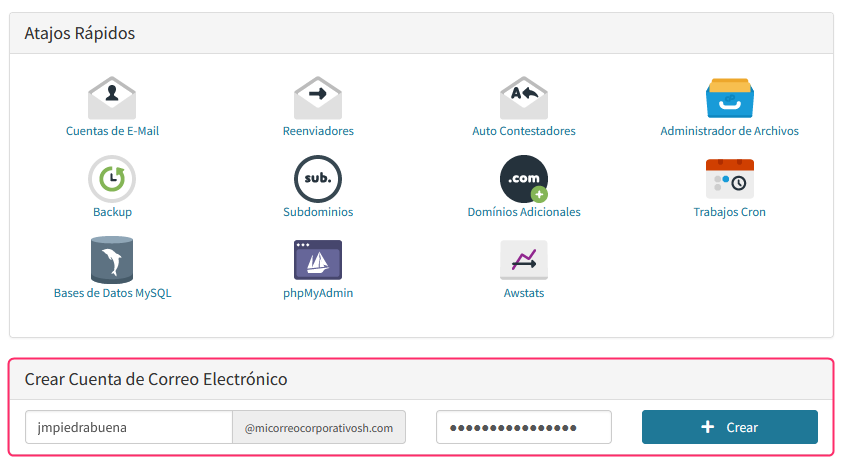
- On the new screen, under Quick Shortcuts, you will find the option Create Email Account, where you must fill in your account name, the domain (if you have more than one) and the password.
- If you want to create email accounts from the control panel follow these steps.
- To set up an email account in an external mail client such as Outlook, Thunderbird, Apple Mail, etc., follow these steps.