

How to access the Correo Corporativo control panel?
Hashtags: #SignIn #Login
There are two ways to access the control panel:
- Access from your Client Area.
- Access via web address.
Below we explain both access methods:
Access from your Client Area
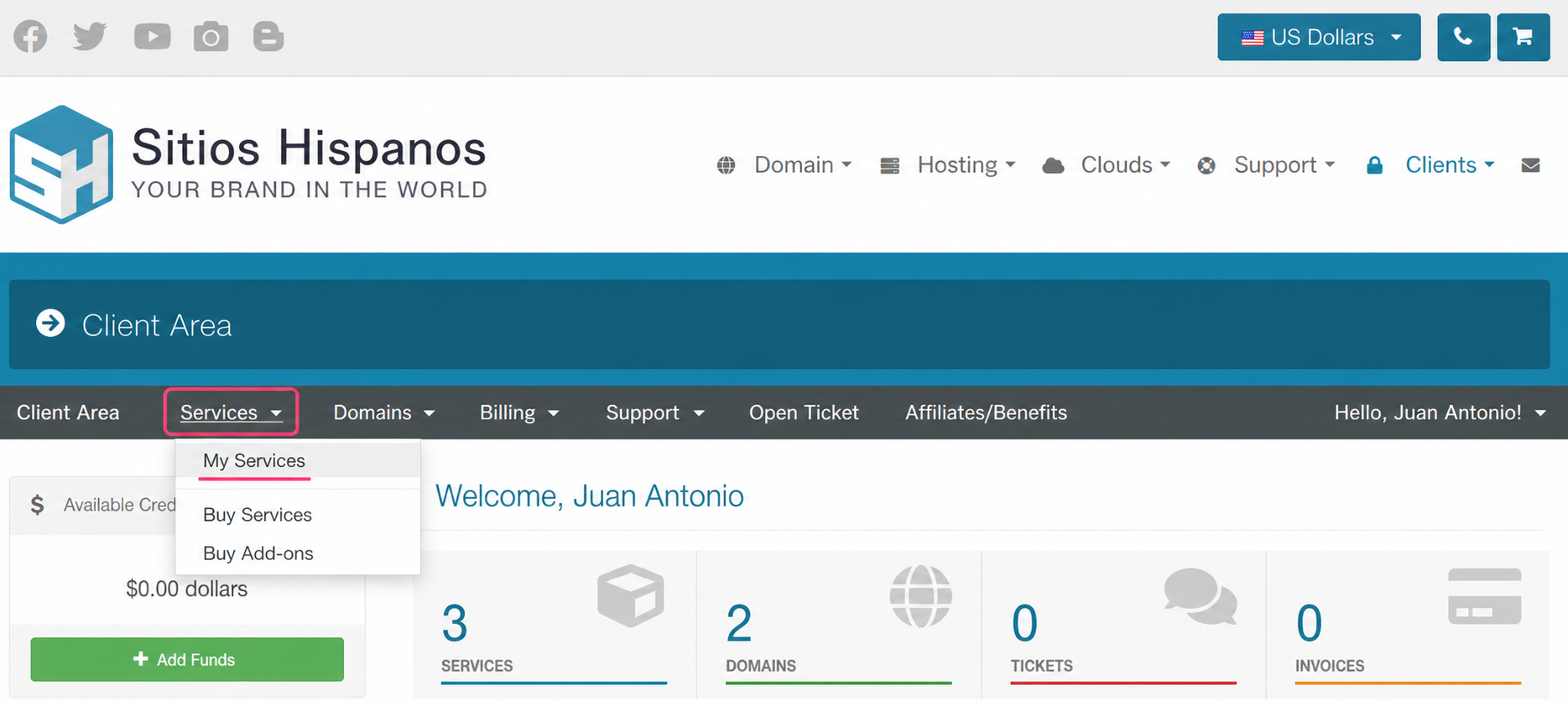
- Go to your Client Area and click Services, then My Services.
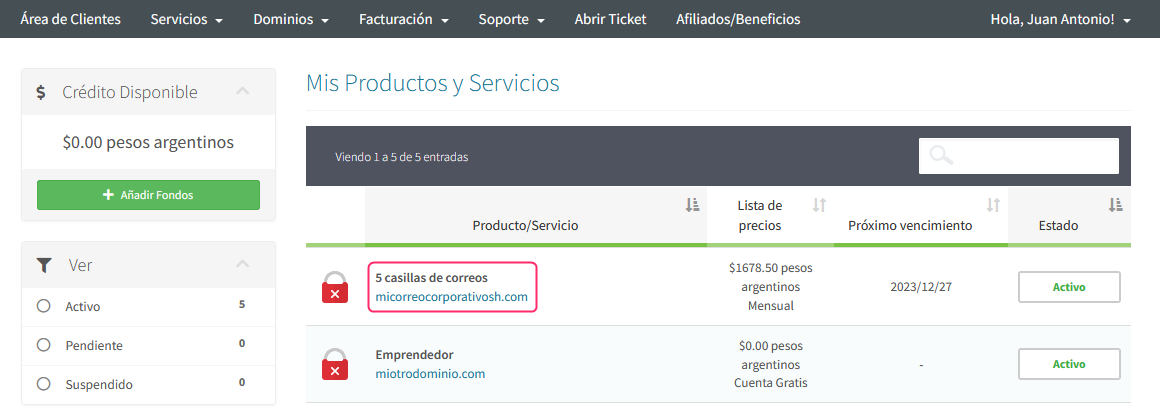
- Find the Correo Corporativo plan in the list of contracted plans, click on the name of your plan.
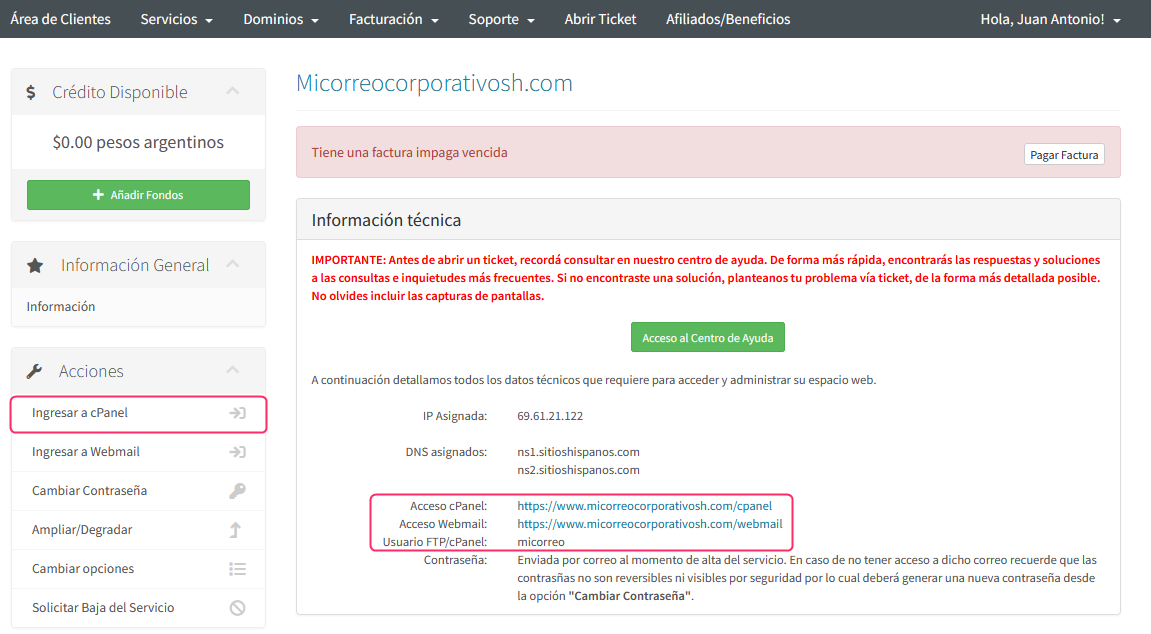
- On the new screen you will see, in the Actions box on the left, the option to enter the cPanel control panel of your plan.
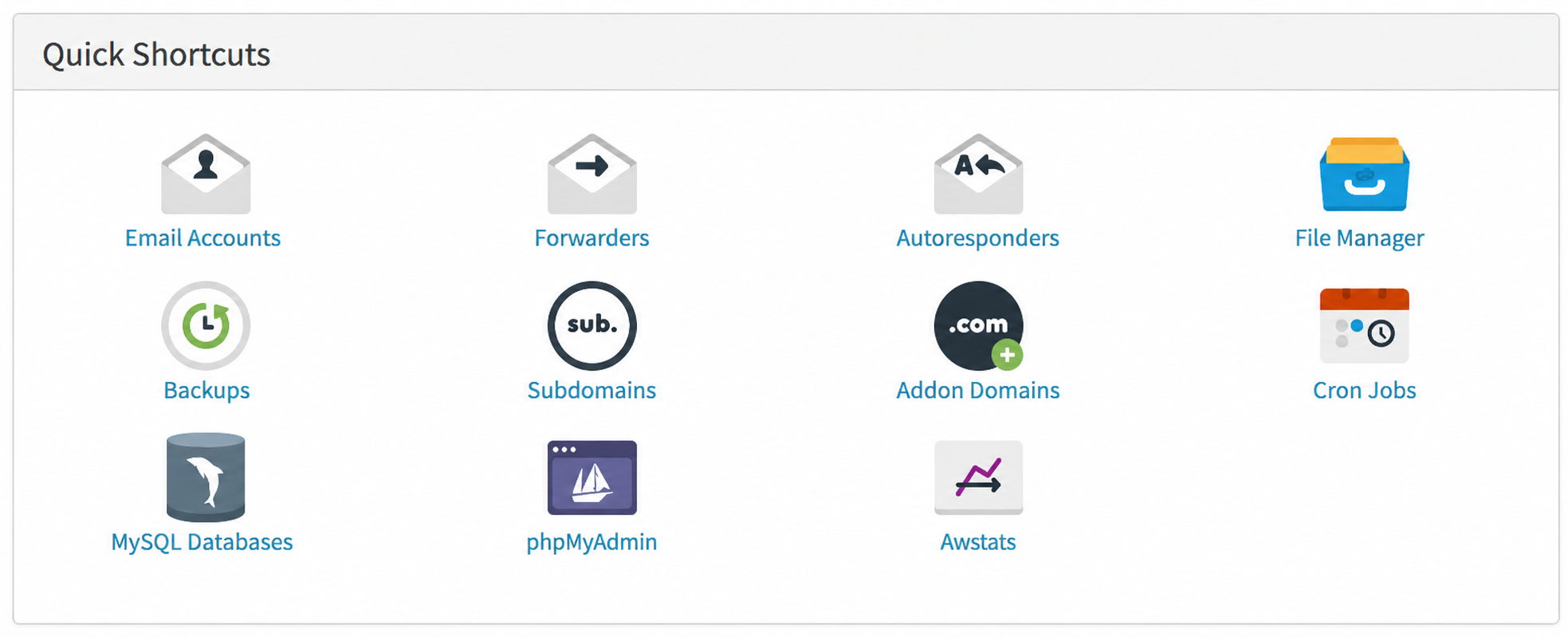
Below everything, on this same screen, you will see the Quick Shortcuts box. Clicking any of the icons will also take you to your account’s control panel.
Access via web address
Simply type your account domain in the following form (replacing with your domain):
https://www.micorreocorporativosh.com/cpanel
Alternatively, you can enter with this address:
https://www.micorreocorporativosh.com:2087
If this is your first time accessing the control panel enter first from your Client Area to see your user. You will see it in the Technical information box.