How do I modify my mailboxes?
If you have a mailbox created and want to modify any of its parameters, such as its password, the limit of emails per hour, etc., you can do so by following these steps:
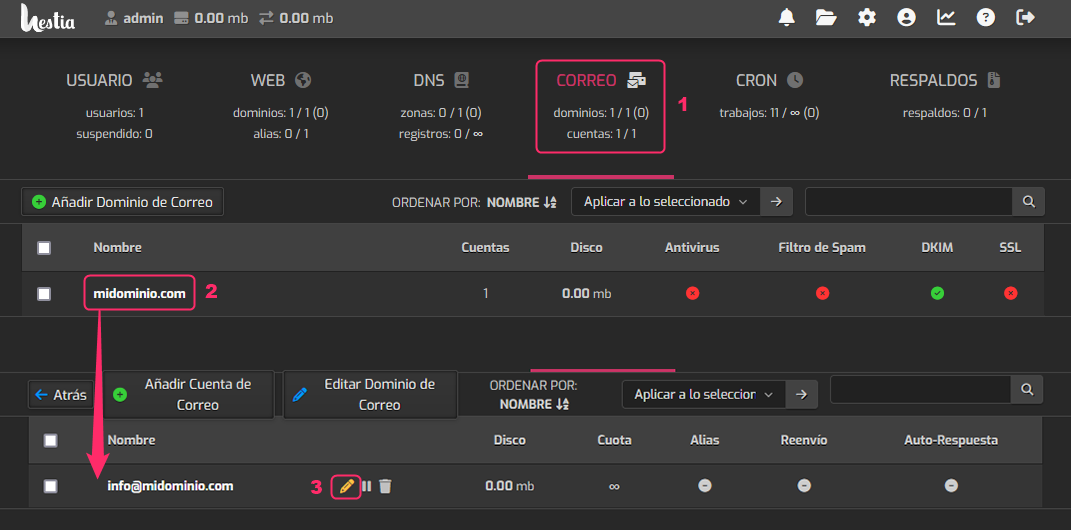
- Go to the MAIL area.
- Click on the domain of the mailbox you want to modify.
- You will see the list of created mailboxes. On the right, click the pencil icon.