

How do I delegate or modify the DNS of my domain?
Hashtags: #delegate #point #nameserver
To delegate your own DNS or modify the ones configured on a domain, follow the steps in this guide:
- Log in to your Client Area.
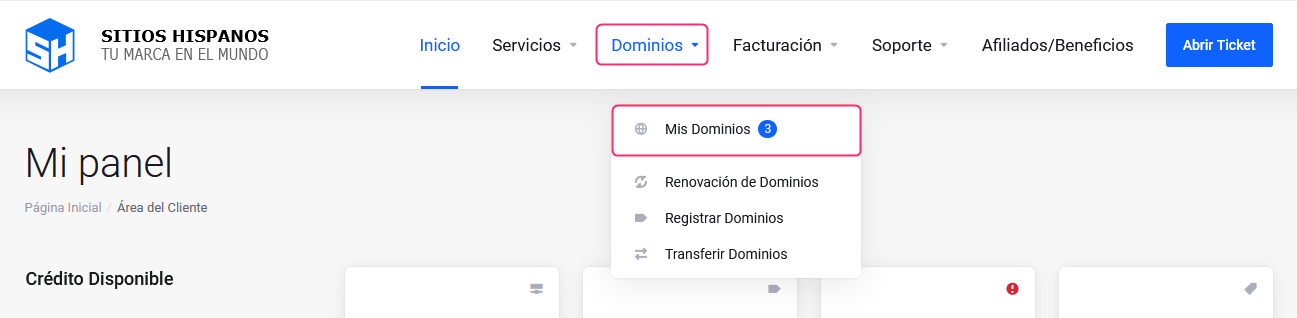
If you don’t remember how to log in, follow this link: How to access the Client Area - In your Client Area click Domains in the menu and select My Domains.
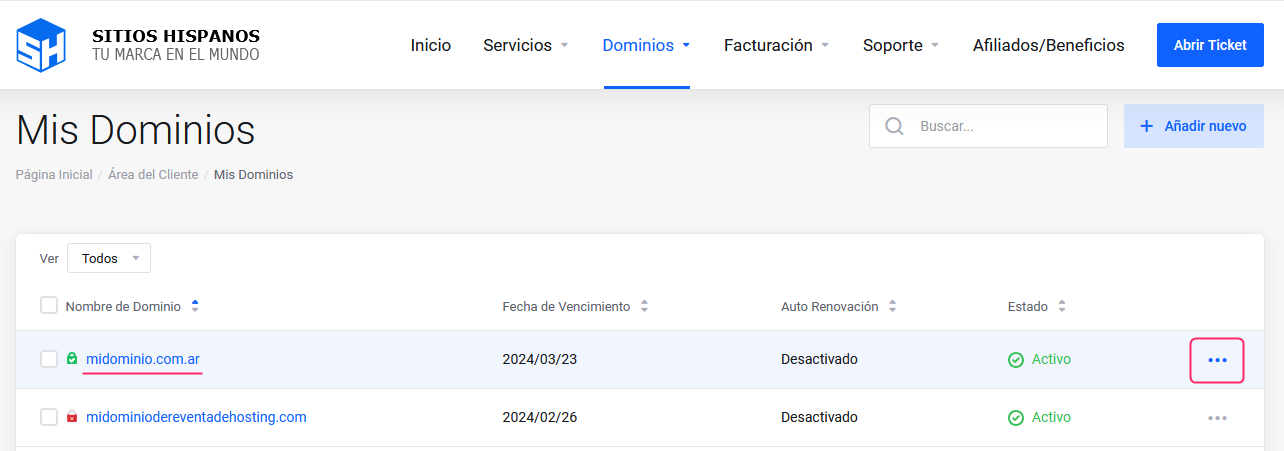
- You will see the list of registered domains, their expiration and status.
To the right of the domain to delegate, click the three dots.
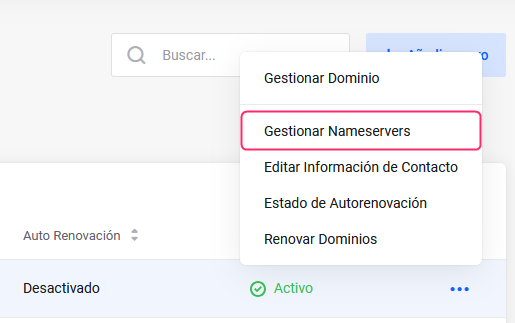
- A menu will open, choose the Manage Nameservers option.
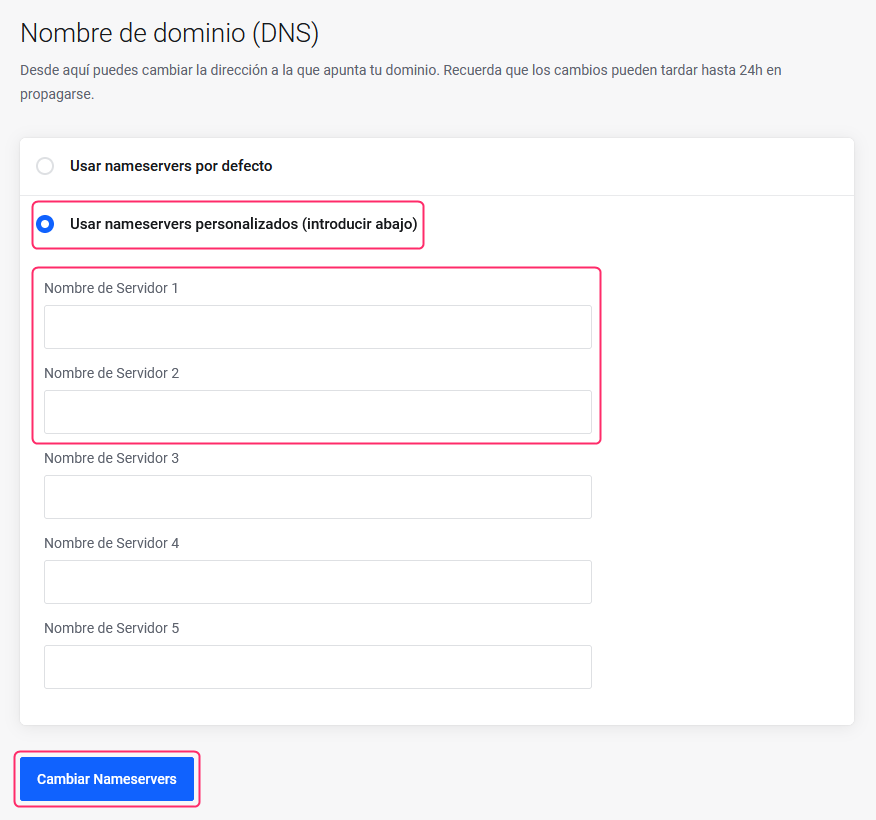
- You will see options to delegate our DNS or configure custom DNS.
If you choose to delegate custom DNS you will have to type them below under Server Name.
- When you have your DNS configured press the Change Nameservers button.
- That’s it. Remember that DNS changes can take several hours to propagate across all networks.