

How do I register to acquire a service?
Hashtags: #registration #new #register #user
If you want to acquire a service and you haven’t registered as a client yet, follow these steps:
- Visit our website: https://www.sitioshispanos.com
- Select the currency in which you prefer to receive your invoices using the selector located in the top right corner.
- Press the “Log in” button located below the currency selector.

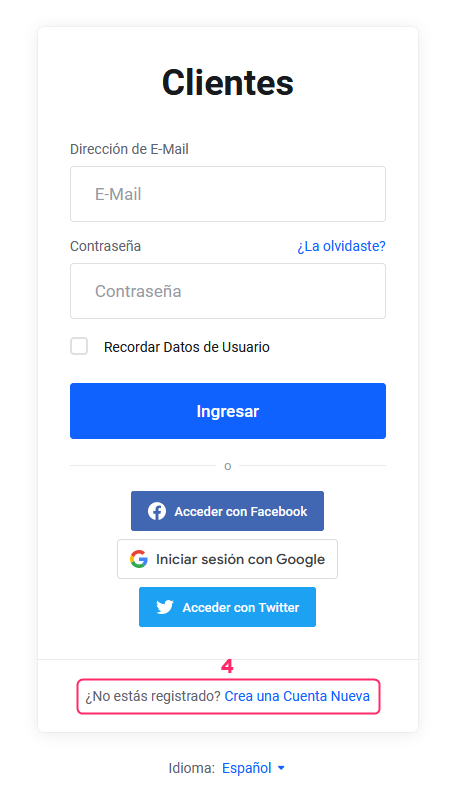
- On the Área de Cliente access screen you will see the option “Not registered? Create a New Account.” The link will take you to the registration screen.
- Once you have registered as a client, you will be able to acquire any of our services by following these steps: How do I acquire my service?
How to register and acquire a service at the same time
You can register as a client and acquire a service simultaneously by following these steps:
- Visit our website: https://www.sitioshispanos.com
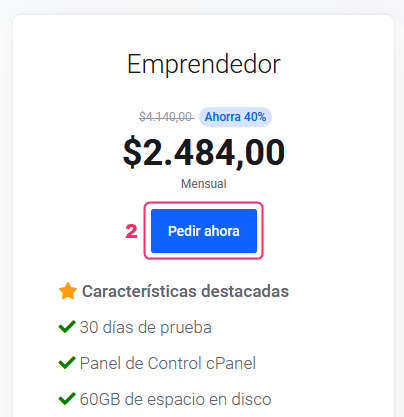
- Choose the hosting plan or service you are interested in and press the “Order Now” button.
- Select the currency in which you prefer to receive your invoices using the selector you will see at the top right.

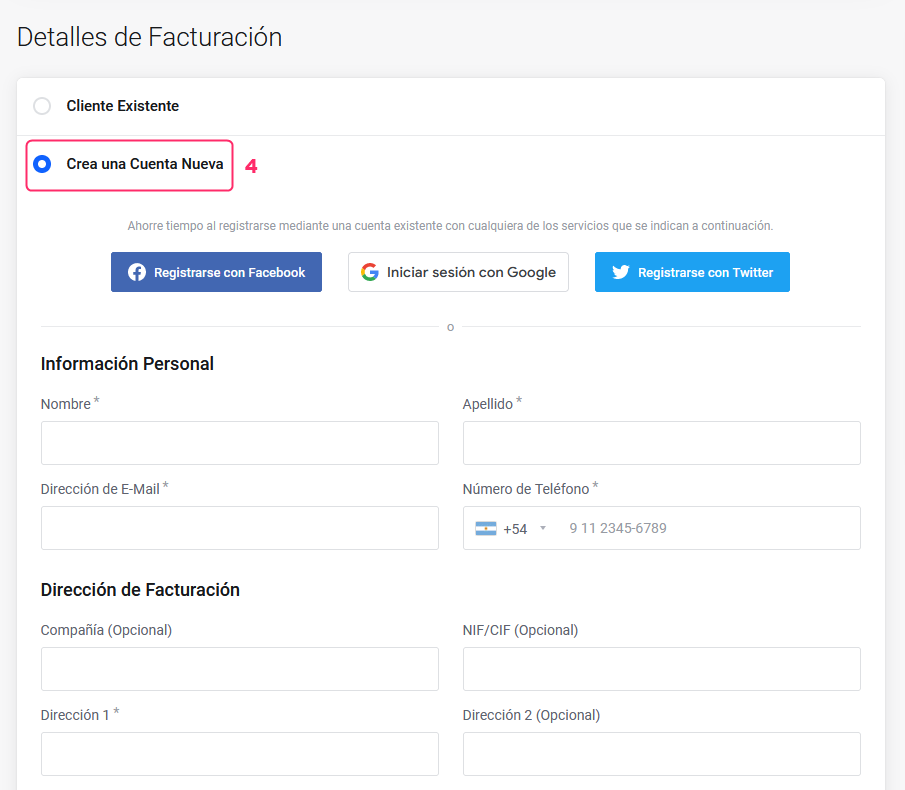
- Continue the purchase process for your service until you reach the “Billing Details” section.
In this section, you can choose whether you are already registered as a client or if you wish to register as a new client. - Complete your registration details and you will be able to finish acquiring the chosen plan on the same screen.
- Upon completing your order, you will have completed your registration as a client and requested your hosting service in a single step.