

The procedure to create users is as follows:
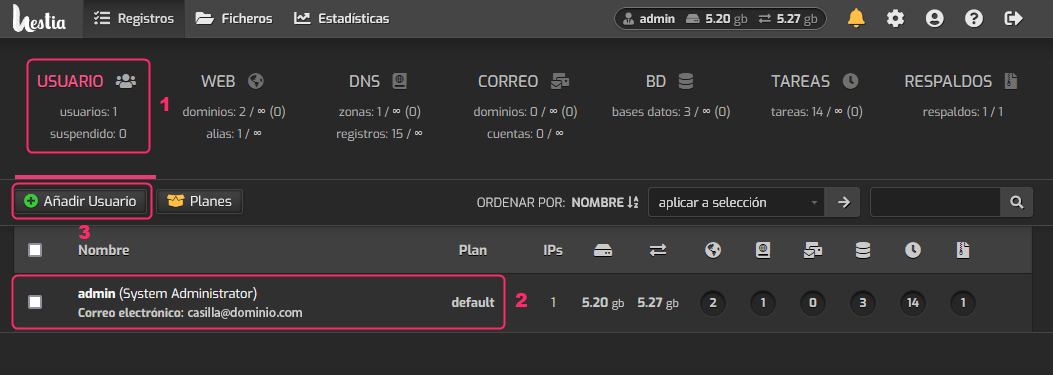
- In the USER box, we will see the list of users created in the lower list.
- In this case we are viewing the admin user created by default. To the right it will show the services that have been created (mailboxes, databases, websites, etc.).
- By pressing the Add User button we will create the user that will manage the hosting account.
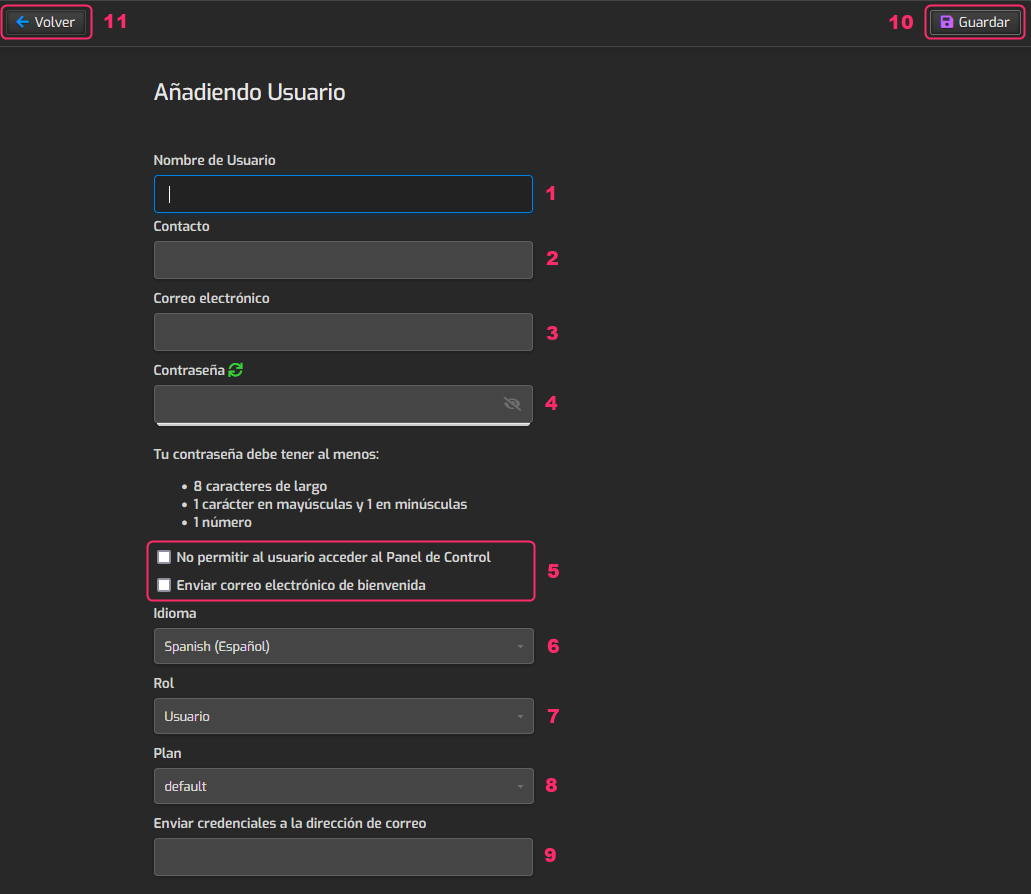
We will see the user creation screen with several fields to complete:
- Enter the username.
- Enter a contact address (it can be different from the email address).
- Enter the email address that will receive information about this user and their accounts.
- Enter a password following the minimum requirements.
- We must choose whether the user will be able to access the control panel of a hosting account or if access will be via the main admin user.
The other option will send us an email with the data we are creating now. - Set the language in which this user will view the control panel.
- In Role we choose whether the user will have full access, like the admin user, or not. This is similar to giving a user root access.
- Choose the hosting plan that this user will have. We can create these plans by following these steps:
How to create hosting plans in HestiaCP - This option will allow us to receive, at our configured email address, any password change that occurs.
- At the top right we will see the button to save the changes.
- And we will see the Back button to cancel the user creation.
Now that you have a created user you will need to create the Hosting Plan, where you will define the services that will be available.
Follow these steps to create the Hosting Plan:
How to create hosting plans in HestiaCP
Then, you will be able to create Hosting Accounts under this user:
Follow these steps to create a Hosting Account:
How to create a hosting account in HestiaCP