How to create an email signature?
#Signature #footer
To configure a Signature that appears in all emails you send, follow these steps:
Accessing Webmail to create your Signature:
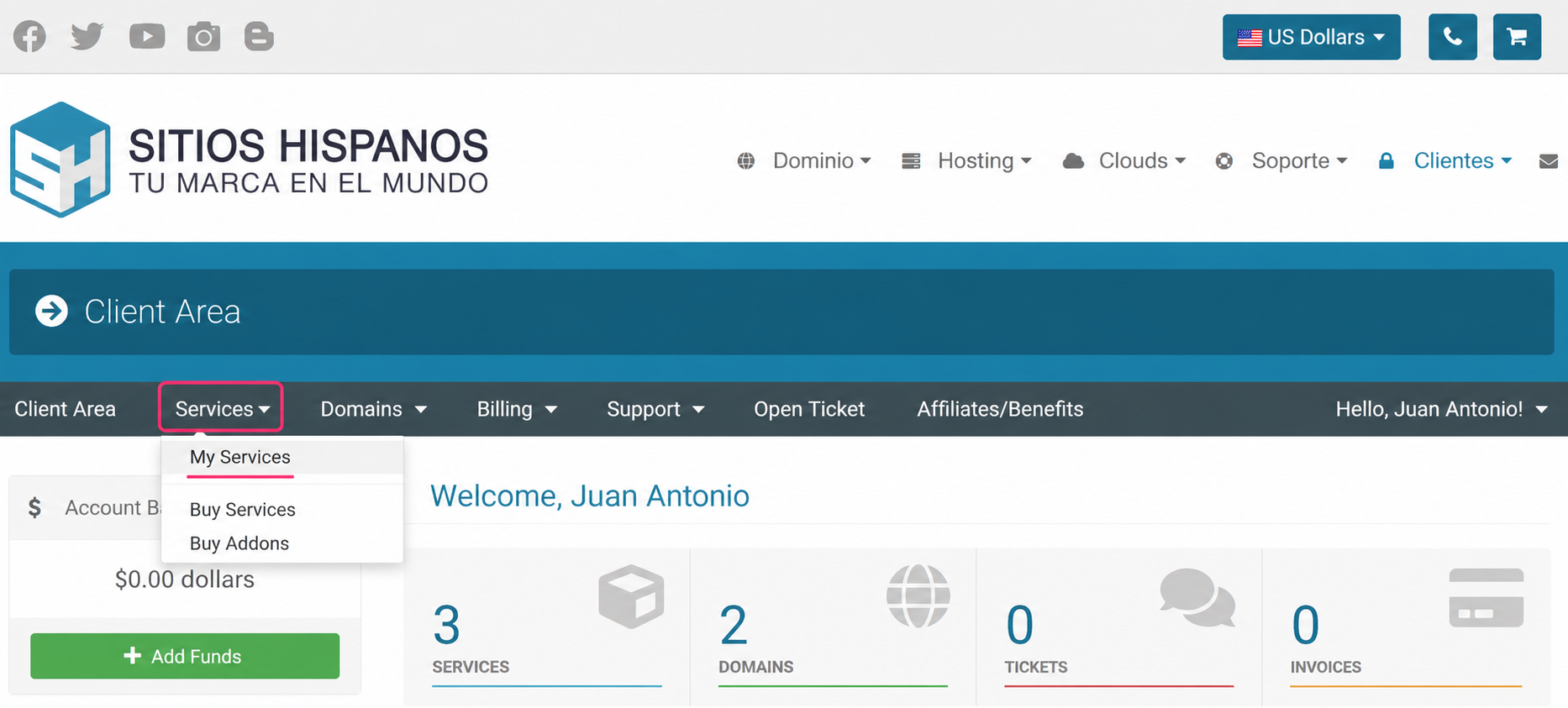
- Log in to your Client Area and click Services, then My Services
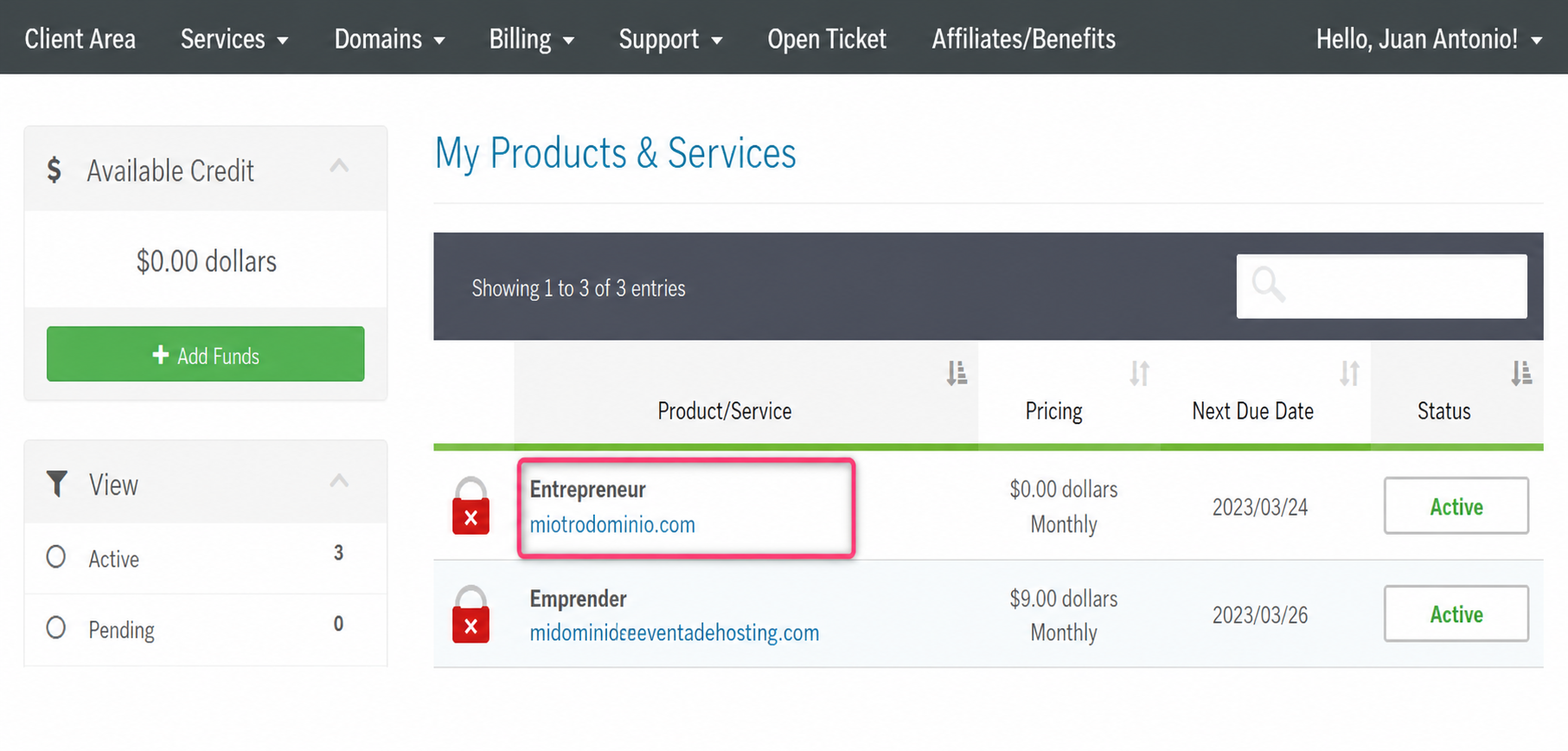
- From the list of hosting plans, select the one for which you want to create a Signature
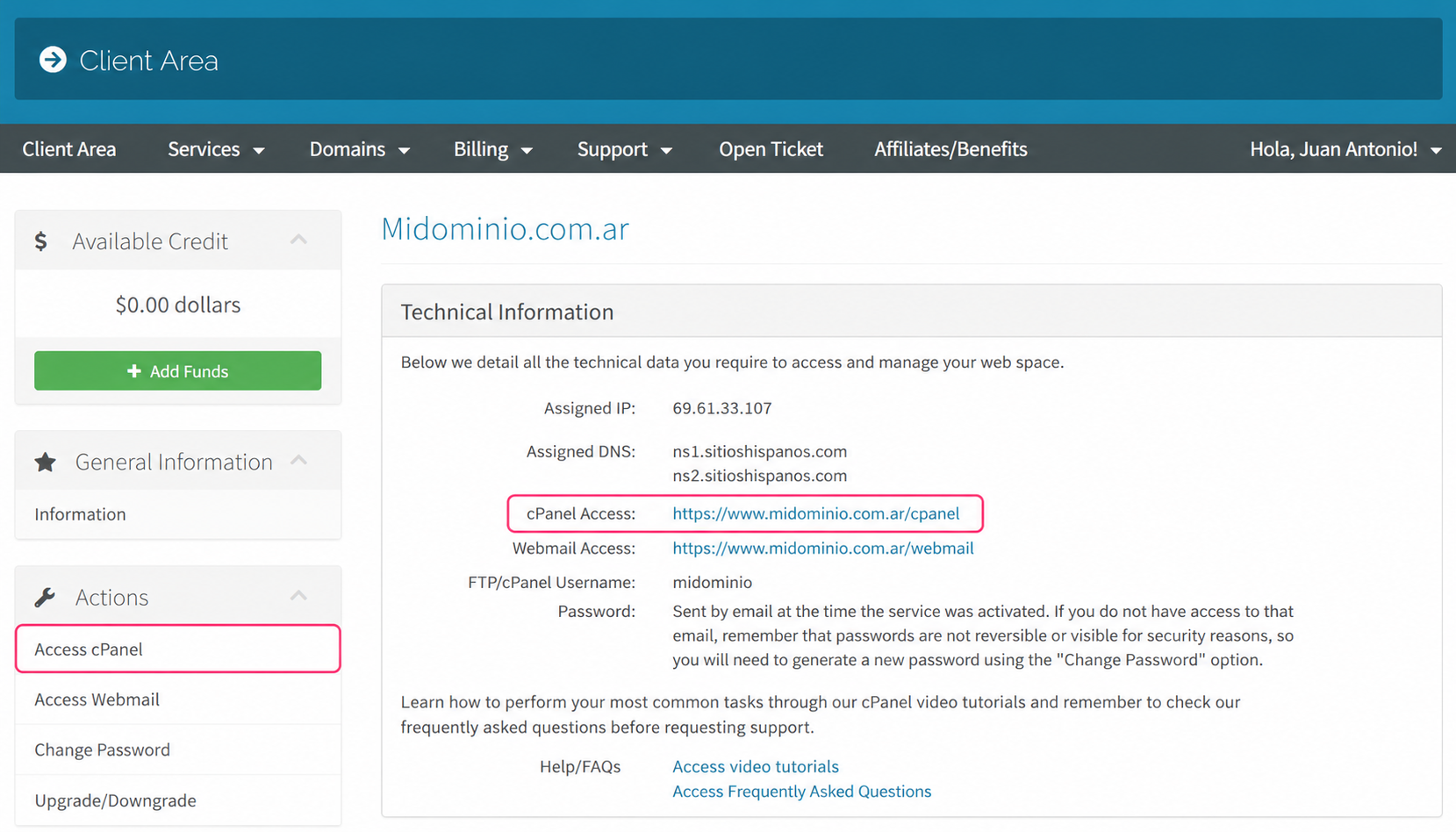
- On the new screen you will see, in the Actions box on the left, the option to access the cPanel control panel. You will also see, in the central Technical Information box, the direct link to the panel from your browser.
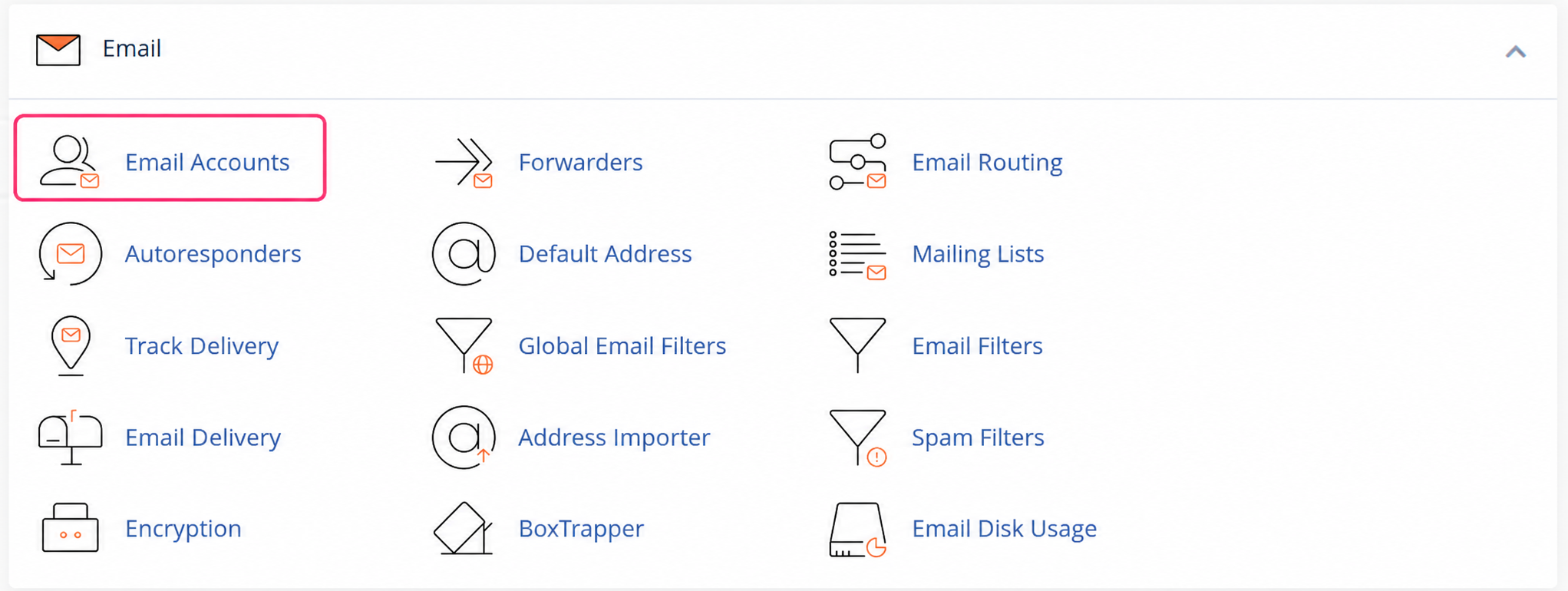
- Once in the cPanel control panel, go to Email Accounts in the Email box.
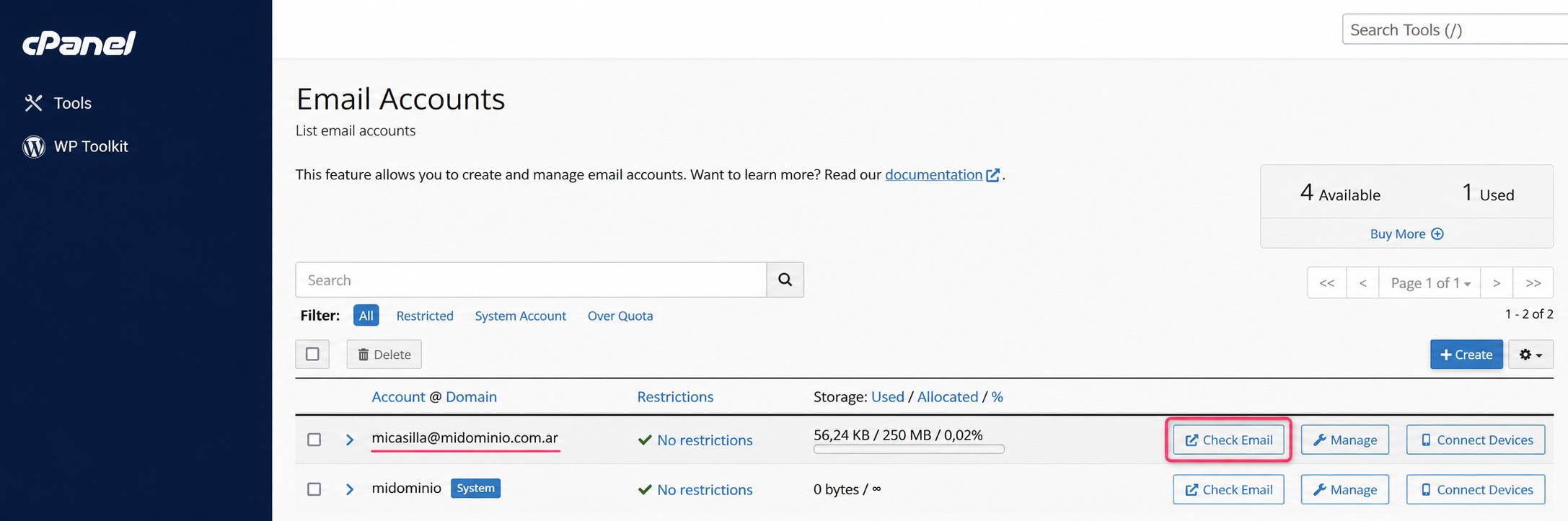
- Then, press the Check Email button to access the Webmail for the chosen email account.
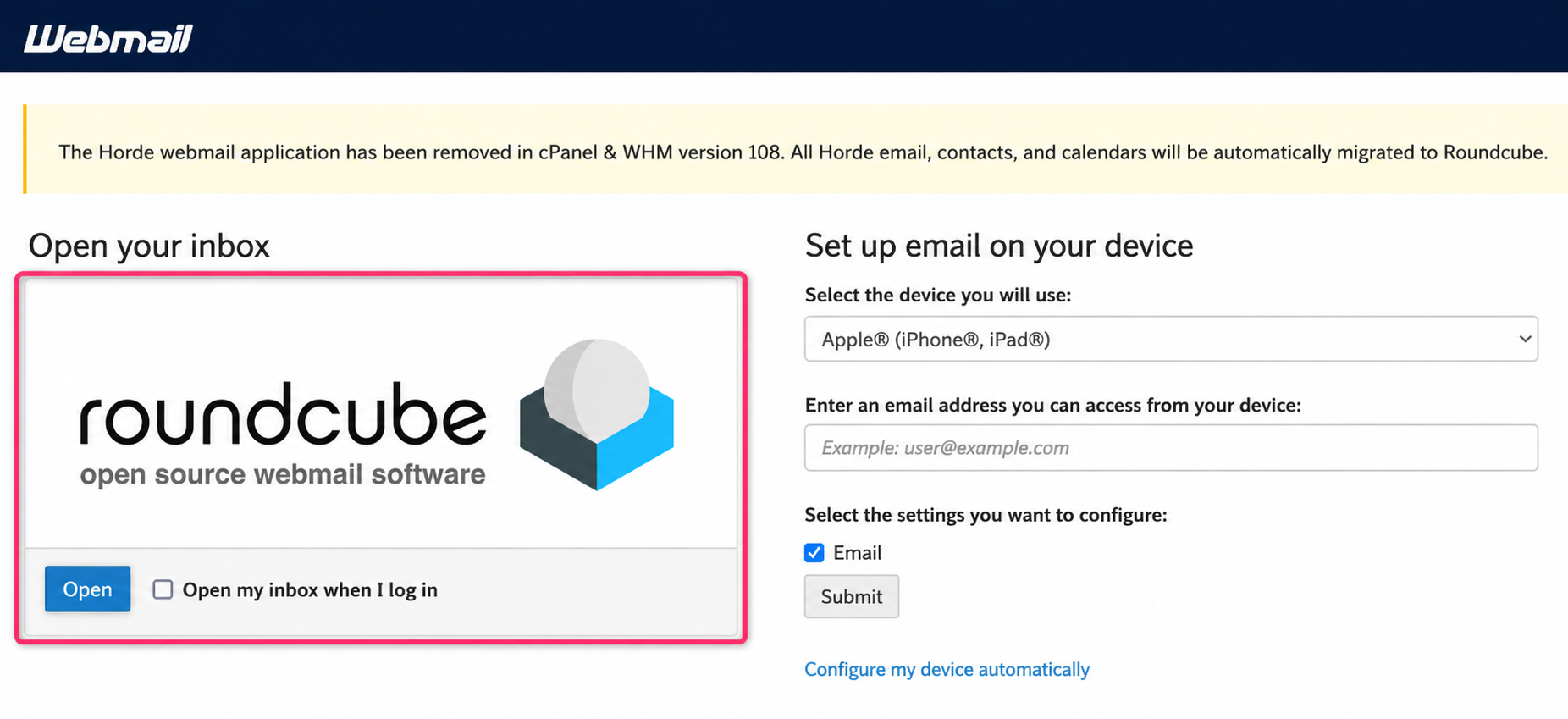
- On the new screen click roundcube to open the webmail client
- After entering Webmail, press the Settings button in the left menu.
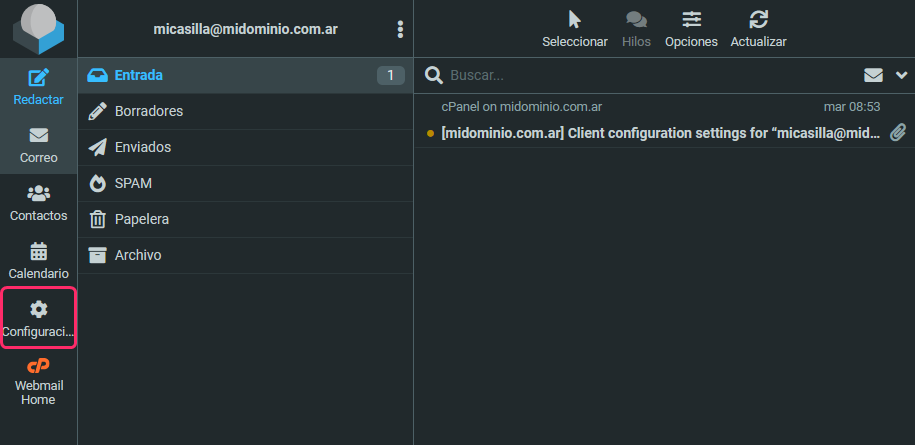
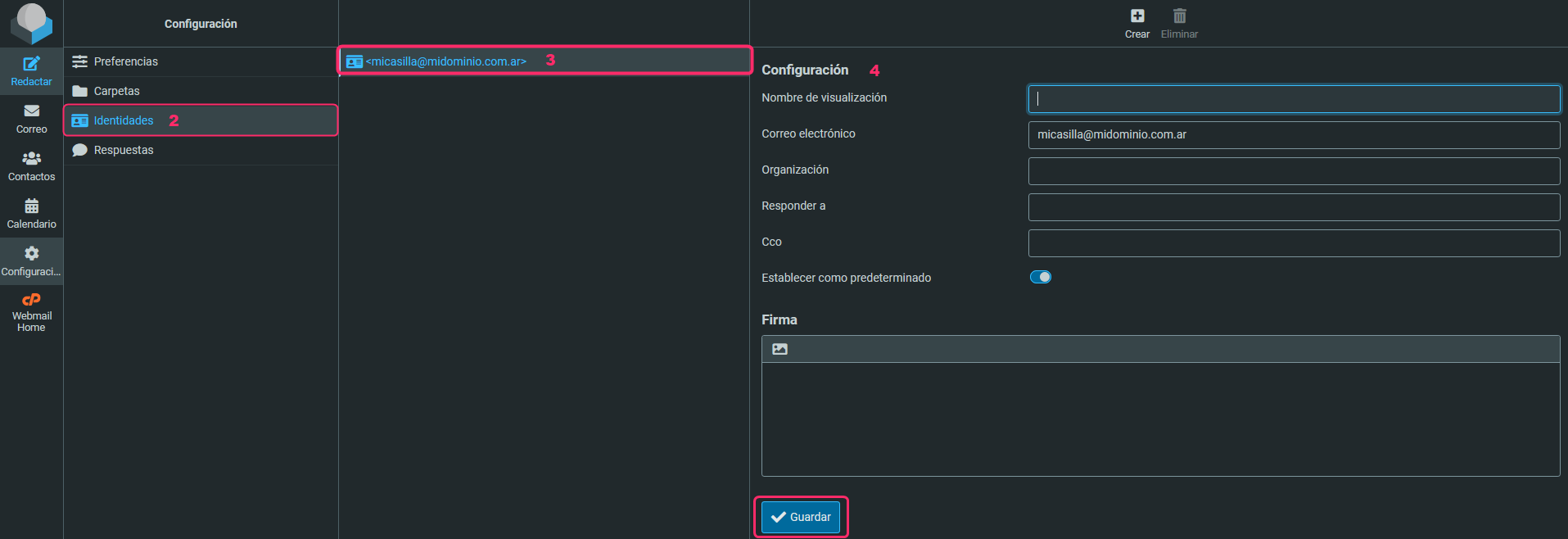
- Then click Identities and select the account you want to create a Signature for. The form to create your Signature will appear. When you finish creating it, save with the Save button.