How do I manage files and directories for an account in HestiaCP?
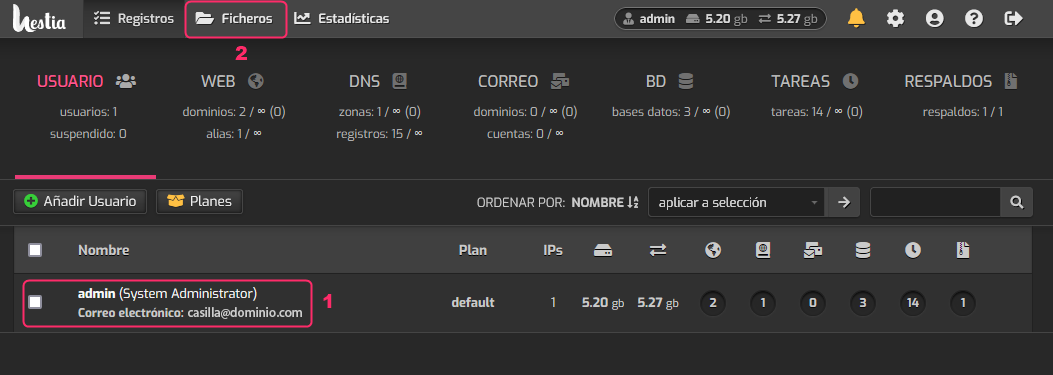
To enter the File Manager you must choose a hosting account from USER, and then go to Files in the top menu.
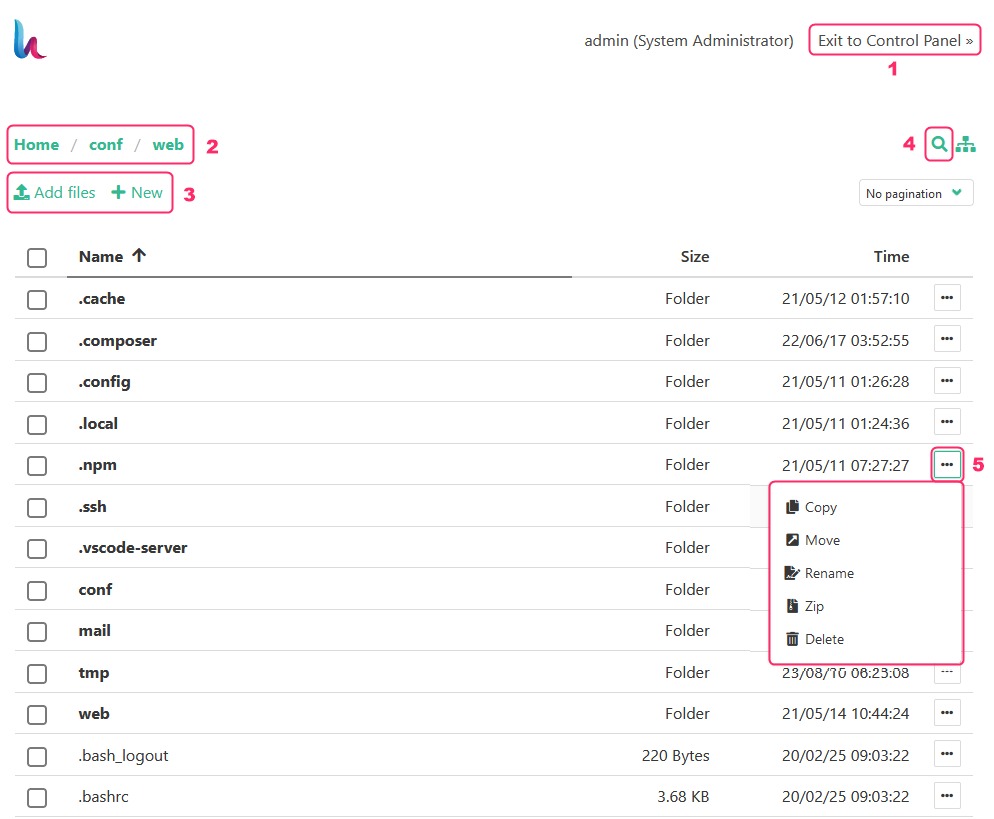
On the File Manager screen you will see the following:
- The button to return to the control panel.
- The directory path you are located in. You can click each part to move to that particular directory.
- With Add files you can upload files to your account and with New you can create files and directories.
- There you will find a search for files or directories.
- Each file or directory will have a dropdown menu from which you can perform different actions with the selected item (copy, move, rename, delete, etc.).