How do I change the password, storage and other options of my mailboxes in Plesk?
Hashtags: #space #password #limit #maximum #size #key #quota
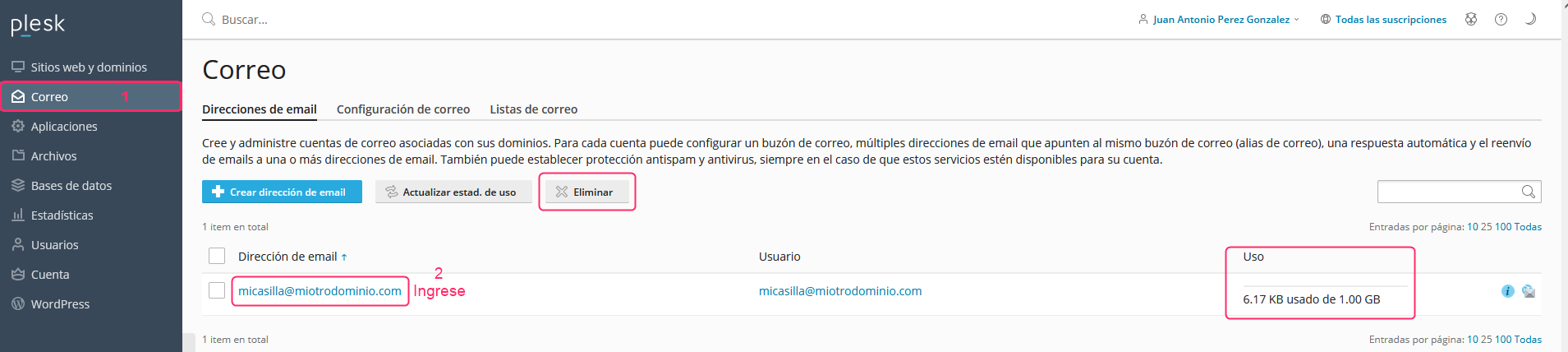
To modify a mailbox’s options you must log in to the Plesk control panel from your Client Area.
- In the Plesk control panel, choose the Mail option from the left menu. You will see the list of created mailboxes, the space they occupy and a button to delete them.
- Enter the mailbox you want to modify its settings.
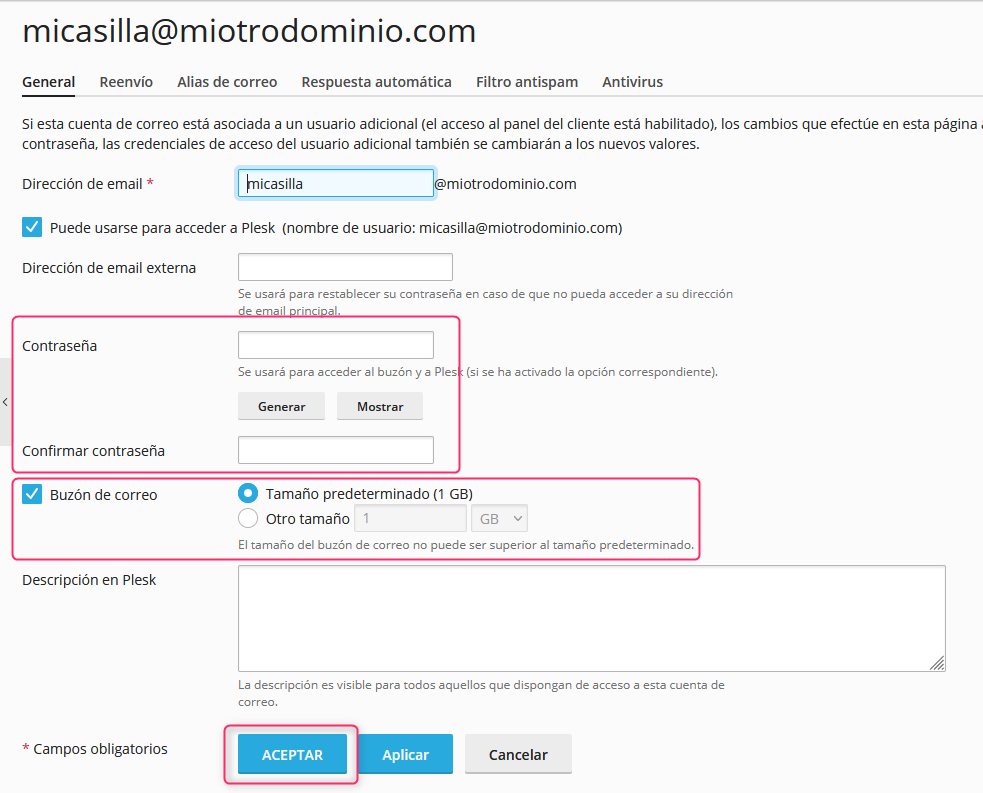
On the new screen you’ll see several options you can modify:
- The mailbox name
- A secondary email address for password recovery
- The mailbox password change
- The maximum storage limit the mailbox can use.
By pressing the OK button you will save the changes made.