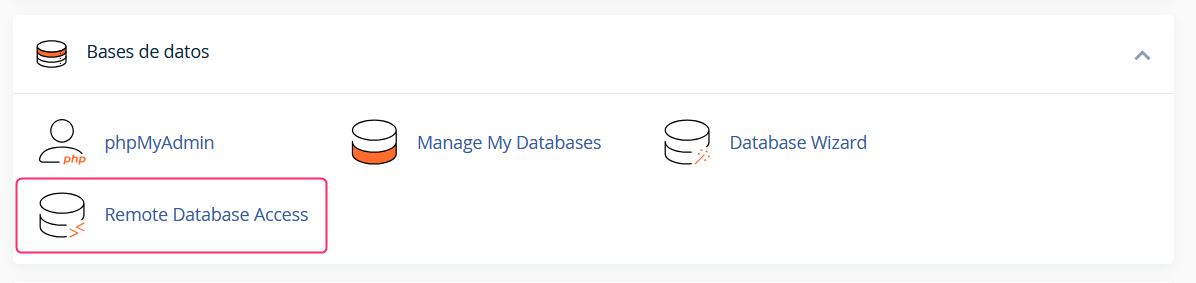
To connect to a database remotely, go to the Remote Database Access tool in the Databases box.
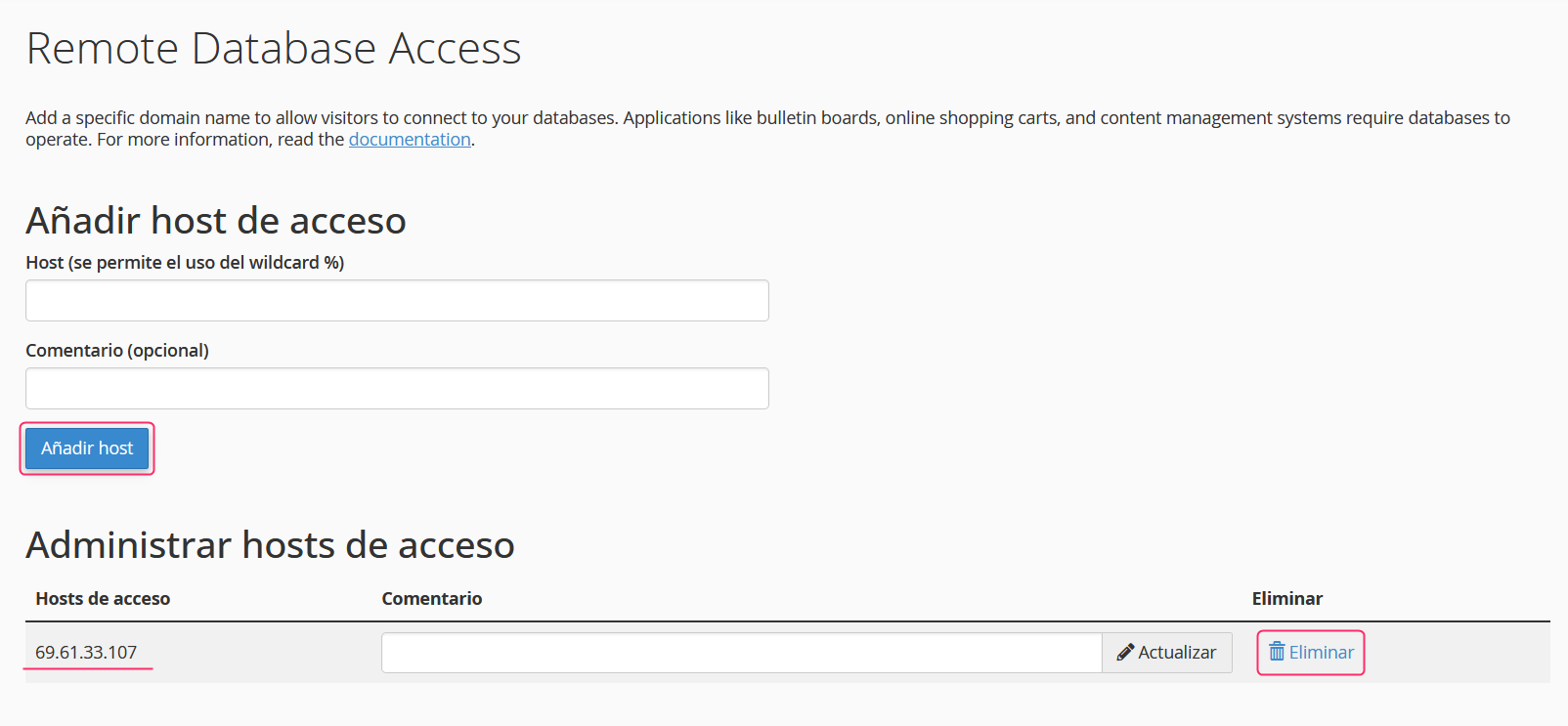
On the Remote Database Access screen you will find these options: Host: you must enter the IP address of your local connection. Alternatively, you can place the symbol “%” to allow any external connection to the database. Comment: you can note a reference for the open connection.
Once you’ve added the connection that will access the database remotely, save the changes by pressing the Add Host button.
After adding the connection you will see it below, in the Manage Access Hosts section.
You can remove the connection by pressing the Delete button that you will see to the right of each one.