How do I create plans for my hosting accounts?
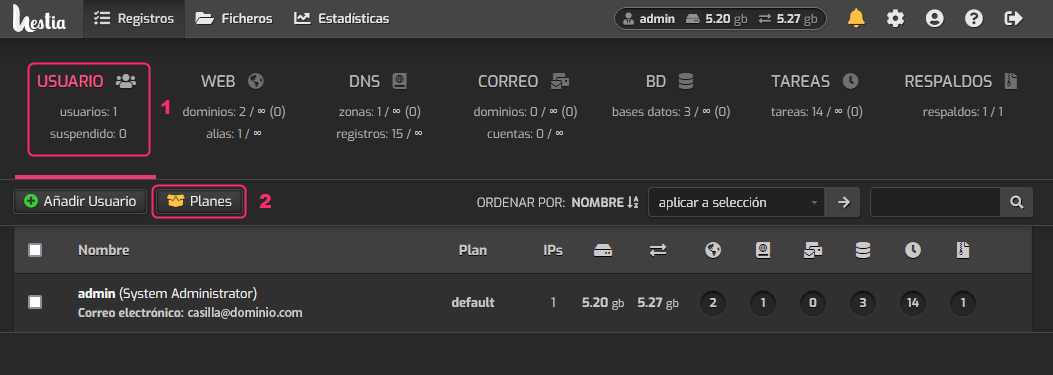
To create hosting plans, which will define the resources that an account will have, we must follow these steps:
- Go to the USER box.
- Go to Plans.
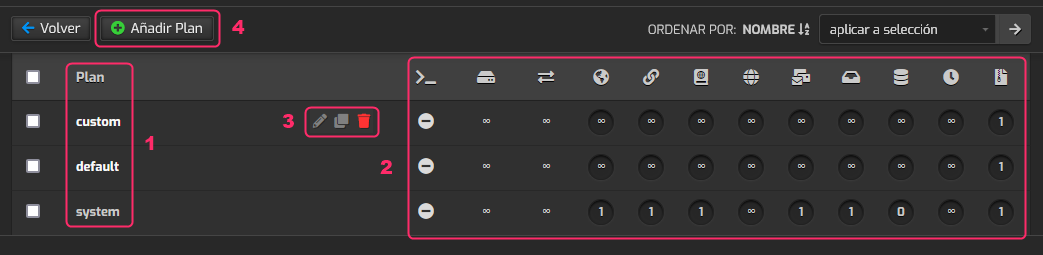
On the plans screen you will find the following information:
- You will see the plans that have been created.
- To the right of each plan you will see the different resources and options provided. Hovering the mouse for a few seconds over each option will show its description.
- These floating options will allow you to delete, copy, or edit a plan.
- With Add Plan you can create a new hosting plan.
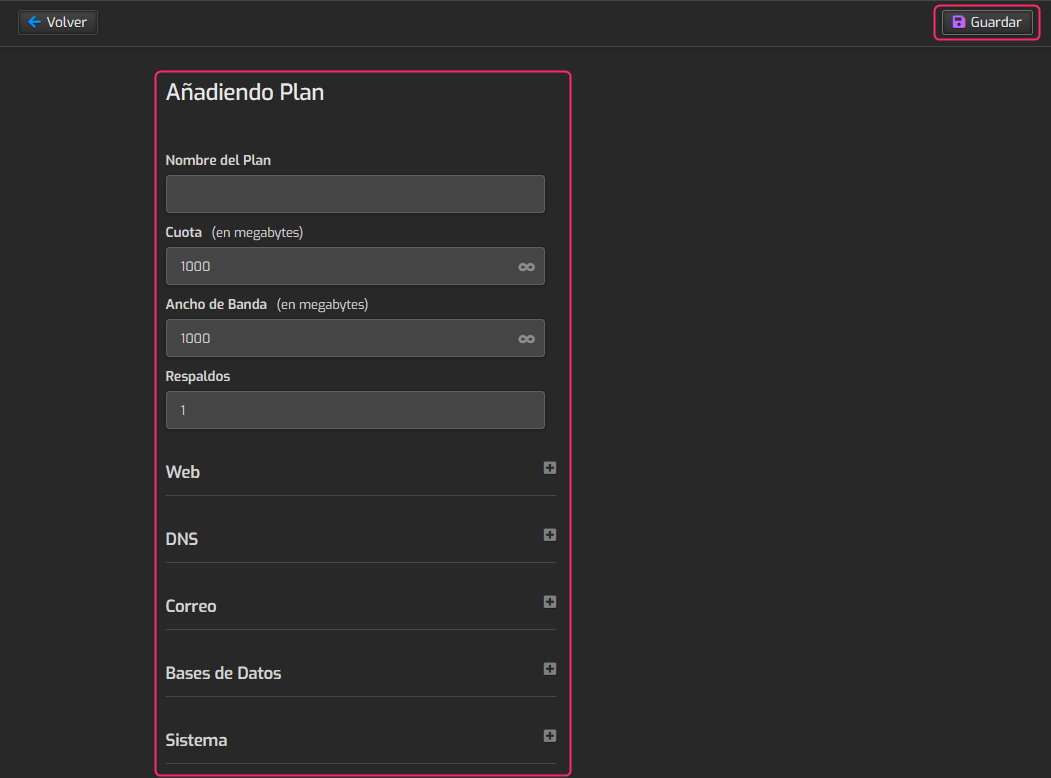
When creating a new package you will see the options to configure.
The main data are:
- The name of the plan
- Disk space
- Monthly bandwidth limit
- Number of backups allowed
Once you have defined the hosting plan you can save it with the Save button located at the top right.