How to create a domain alias in HestiaCP?
To create a Alias for a domain, follow these steps:
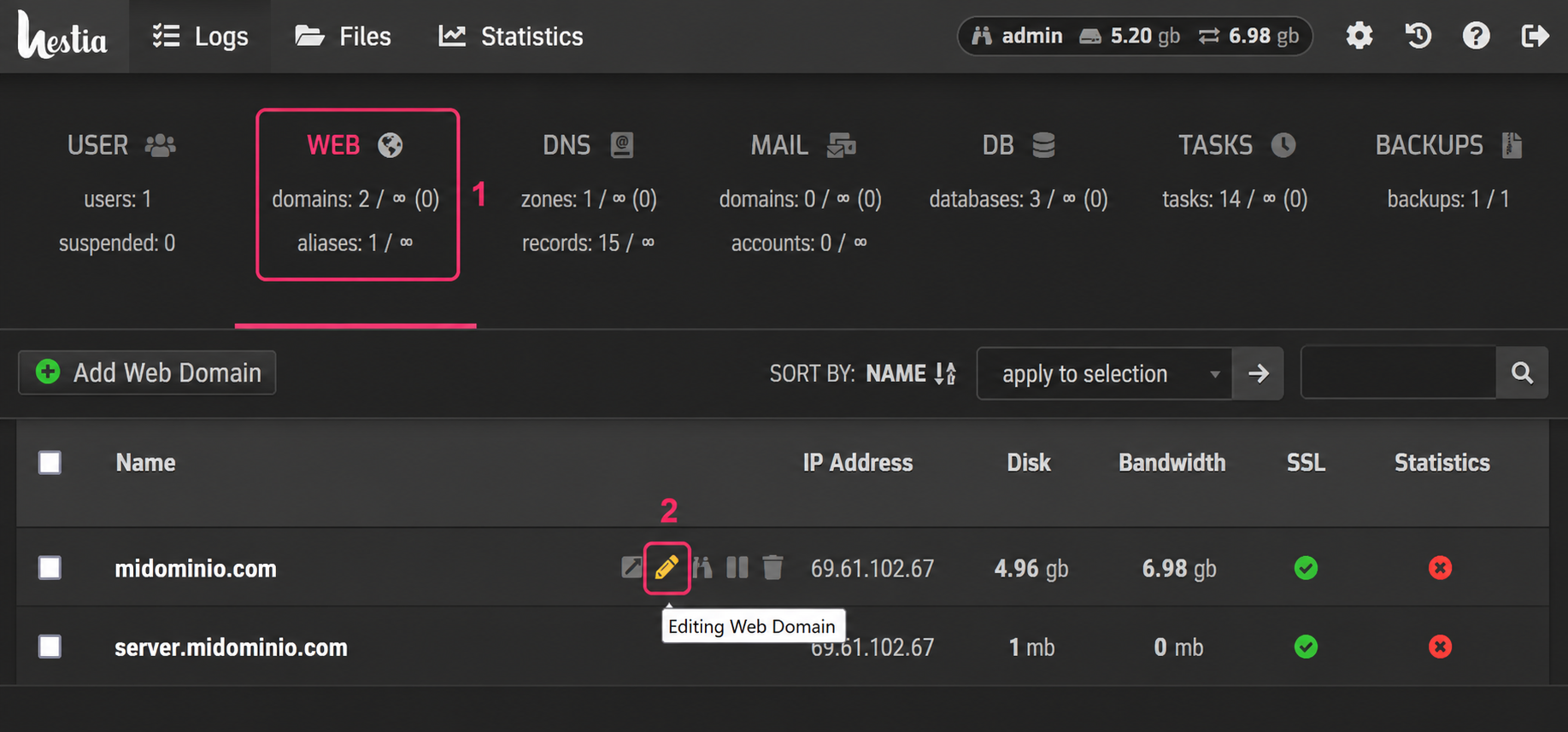
- Go to the WEB section of the control panel.
- For the domain to which you want to add the Alias, click the pencil icon.
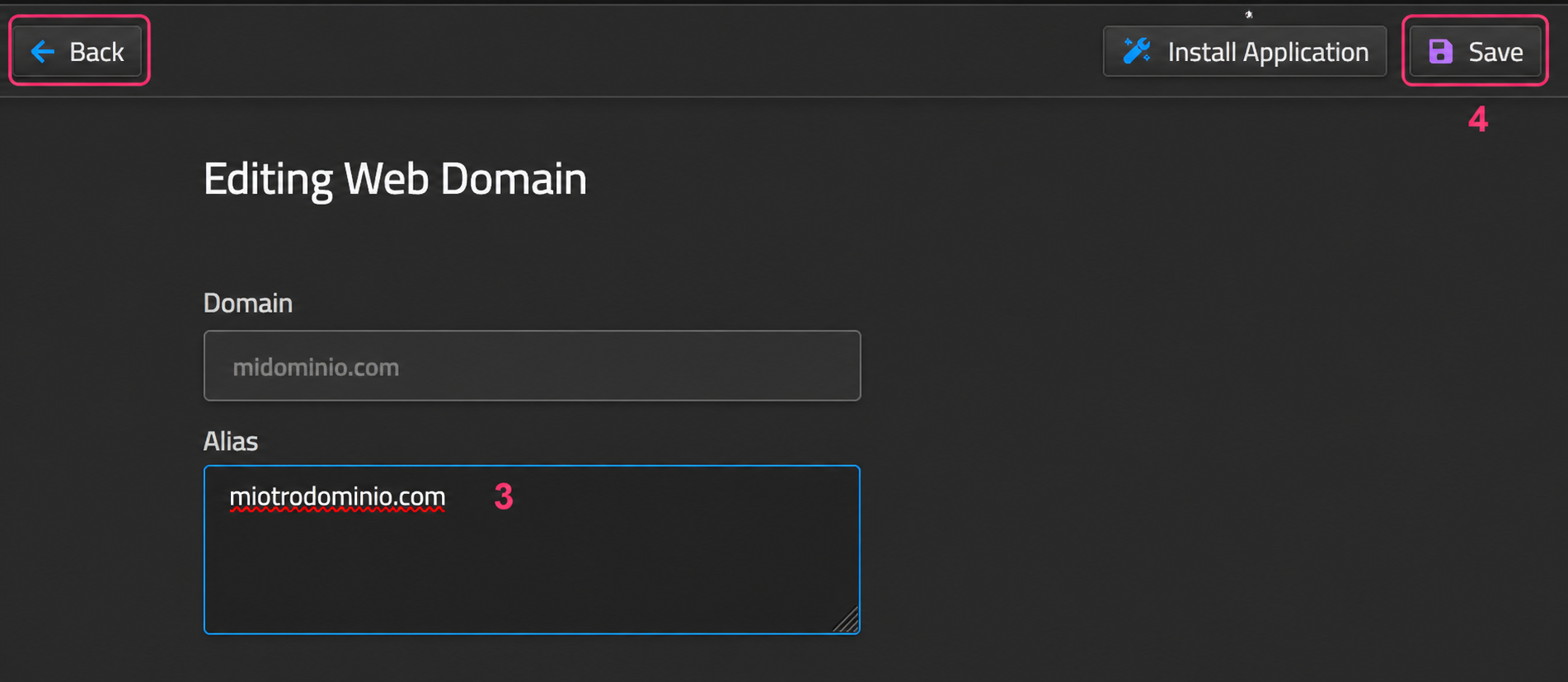
- In the first option within the account editor, you will see the Alias field. Enter the new domain in this field.
- Finally, save the changes with the Save button. You can cancel the operation with the Back button.