How do I start, restart or stop services?
It may happen that you need to stop, restart or start a service. Whether because it causes overload, it has crashed, or for any other reason.
To do this, follow these steps:
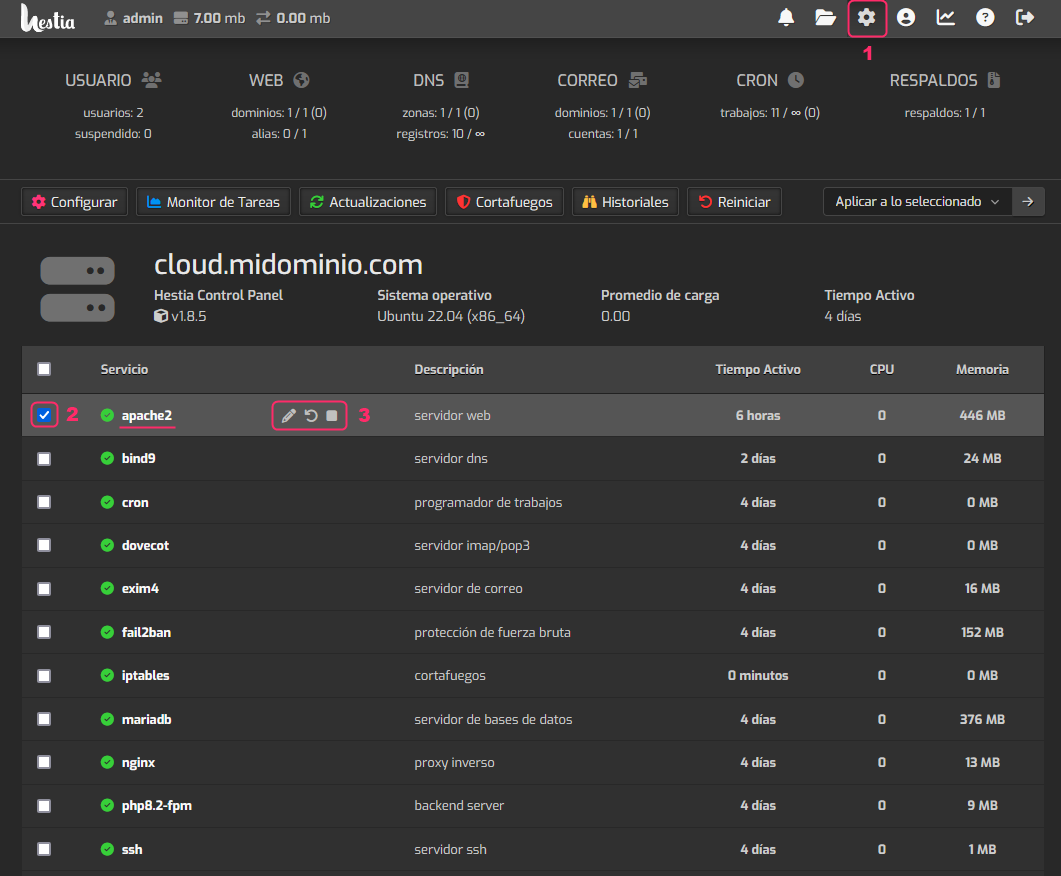
- Click the gear icon in the top menu.
- From the list of primary services, choose the one you want to affect by checking the box on the left.
- You will see a floating options menu where you can stop, restart or even modify the service configuration.