How do I access the server firewall?
The Firewall will allow you to open or close IP connections or UDP/TCP ports.
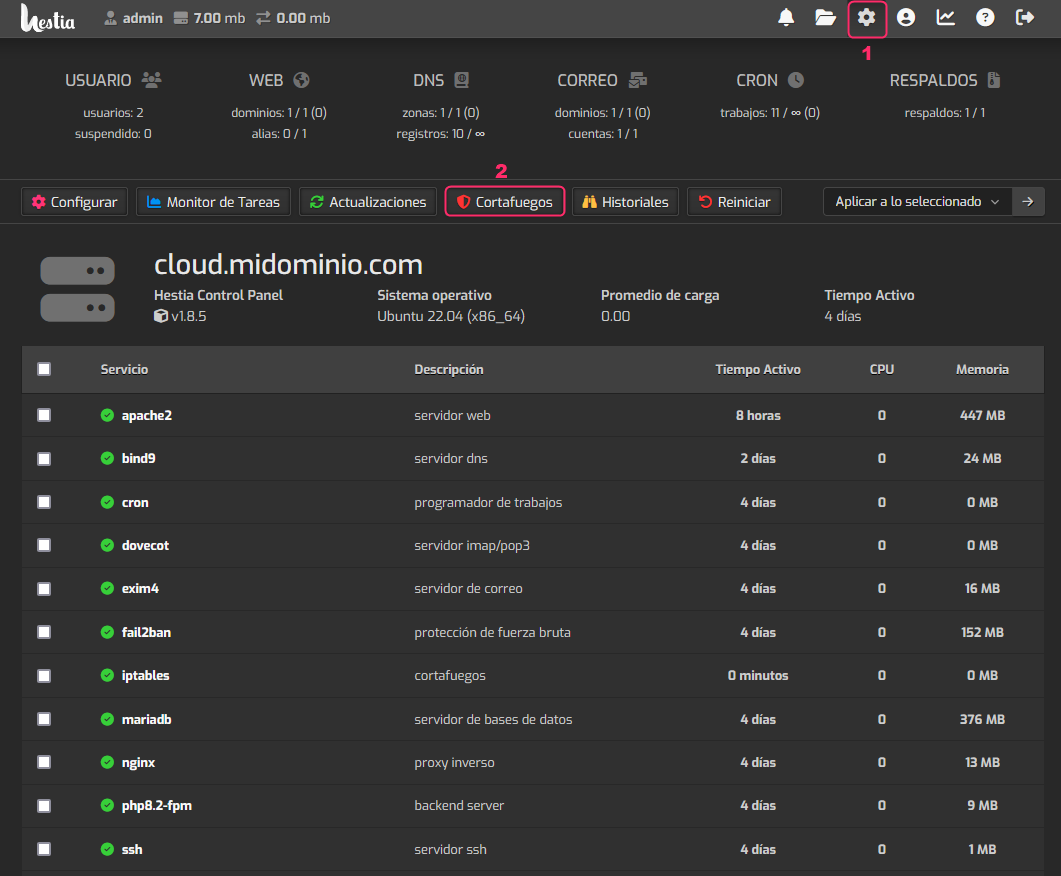
To enter the Firewall follow these steps:
- Click the gear icon in the top menu.
- Then, go to the Firewall option.
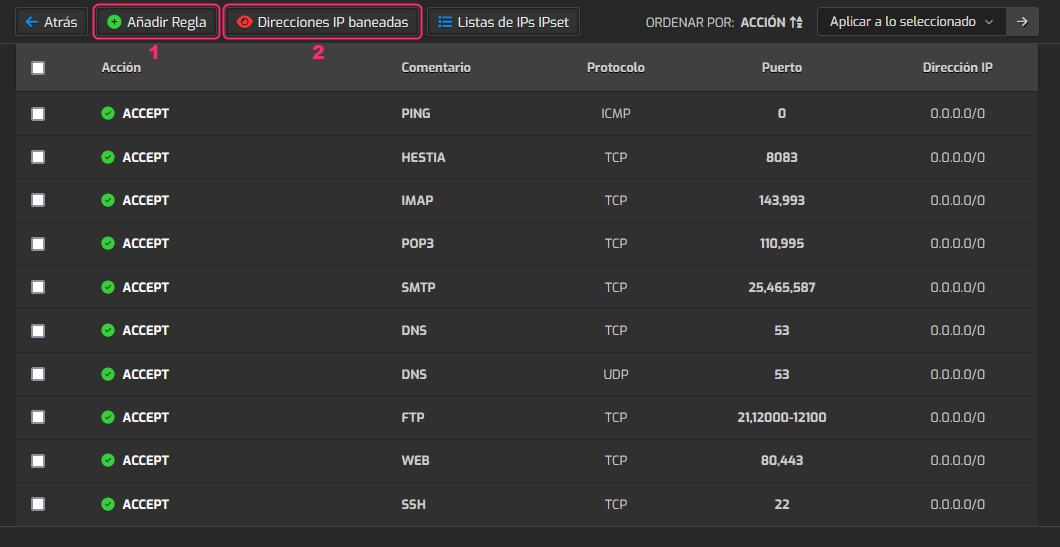
Of the Firewall options you’ll find, the most useful are the following:
- Add Rule: will allow you to open or close IP connections or TCP/UDP ports.
- Banned IP Addresses: you’ll see a list of blocked IPs that you can unblock if necessary.
Add Rule
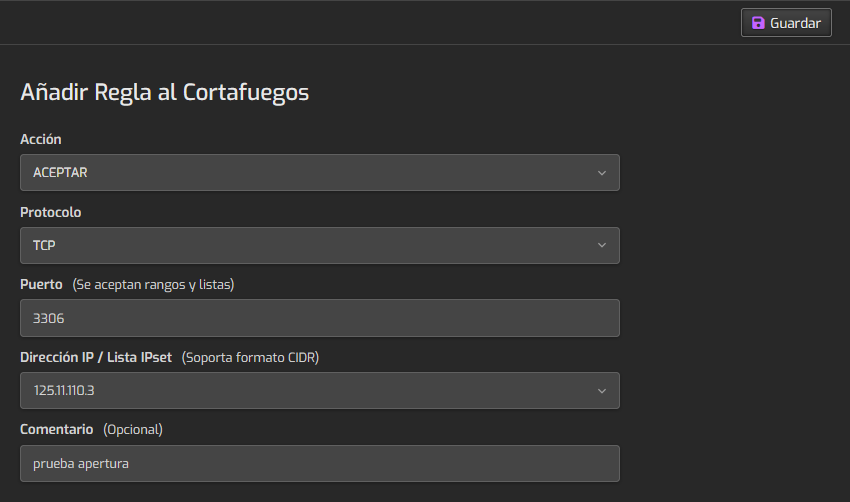
To open or close a connection you must:
- Define the action to take.
- Choose the protocol you want to affect.
- Enter the port you want to open or close.
- Enter the IP address you want to allow or block.
- Finally, you must save the rule with the Save button at the top right.