How to change the access password for an account in HestiaCP?
Hashtags: #password #key #login
To change the access password for a user’s Control Panel and FTP you should follow these steps:
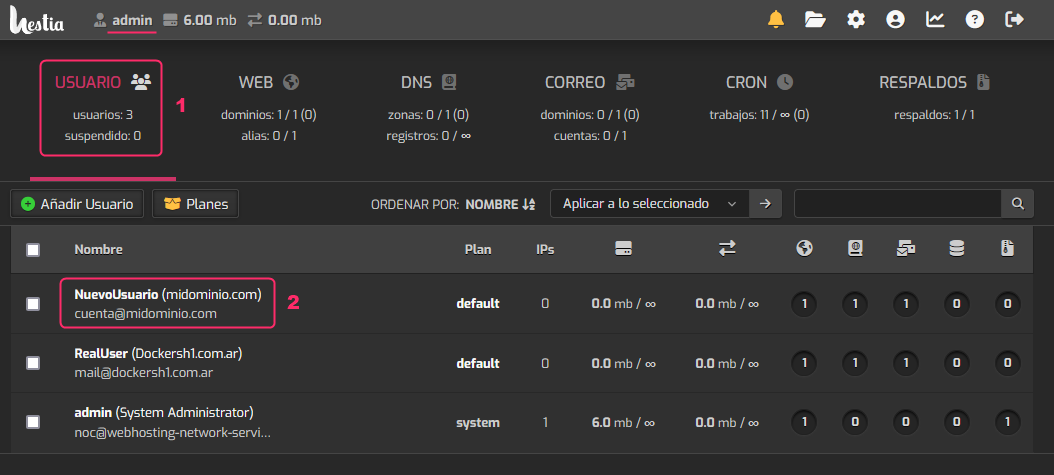
- From the main screen, logged in as admin, go to the USER area.
- Then, click on the account for which you want to change the FTP or Control Panel access password.
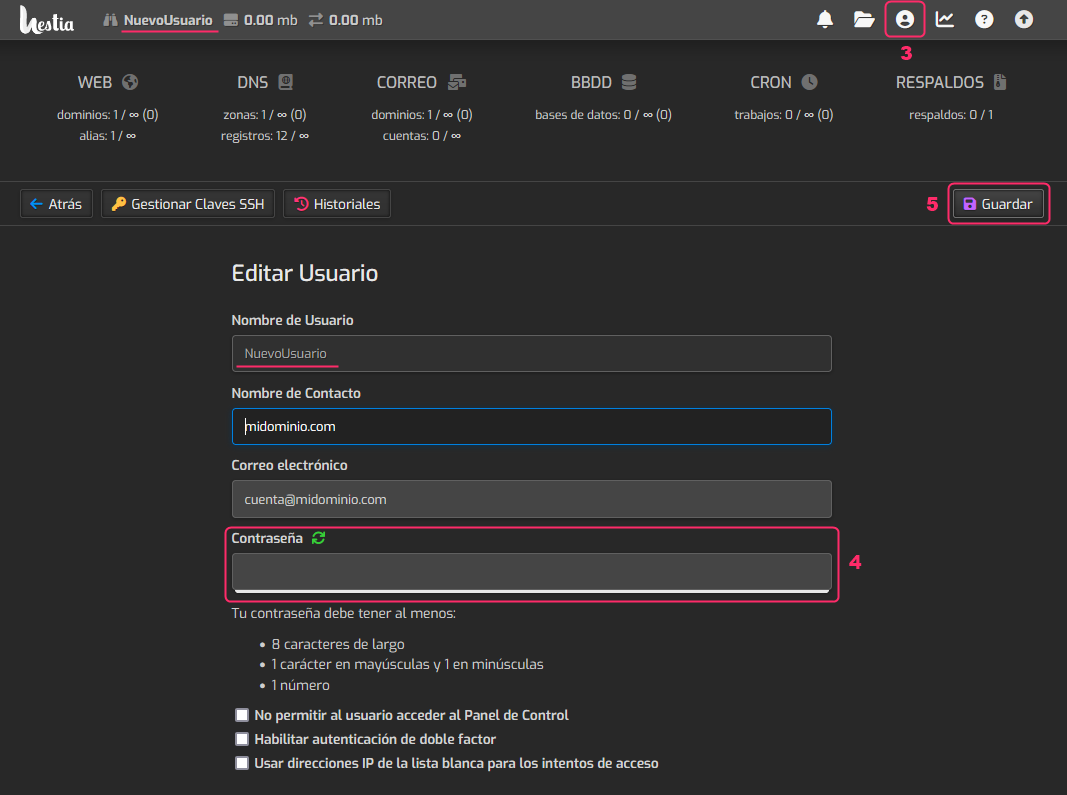
- On the selected user’s screen, click the top-right icon shown in the image.
- The fields to edit the user will appear. Among them you’ll see the box to change the password.
- When finished, press the Save button.