

How do I enable and disable notifications in WhatsApp?
From your Client Area, you can enable or disable notifications that are sent via WhatsApp.
This feature can be useful for following support tickets or to receive notifications that could be blocked by email filters.
To enable or disable the notifications sent via WhatsApp, follow these steps:
- Log in to your Client Area.
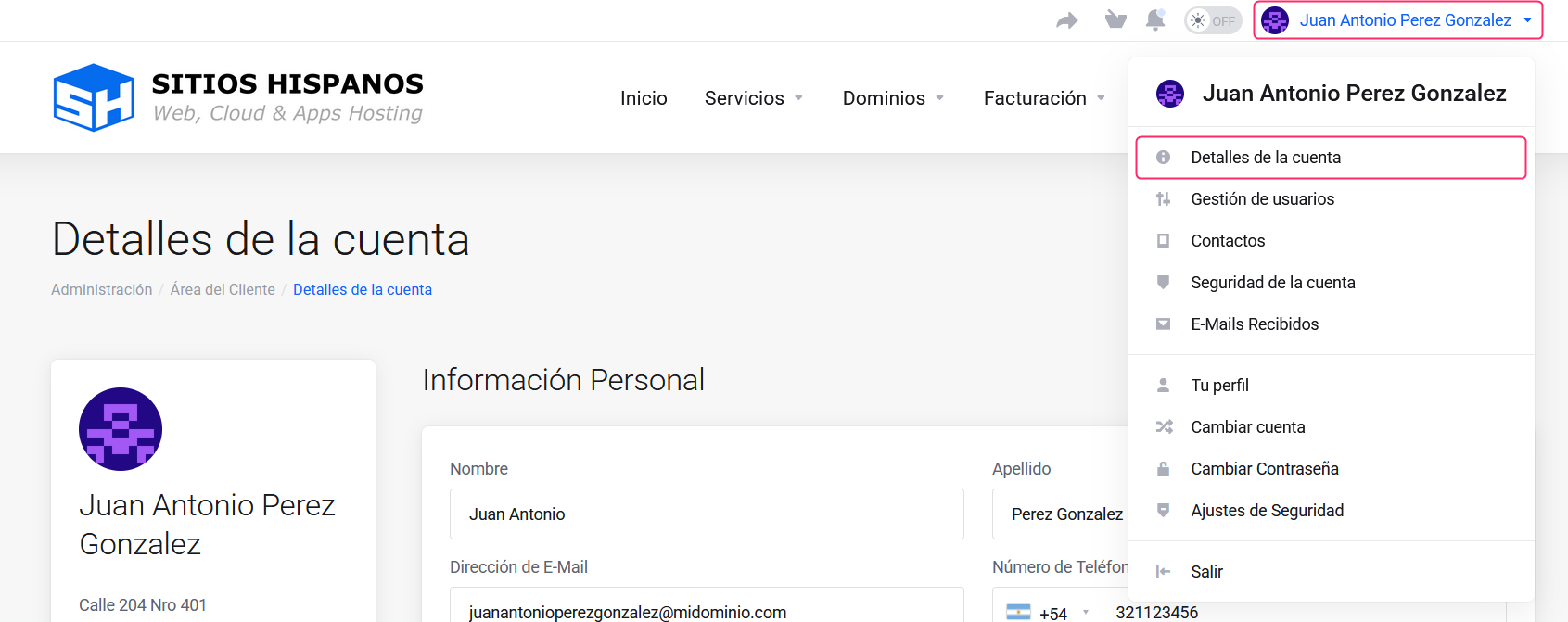
If you don’t remember how to log in follow this link: How to access the Client Area - In your Client Area click on the client name you will see at the top right.
A menu will open. Go to “Account Details”.
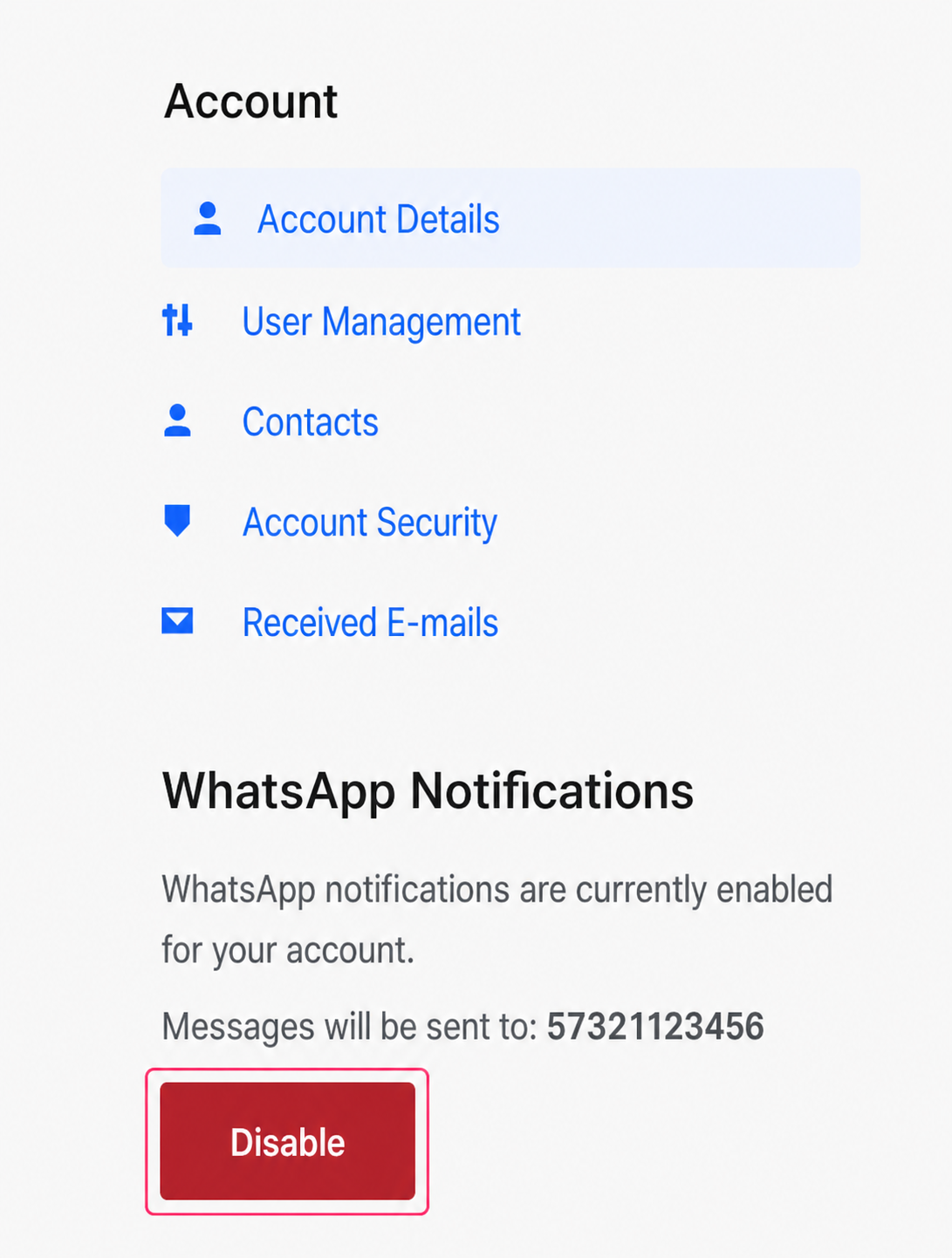
On the account details screen you will see, on the left side of the screen, under the Account options, the “WhatsApp Notifications” option.
You can enable and disable this feature with the button you will see below.
By default, all accounts have this feature enabled in their Client Area.
That’s it. Remember to configure a valid WhatsApp contact number to be able to use this feature.