

How to change a domain’s package?
In this section we’ll show you how to change the package or plan a domain has to another.
After accessing the WHM of your Reseller plan, you have two ways to reach the interface from where you can change the plan or package of a domain in your Reseller plan.
First option
In your WHM go to “Account Information” => “List Accounts”. Once there:
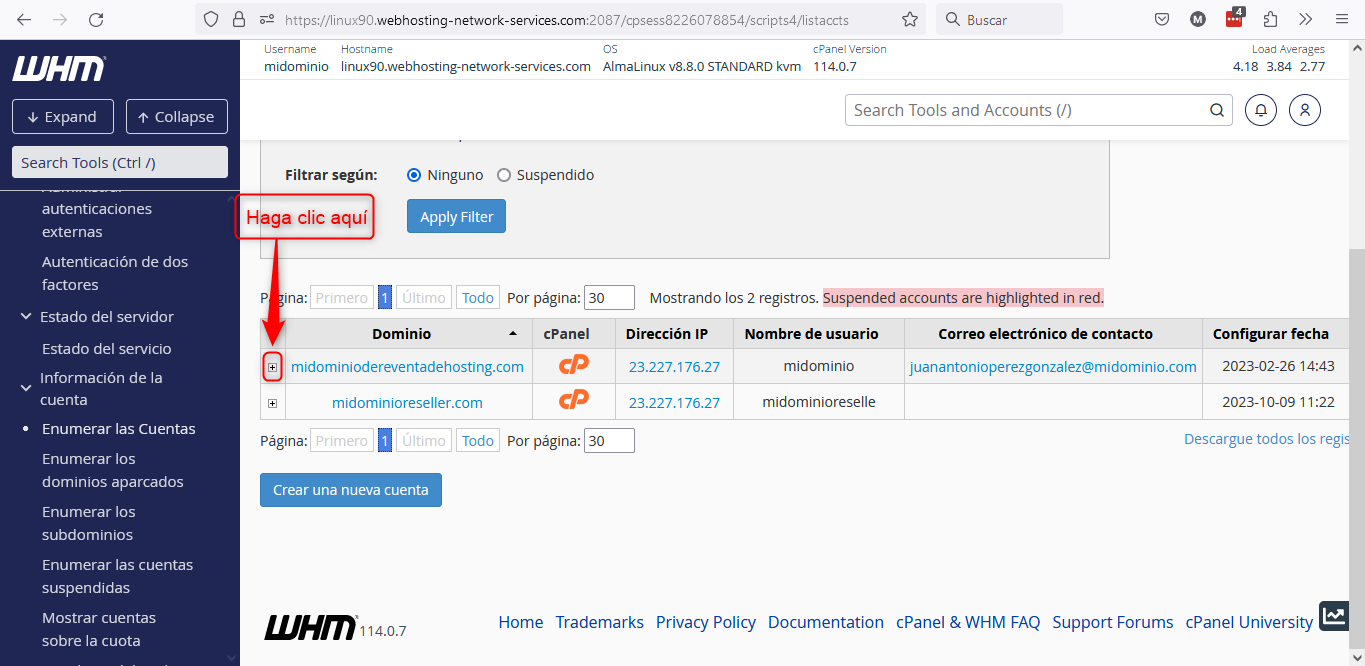
Clicking the + sign will open a sub menu here
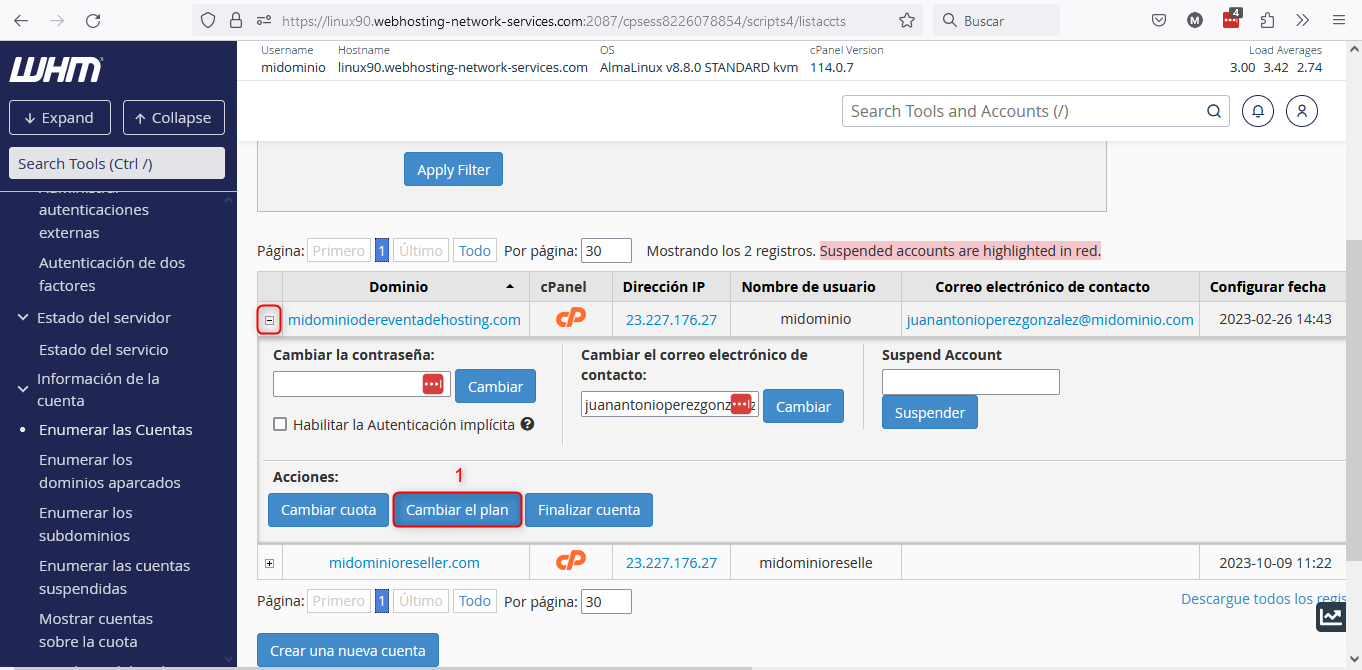
After opening the sub menu of the domain you want to modify, click the button indicated at point 1 in the image above: “Change the package”.
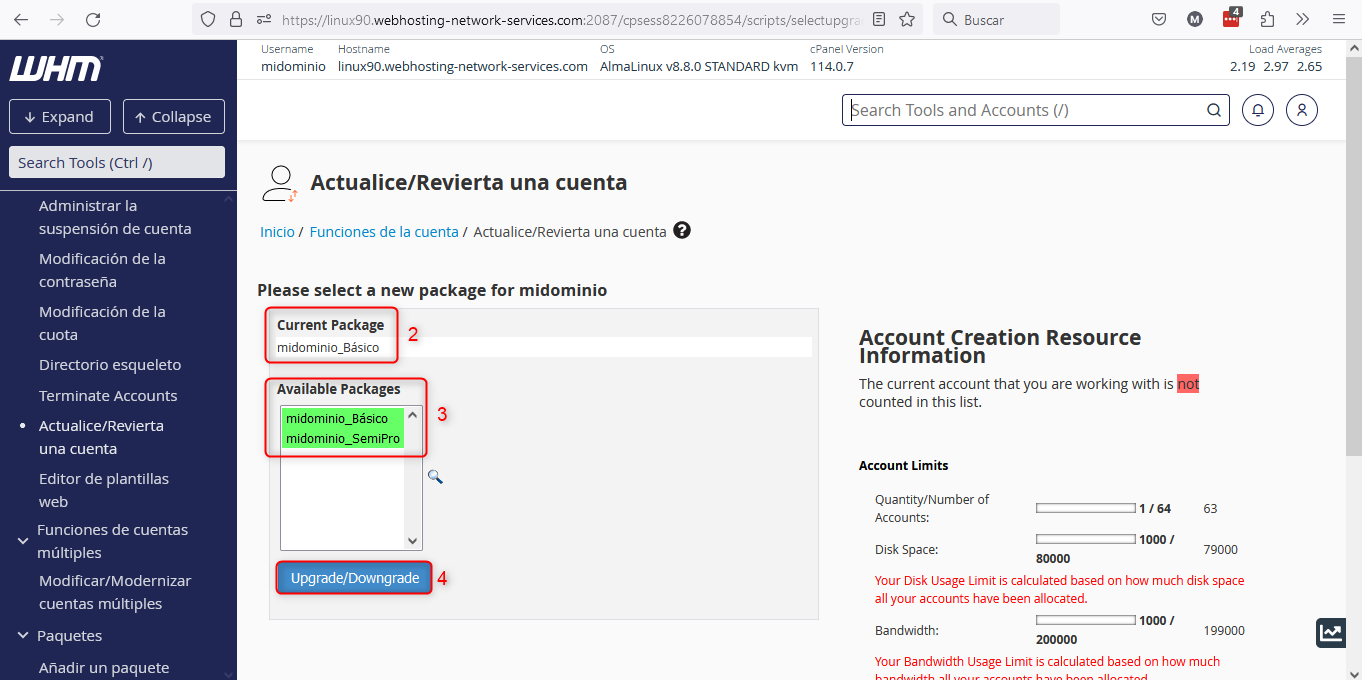
Upgrade/Downgrade an Account
This will take you to the screen shown in the image above, where:
- Point 2: shows which package the domain currently has.
- Point 3: packages you can use to modify the domain’s resources will be shown in green. If packages appear marked in red it means you cannot use those packages, as using them would exceed the resource limits of your Reseller plan.
- Point 4: use this button to perform the package change.
Second option:
You can go directly to the WHM interface that will allow you to modify your domains’ package. Go to “Account Functions” => “Upgrade/Downgrade an Account”.
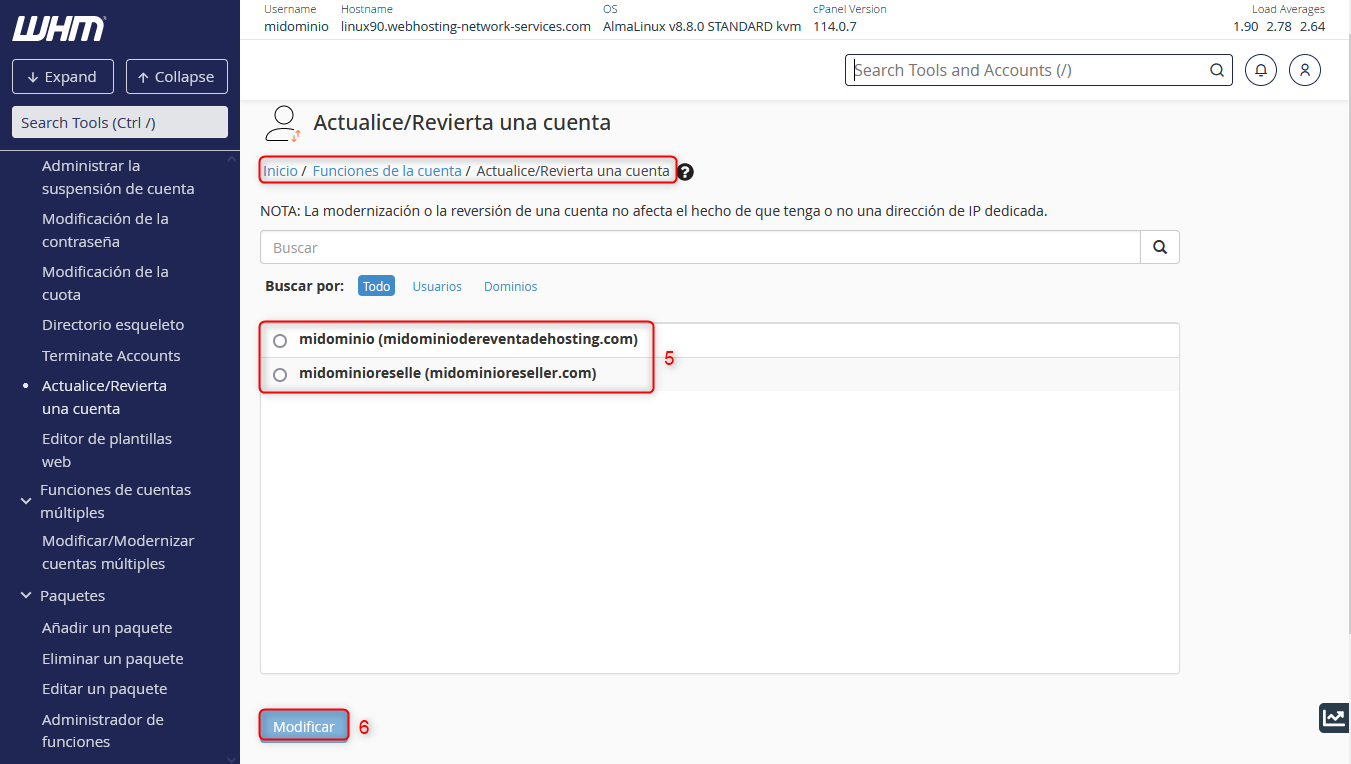
In point 5 shown in the image above, you must enter the domain whose package you want to modify. Once done, click the “Modify” button at point 6.
The following screen will be exactly the same as the image named “Upgrade/Downgrade an Account”.