How to create Subdomains, Aliases and Addon Domains in cPanel?
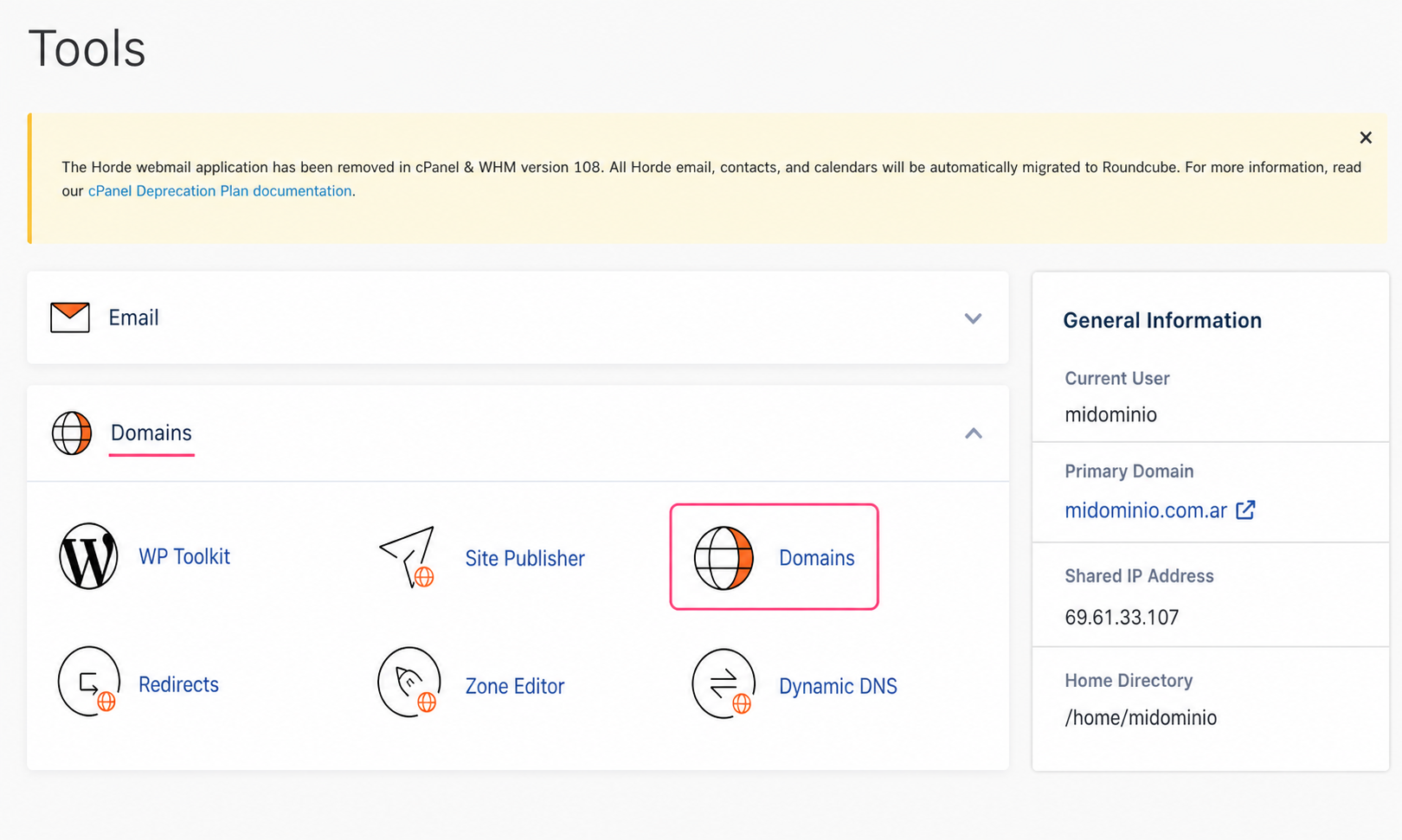
- To create subdomains, aliases and addon domains go to the Domains tool, in the Domains box.
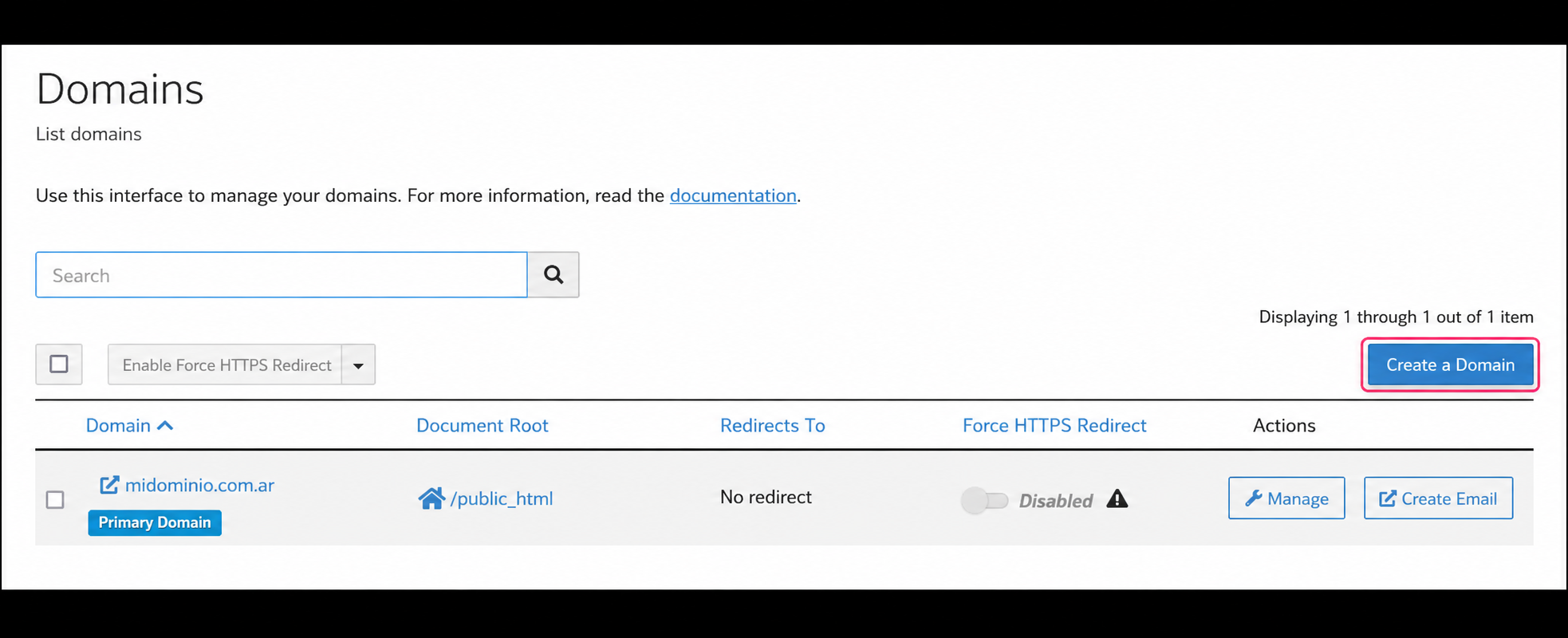
- On the Domains screen you will see the list of subdomains, aliases or addon domains you have created. At the top right you will find the Create a Domain button to create them.
- On the new screen you can create a subdomain, an alias or an addon domain. The type of domain, pointed (alias/parked) or addon, will be determined by what you type in the Domain field and whether or not you check the Share document root option.
Creating an Alias
An Alias domain will display the same website as your account’s main domain. Additionally, it will allow you to create email accounts with the new domain.
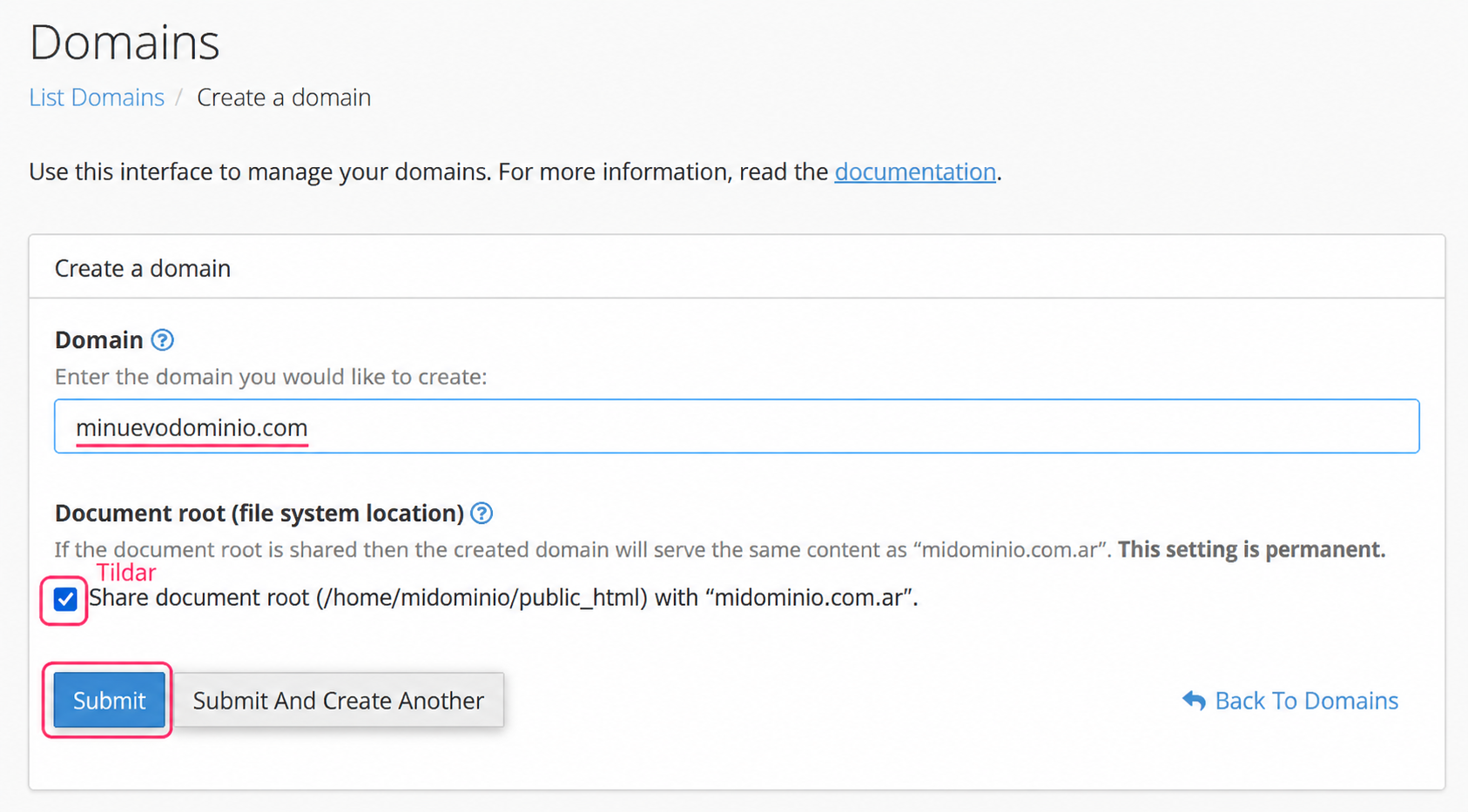
To create an Alias you must enter the new domain name and enable the Share document root checkbox. This way, you will indicate that this new domain will share the content of the website shown by the main domain.
Creating a Subdomain
A Subdomain is a subdivision of a website within the same domain. Subdomains are often used to separate functions of a complex website.
For example, midominio.com could display a main site with product offers, while compras.midominio.com would display the shopping cart to process an order.
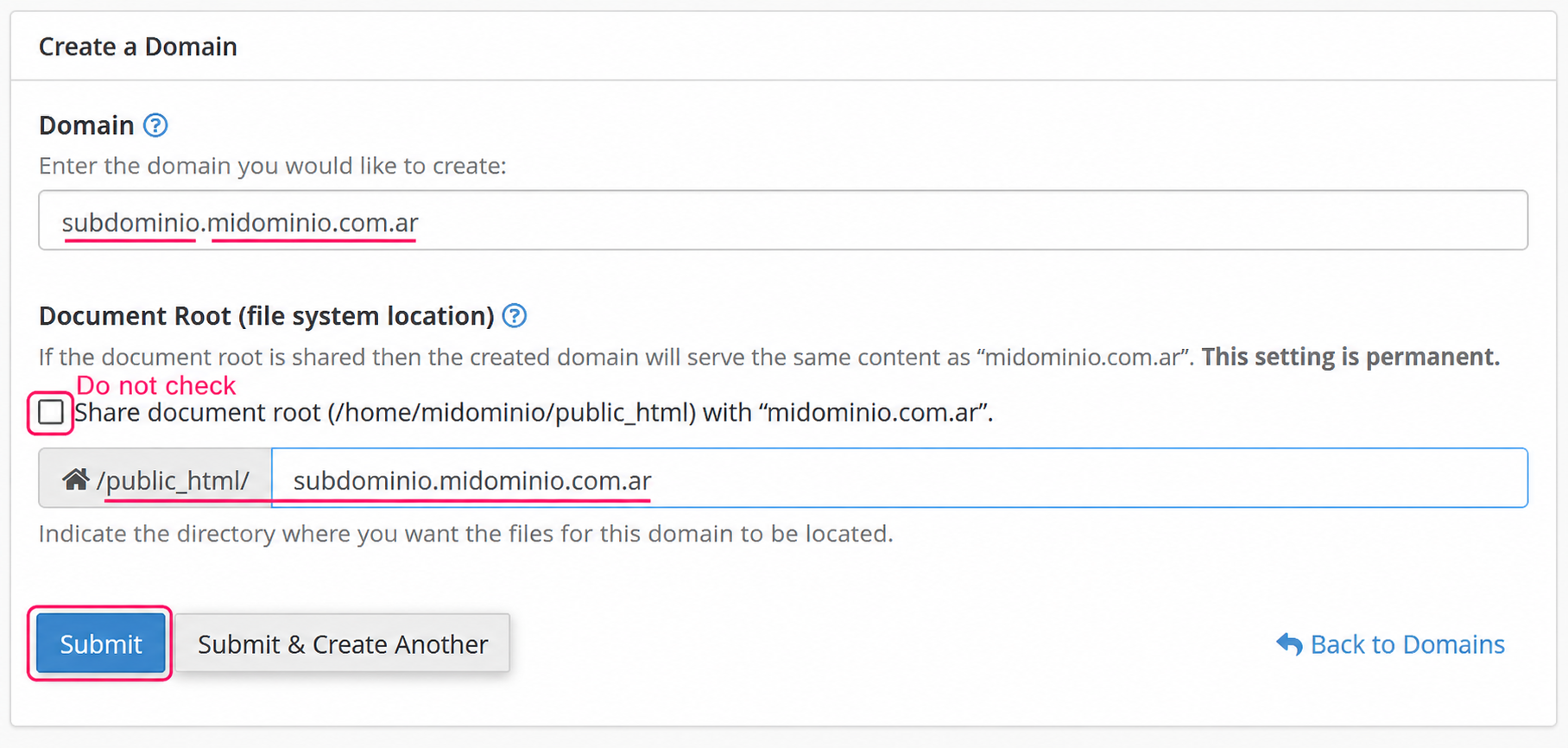
To create a Subdomain you must enter the subdomain name making sure to select the desired main domain. Do not enable the Share document root checkbox.
This will create a directory within your web space where you will need to upload the files that the new subdomain will display.
Creating an Addon Domain
An Addon Domain is a domain that, when added, will allow you to create a new specific website. Additionally, it will allow you to create email accounts with the new domain.
This type of domain is useful when you want to manage two websites, each with its own independent domain, from the same control panel. You should pay special attention to your hosting plan’s resource usage when splitting them into two websites.
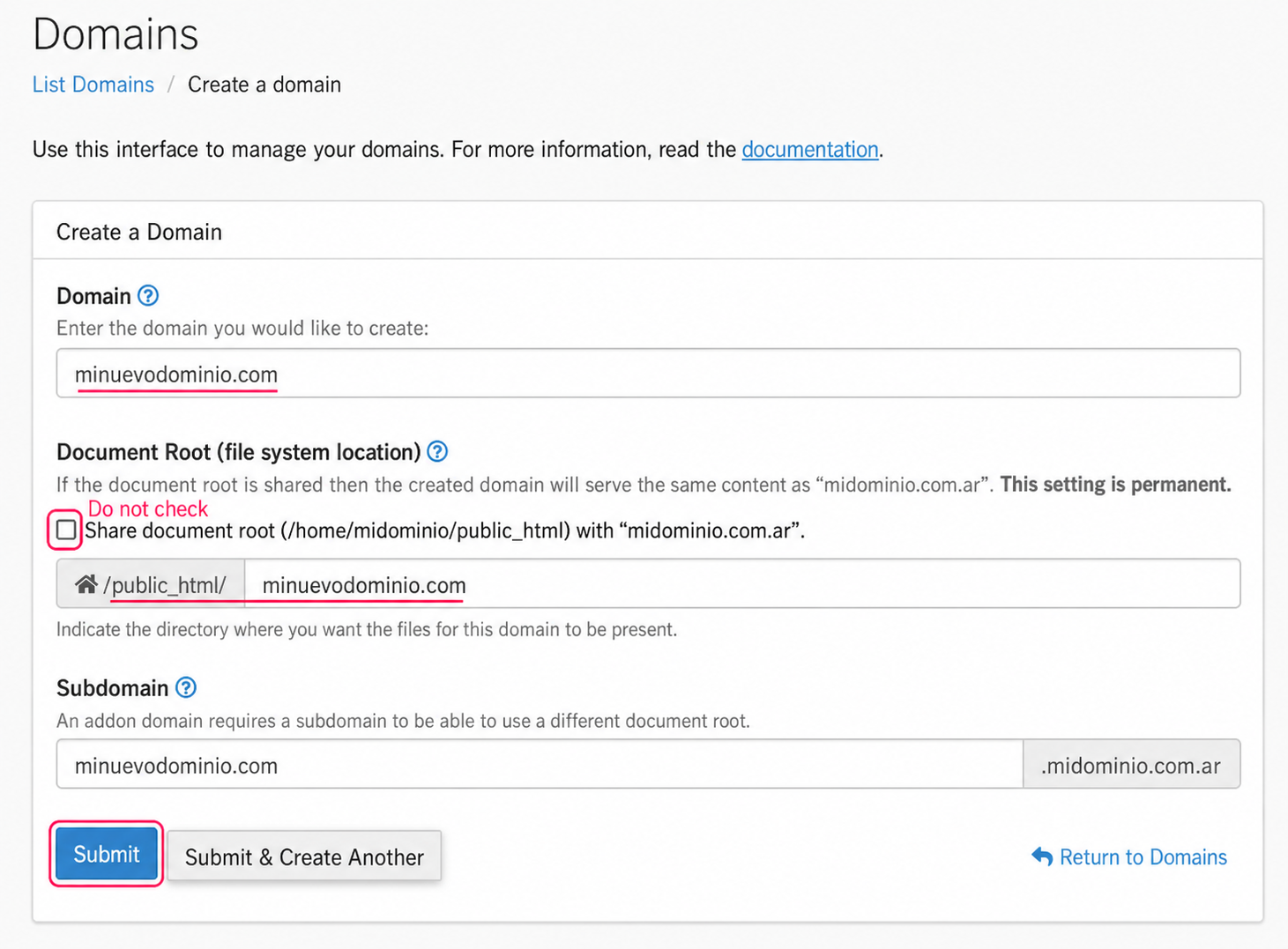
To create an Addon Domain, you should enter the new domain name and disable the Share document root option. That way, the new domain will create a directory where you will later need to upload the files for its website.