

Where to view my website’s error logs in cPanel?
To see the error logs that your website may be generating, follow these steps:
- Log in to your account’s control panel and then to the Files=>File Manager box.
- In the File Manager, navigate to the logs directory.
- Look for the error logs file. It will have the format: tudominio_com.php.error.log
Right-click that file and, from the menu, select the View option.
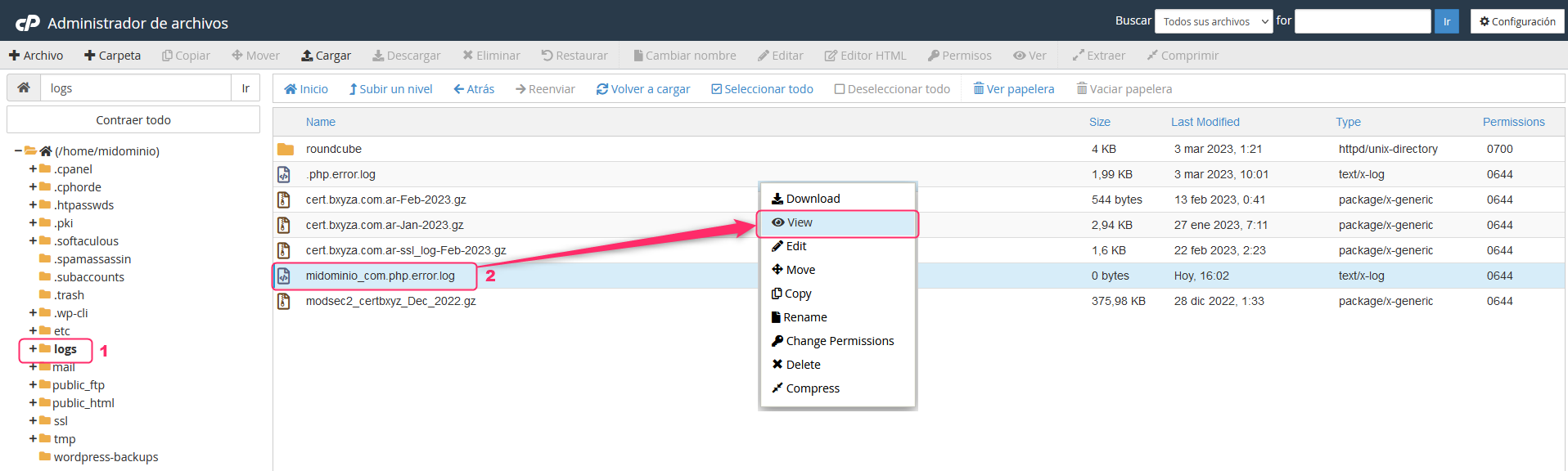
- You will see the contents of the error log.

- Note that, sometimes, this file can occupy many GB due to accumulated information. In these cases it will not allow you to view the file.
Contact technical support so they can check the error in these cases.