How do I configure the server?
The server’s global configuration is a complex area, but you can modify various aspects of the server’s services.
To modify the server configuration, follow these steps:
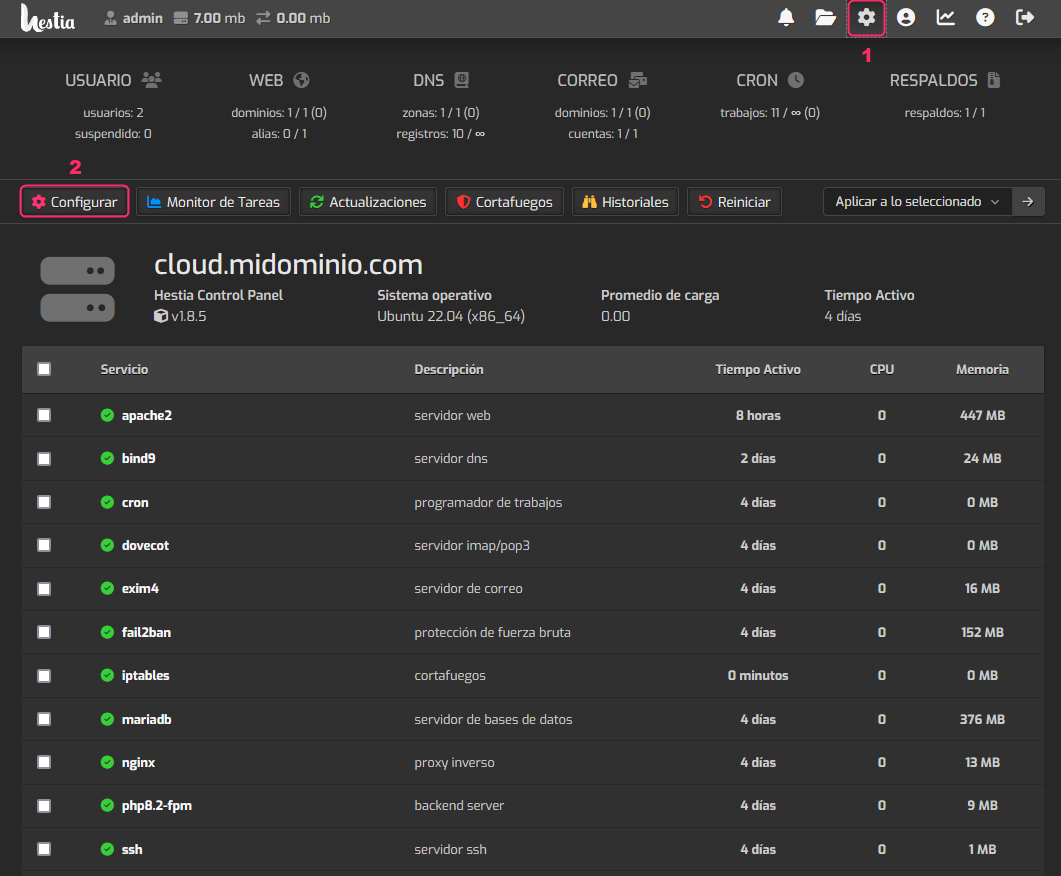
- Click the gear icon in the top menu.
- Then, go to the Configure option.
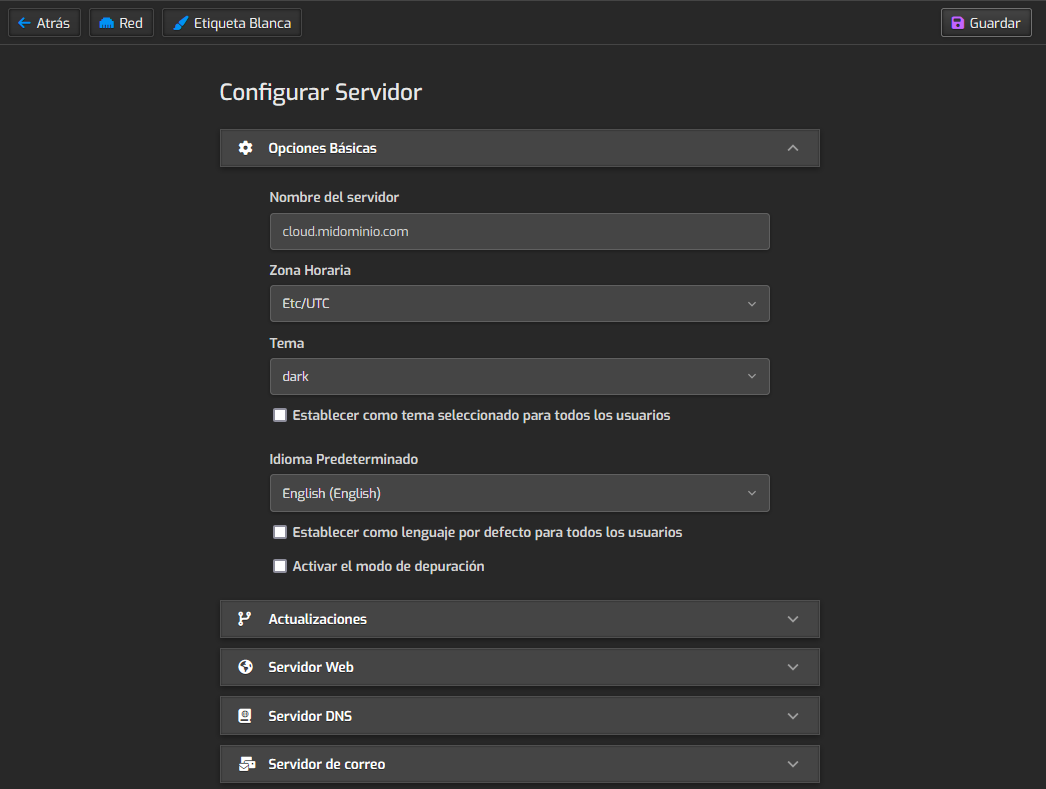
You will find a drop-down menu for each main area you can configure:
The options that might be of greatest interest are the following:
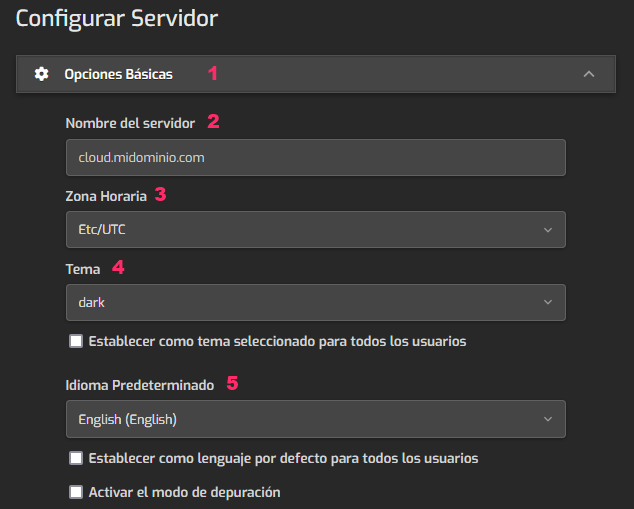
- Under Basic Options you will find:
- Server Name: the server’s hostname.
- Timezone: you can configure and sync the server’s time.
- Theme: you can change the HestiaCP interface theme.
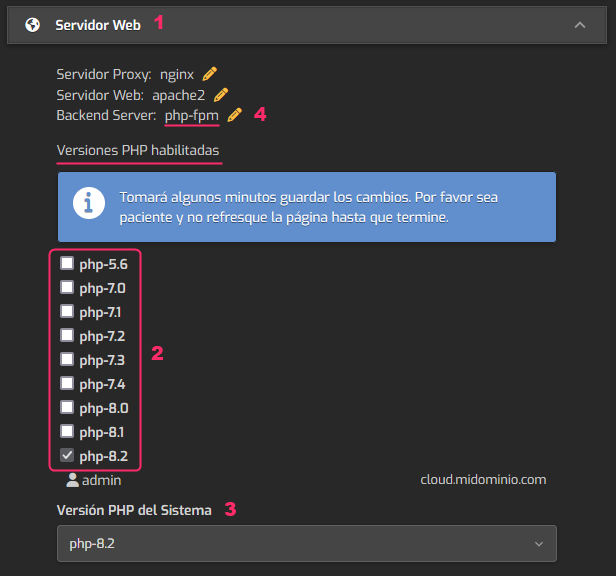
- Under Web Server you will find:
- The different PHP versions you can enable or disable.
- The global PHP version selector for the server.
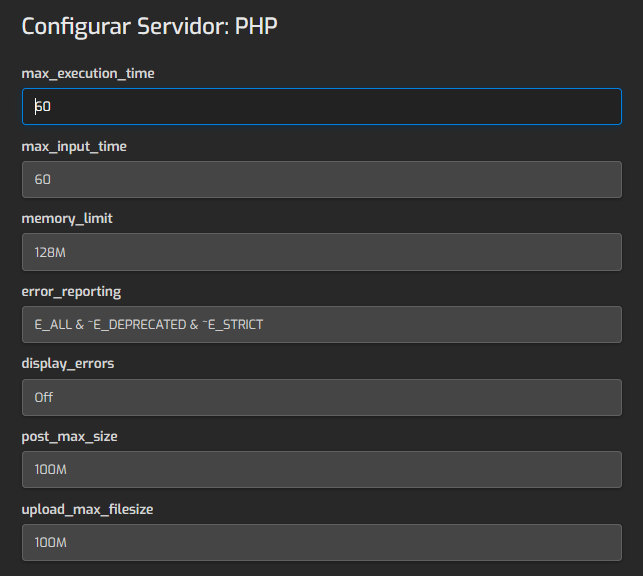
- The configuration of PHP variables for PHP-FPM.
The PHP variable configuration for PHP-FPM mentioned in point 4 is this:
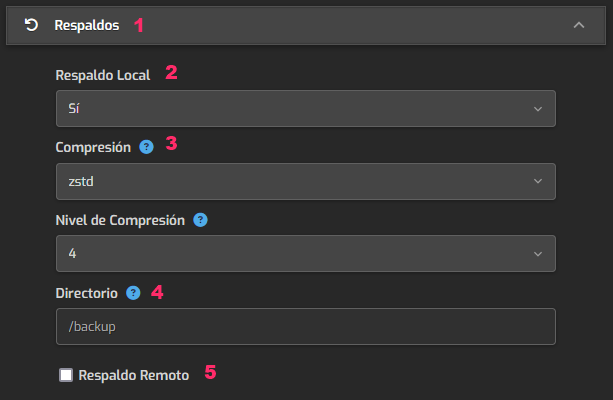
- Under Backups you will find:
- Whether the backup will be performed locally on the server or on a remote one.
- The type of compression extension (zstd or gzip).
- The directory where backups will be stored.
- The remote server configuration if you chose that option in point 2.
This is an FTP configuration.