How do I change the Client Area password?
Hashtags: #password
To change your password, follow these steps:
- Log in to your Client Area.
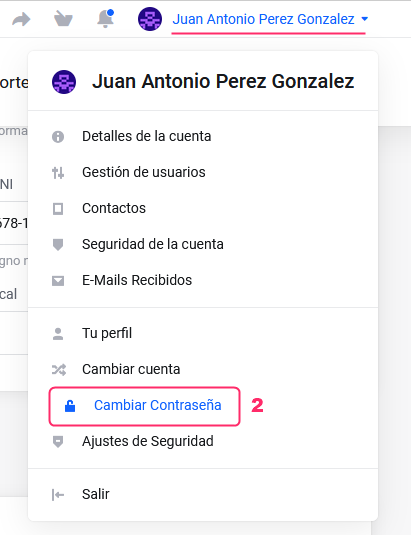
If you don’t remember how to log in, follow this link: How to access the Client Area - In your Client Area click on the customer name you’ll see at the top right.
A menu will open. Go to “Change Password”.
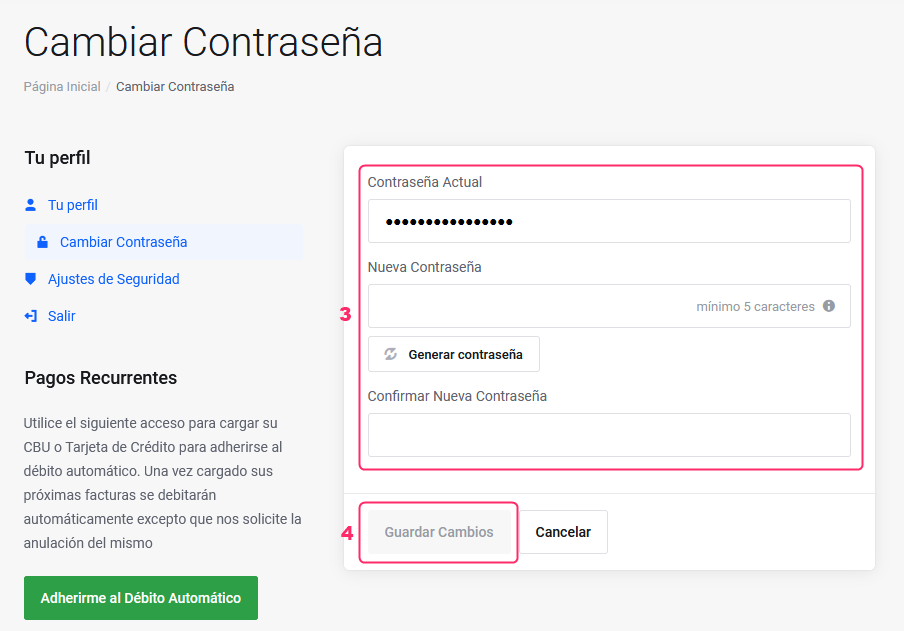
- On the new screen, enter the required information:
Current password
New password
Confirm new password
The “Generate password” button will create a random password for you. - When finished, save the changes by pressing the Save Changes button.