How do I modify a record in the DNS Zone?
To modify a record in a DNS Zone, follow these steps:
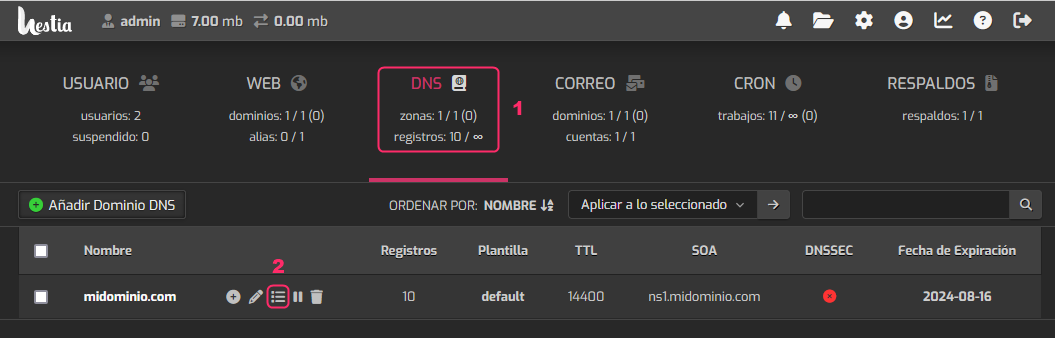
- Go to the DNS area.
- Then, click the icon highlighted in the image.
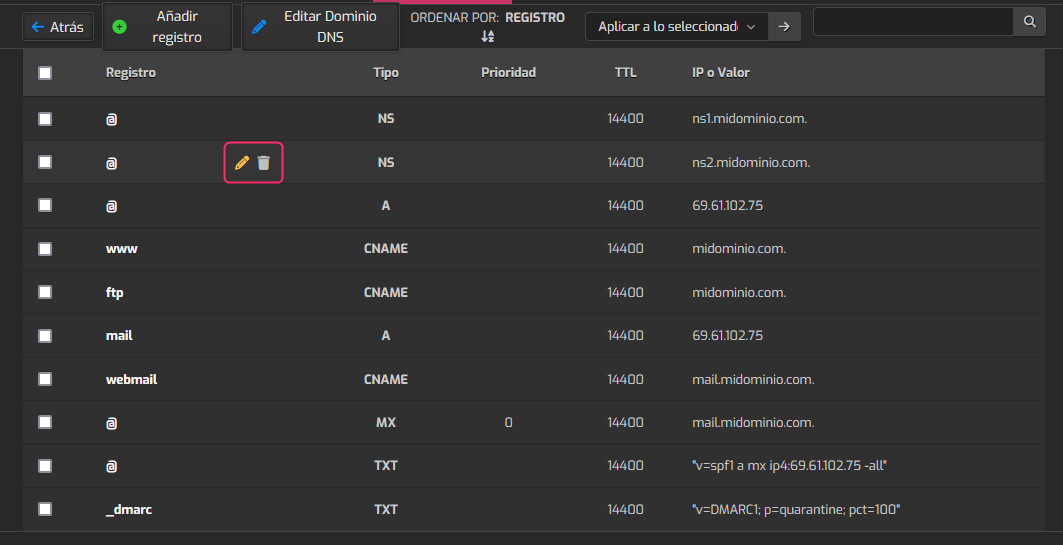
You will see the domain’s DNS zone with all its records.
You can modify or delete a record using the icons shown in the image.