How to configure the anti-spam filter?
Below we'll explain how to enable the Anti-Spam Filter.
By enabling the Spam Assassin Anti-Spam Filter you will be able to stop the spam messages you receive in your mailboxes.
Entering the Anti-Spam Filter
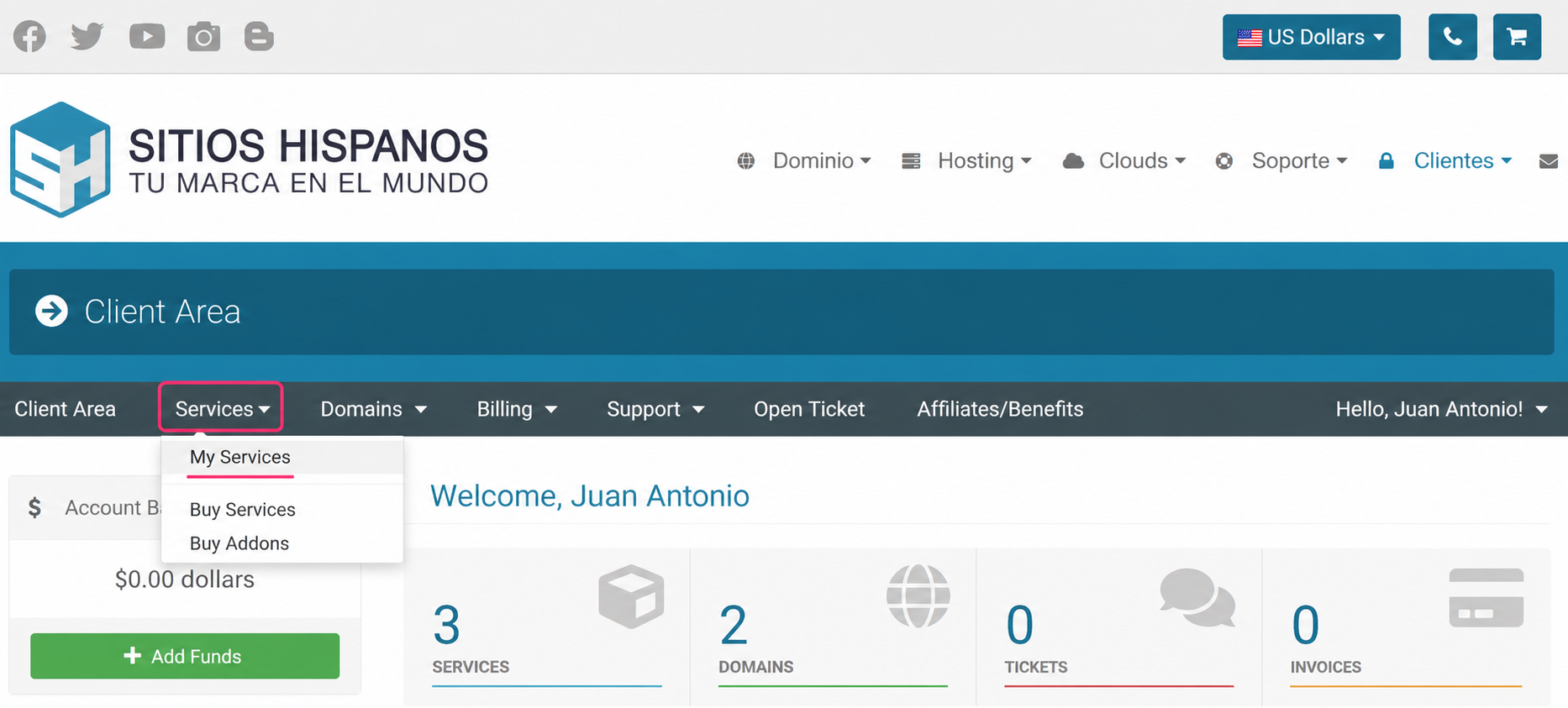
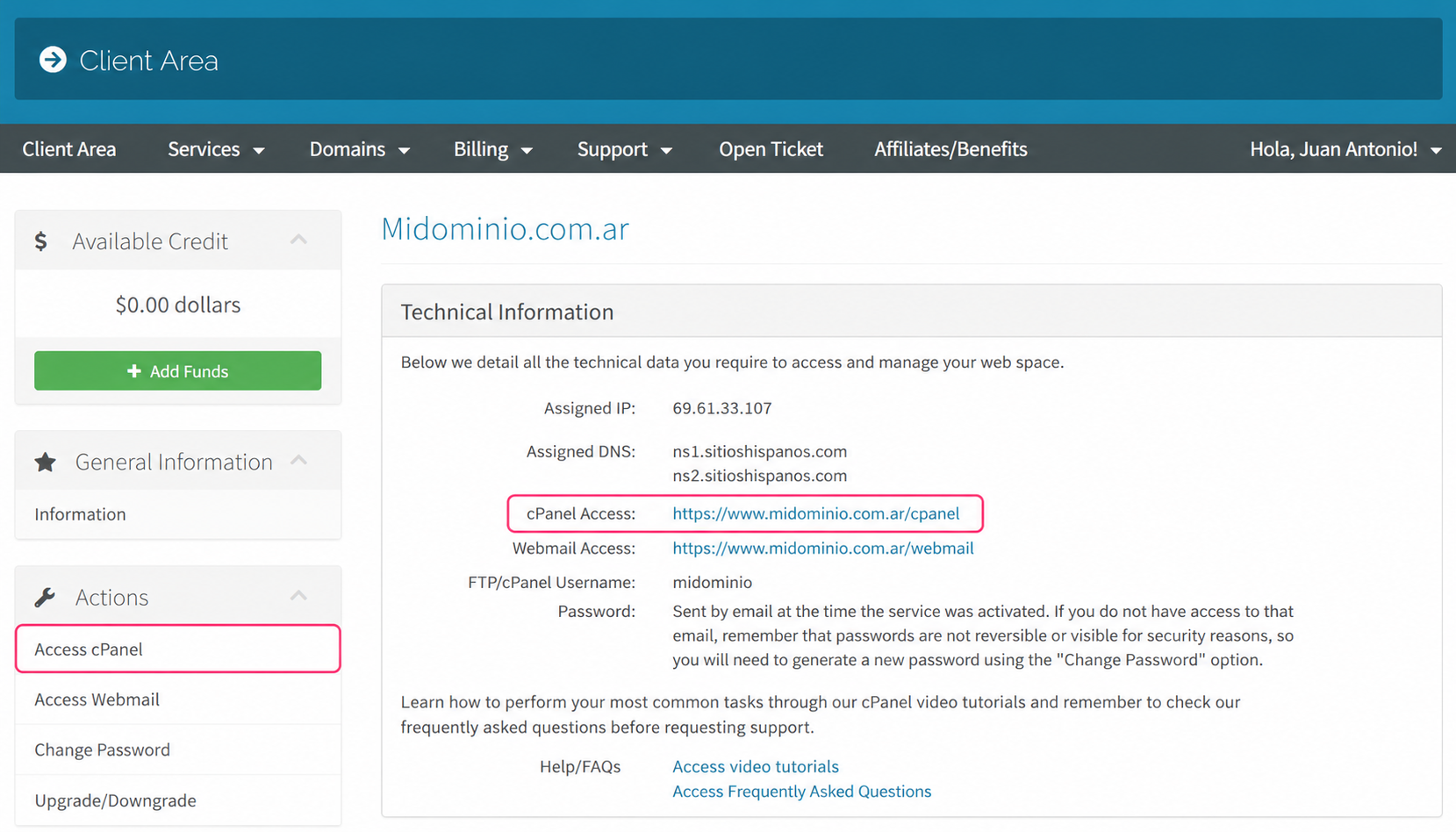
1) Log in to the Client Area and click on Services, then My Services
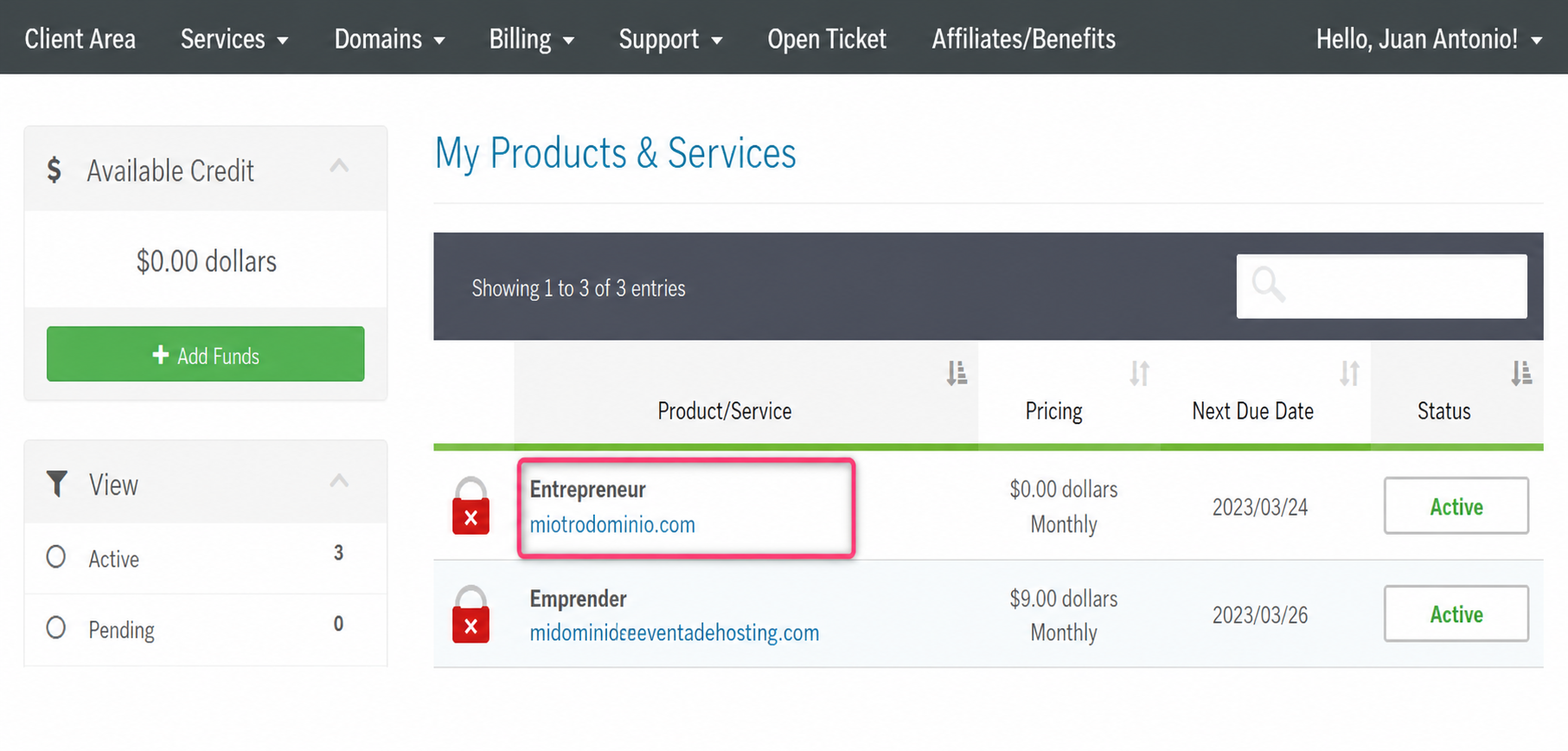
- From the list of hosting plans you have, enter the one on which you want to activate the Anti-Spam Filter.
- On the new screen you will see, in the Actions box on the left, the option to enter the cPanel control panel. You will also see, in the central Technical Information box, the direct access to the panel from your browser.
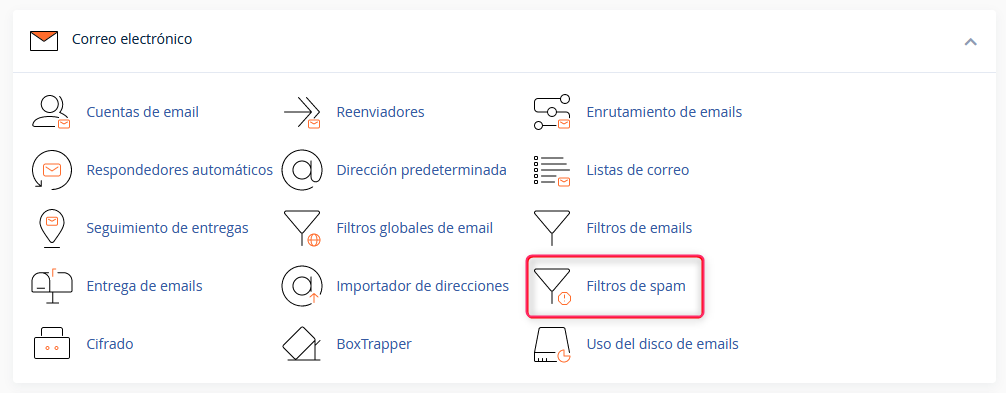
- Once in the cPanel control panel, go to Spam Filters, in the Email box
- First, enable the options that interest you for your filter. You will see three options:
Process new emails and mark them as spam:
This option is the filter itself. You must enable it for the other options to be processed.
Move new spam to another folder (Spam Box):
This option will create a spam folder in your mailboxes. Detected spam will be moved to this folder automatically.
Automatically delete new spam (automatic deletion):
This option will automatically delete emails detected as spam. It is recommended to configure a higher strictness for this than the one given to the normal filter.
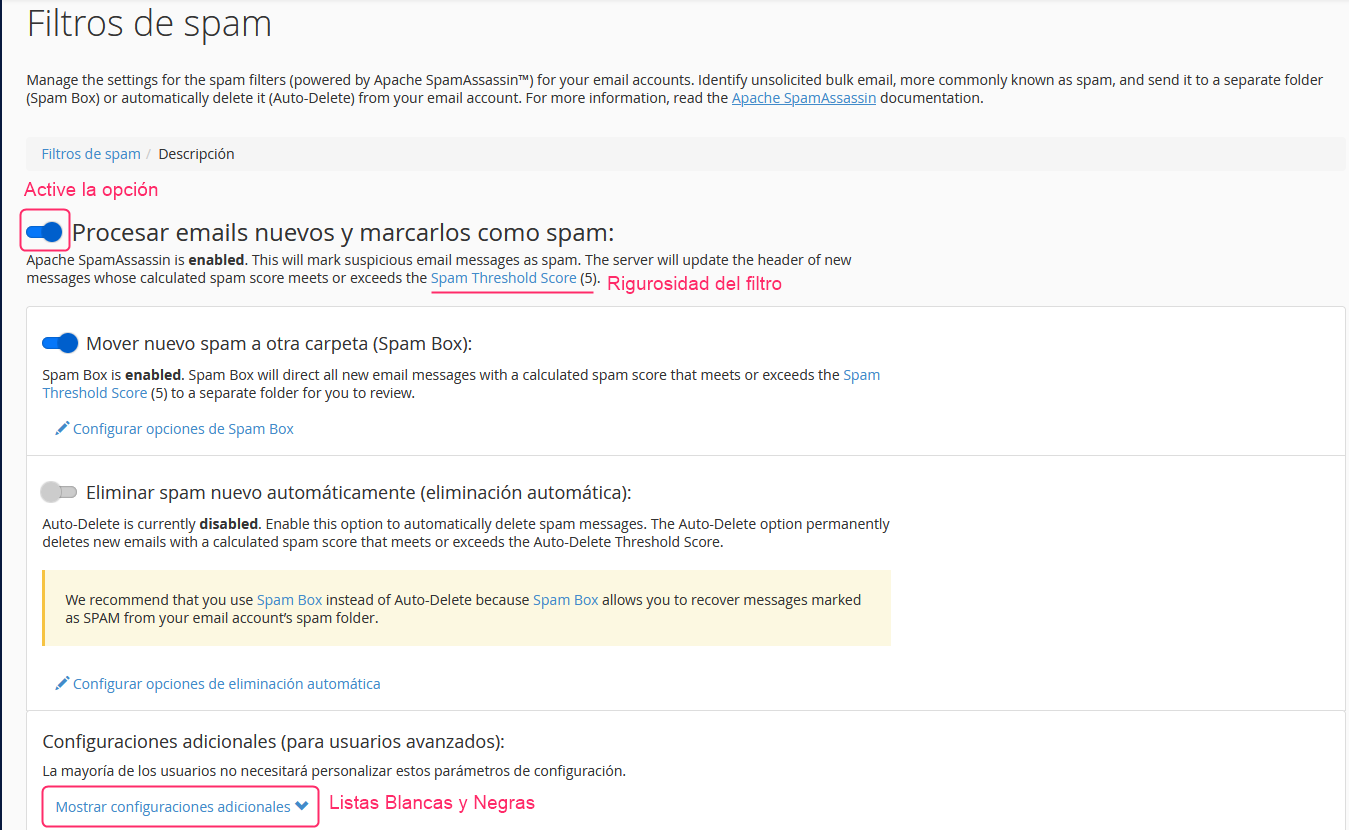
Spam Threshold Score
In these Spam Filter options you will see a link called Spam Threshold Score with a specific value.
This is the filter’s strictness. It is recommended to set a value of 8 for a filter that is not too strict or a value of 5, which will make it a bit stricter. It is not recommended to lower it below 4 or it could filter legitimate emails.
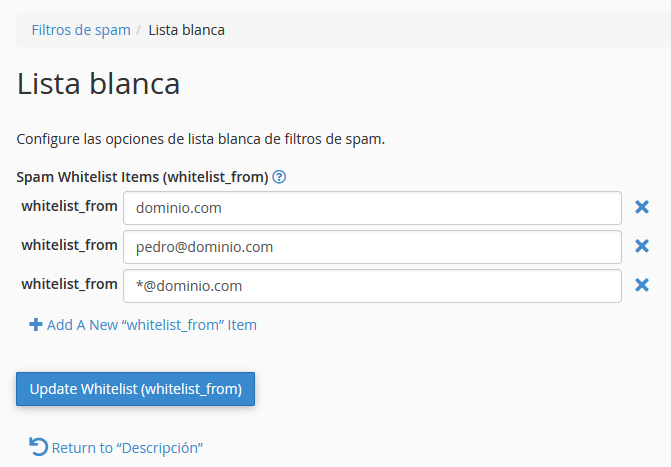
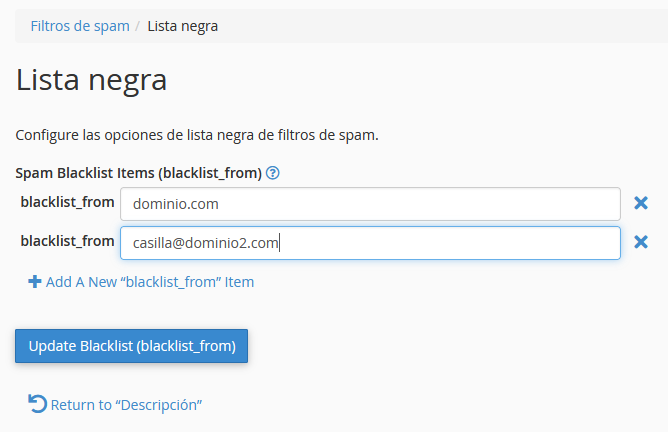
Manage Whitelists and Blacklists
Below the main options of the Anti-Spam Filter you will find an option called Show additional settings.
This option will open the Whitelists and Blacklists manager.
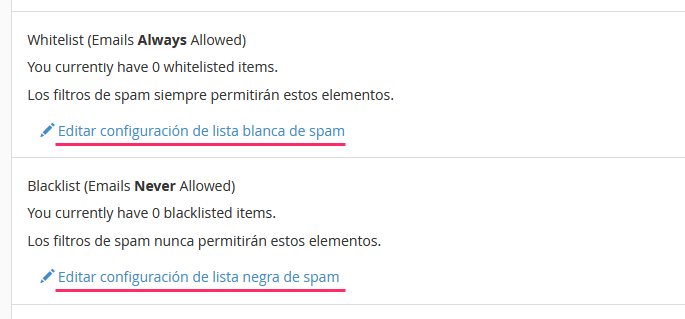
Within each list type you can define domains or email addresses that you always want to accept or block. This way, you will ensure that certain emails always arrive or are always blocked by the Anti-Spam Filter.