

How to modify the DNS Zone of an account?
In this WHM instance you can make changes to the DNS zone of your domains without needing to access cPanel.
After logging into WHM, go to “DNS Functions” => “DNS Zone Manager”.
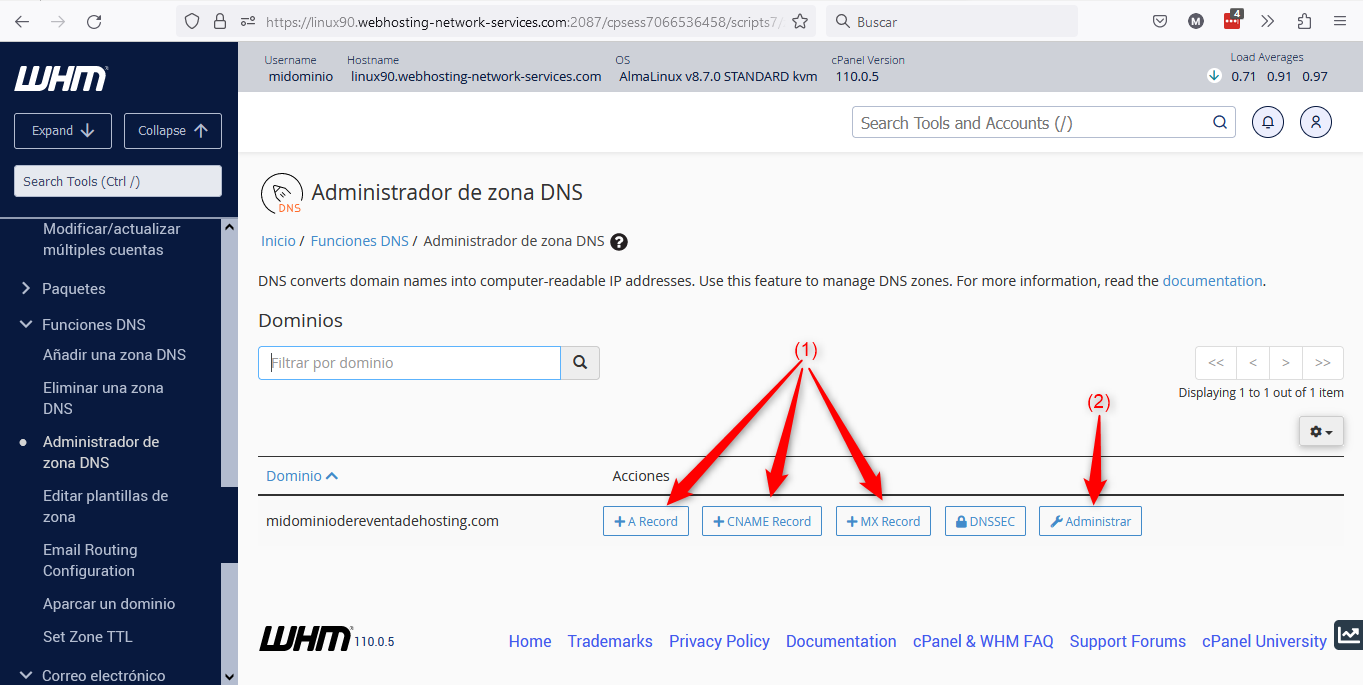
Below we explain the points marked in the image:
(1) => With these buttons you can create records in the domain’s zone without the need to access the zone itself. It will allow you to quickly create A, CNAME and MX records. Clicking any of these buttons will open a window like the one shown below:
 (2).png)
(2) => If you click that button, you will access the DNS zone editing screen for the domain in question.
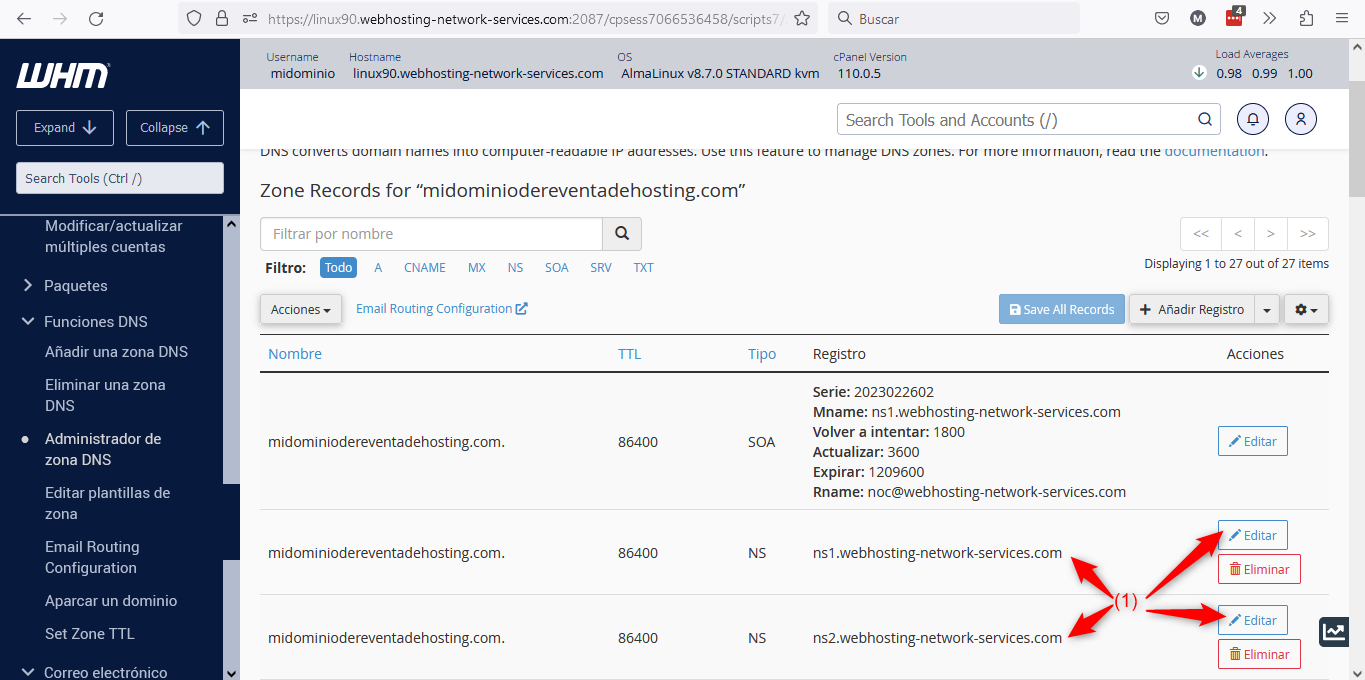
Here you can create new records or edit existing ones.
One particularity not present in the DNS zone within cPanel is that here you can edit the DNS or NameServers used by the domain, as shown in point (1) of the image above.