How to create a hosting account in HestiaCP?
To create a hosting account you must follow these steps:
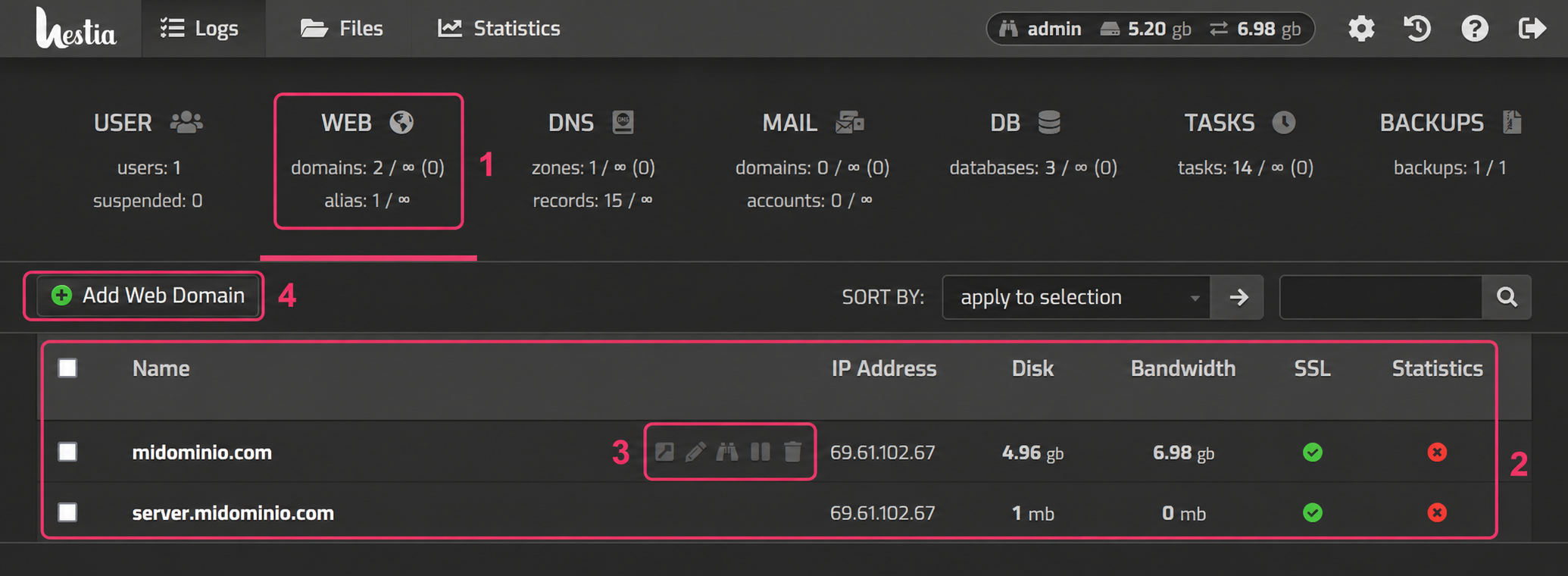
- First, you must enter the WEB area.
- You will see a list of hosting accounts already created, with their information, such as disk space and bandwidth used.
- You will also see a floating menu of options to modify the account. You can edit it, suspend it, delete it, etc.
- At the top left you will see an Add Web Domain button with which you can create a new hosting account.
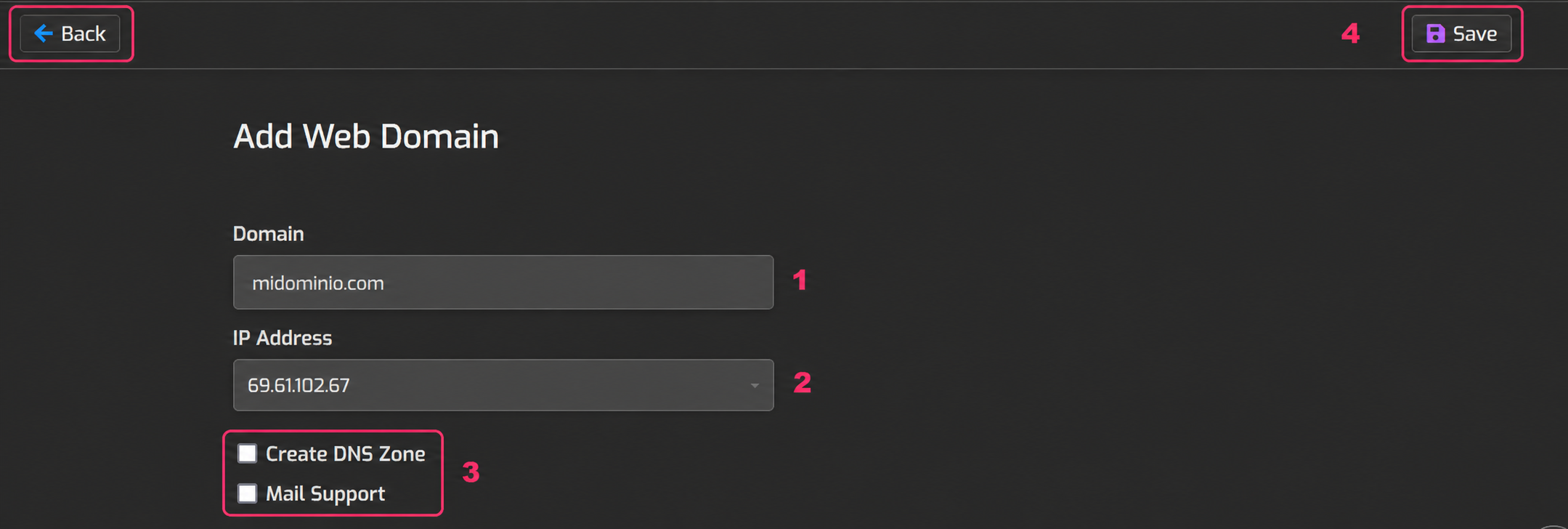
Creating the hosting account will require the following information:
- The domain that the hosting account will have.
- The IP number it will use (if you have more than one).
- The Create DNS Zone option will create a DNS zone from where you can point domains and subdomains to different servers or configure MX records, etc. It is highly recommended to create the DNS zone.
- Enabling Mail Support will allow creating mailboxes with this domain.
- Once everything is configured you should save with the Save button or you can cancel everything with the Back button.