What do I need to configure to use Email Marketing?
Before you can send your campaigns you will need to verify the domain or mailbox that will dispatch the emails.
This is necessary to comply with anti-spam rules and to ensure the highest possible deliverability rate.
Verification Process
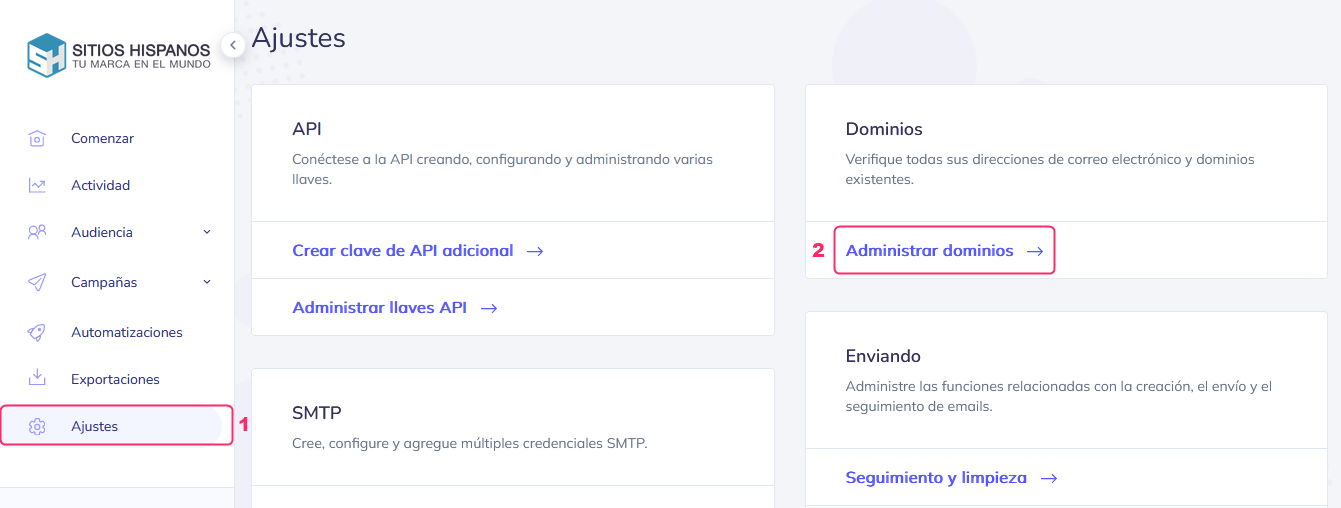
Go to Settings and then to Manage Domains, inside the Domains box.
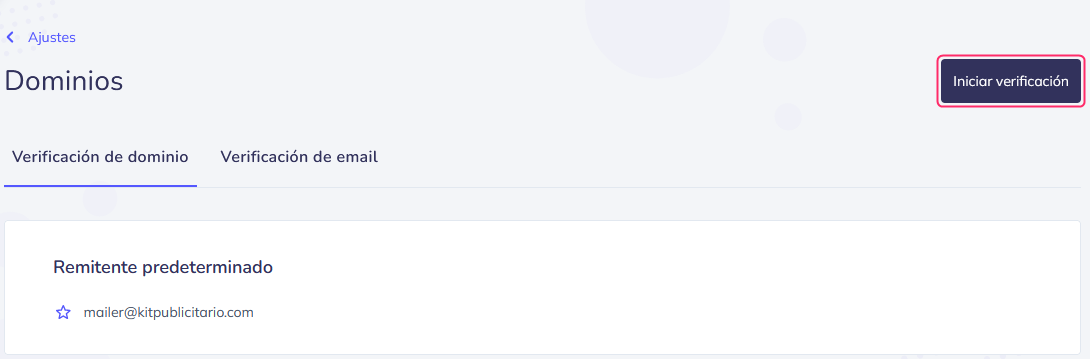
Then, press the Start verification button.
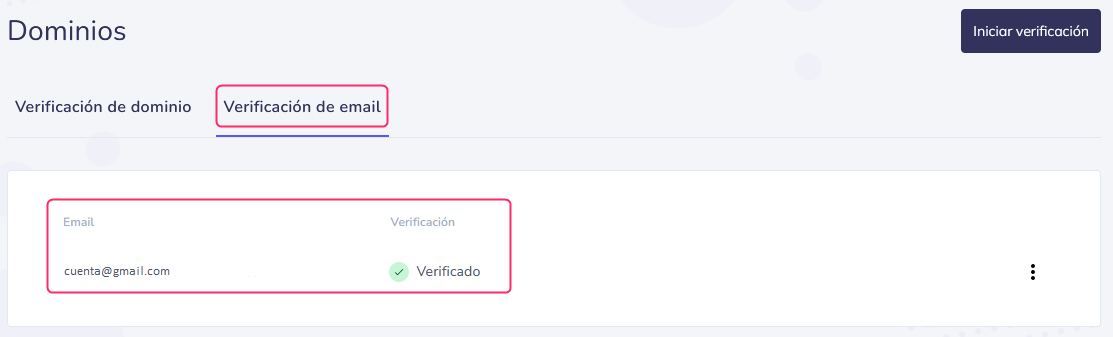
Here you will see the domains or mailboxes you have already verified.
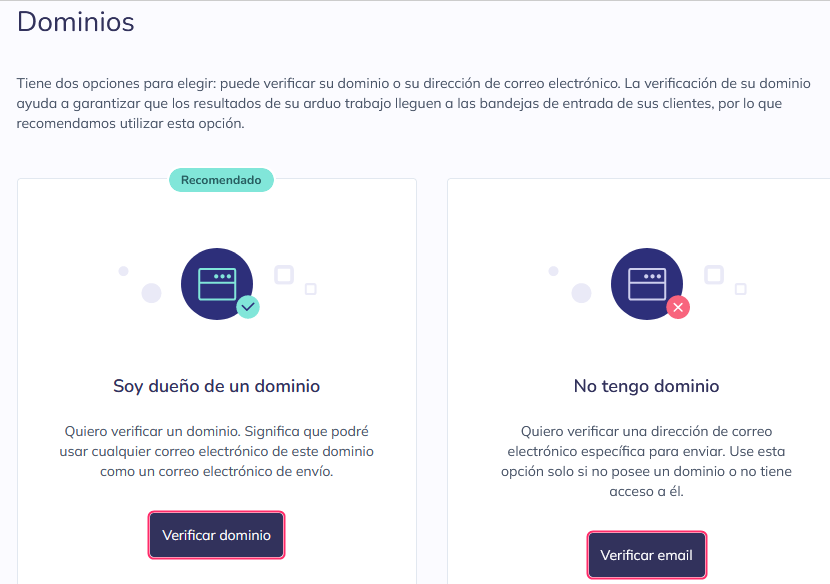
There are two verification options:
- Domain verification
- Email address verification.
If you have a registered domain and want to use email addresses from that domain, the recommended option is verify the domain.
If you don’t have your own domain or want to use an email address from someone else’s domain or one you don’t have access to, then you will have to verify the email.
Domain verification
Domain verification consists of several steps:
- First, you must enter the domain you want to verify.
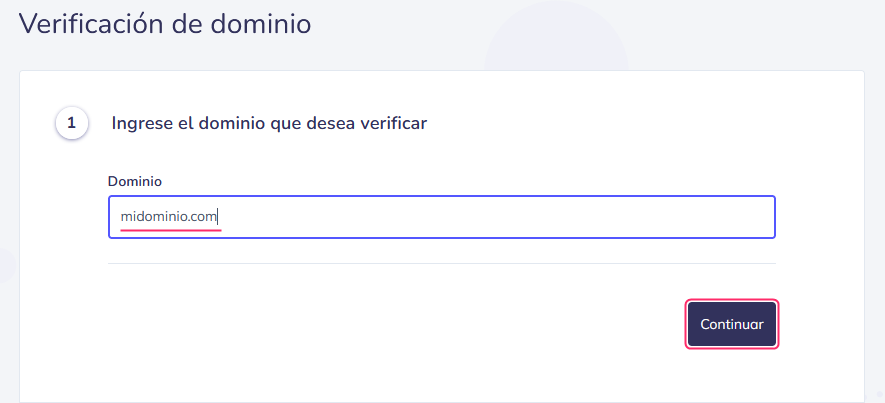
- In this step you will need to edit the DNS zone of your domain.
You will have to do this on the server where you have the hosting account associated with the domain. - This point will indicate what you must add in the DNS zone mentioned in point 2.
You must add, in the TXT record for SPF authentication:
include:kitpublicitario.com
Example:
v=spf1 +a +mx include:kitpublicitario.com ~all
- In this step the system will confirm the validity of the records previously created.
- Here you will have to define a sender mailbox, from your verified domain, that will send the emails.
- Done, the domain will be verified.
Besides the TXT record for SPF authentication, it is recommended to create a DMARC record.
This record is also created in the DNS Zone. It normally has its own record type.
This is an example of a DMARC record in a DNS Zone:

The TXT format of a DMARC record would look like this:
Name: _dmarc.midominio.com.ar.
Value: v=DMARC1;p=none;sp=none;adkim=r;aspf=r;pct=100;fo=0;rf=afrf;ri=86400
Email verification
Verifying a mailbox is simpler than verifying a domain.
Enter the mailbox you want to verify and press the Continue button.
.png)
Then, check the entered mailbox.
You will receive an email from mailer@kitpublicitario.com with the subject Email Verification for Domain.
You must click the provided link.
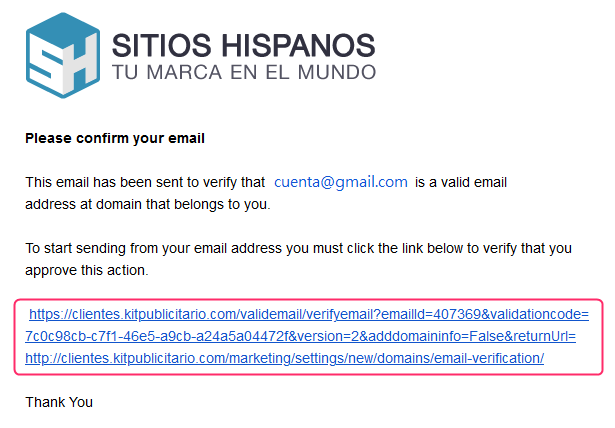
After logging back into the control panel, if you go again to Domain Verification or Email Address, you will see your mailbox verified.