How do I modify my personal information?
From your Client Area, you can modify both your personal information and your billing information.
Follow these steps to change them:
- Log in to your Client Area.
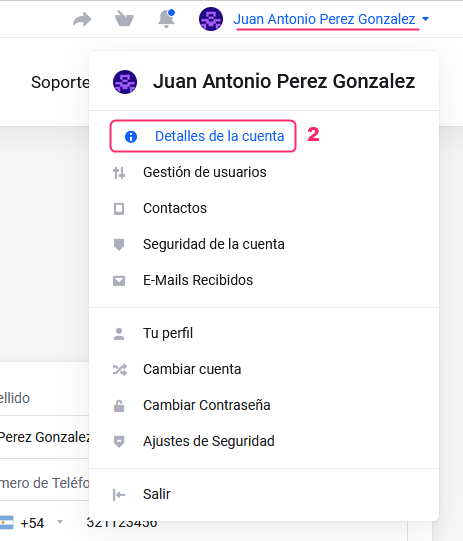
If you don’t remember how to log in, follow this link: How to access the Client Area - In your Client Area, click the customer name you see at the top right.
A menu will open. Click “Account Details”.
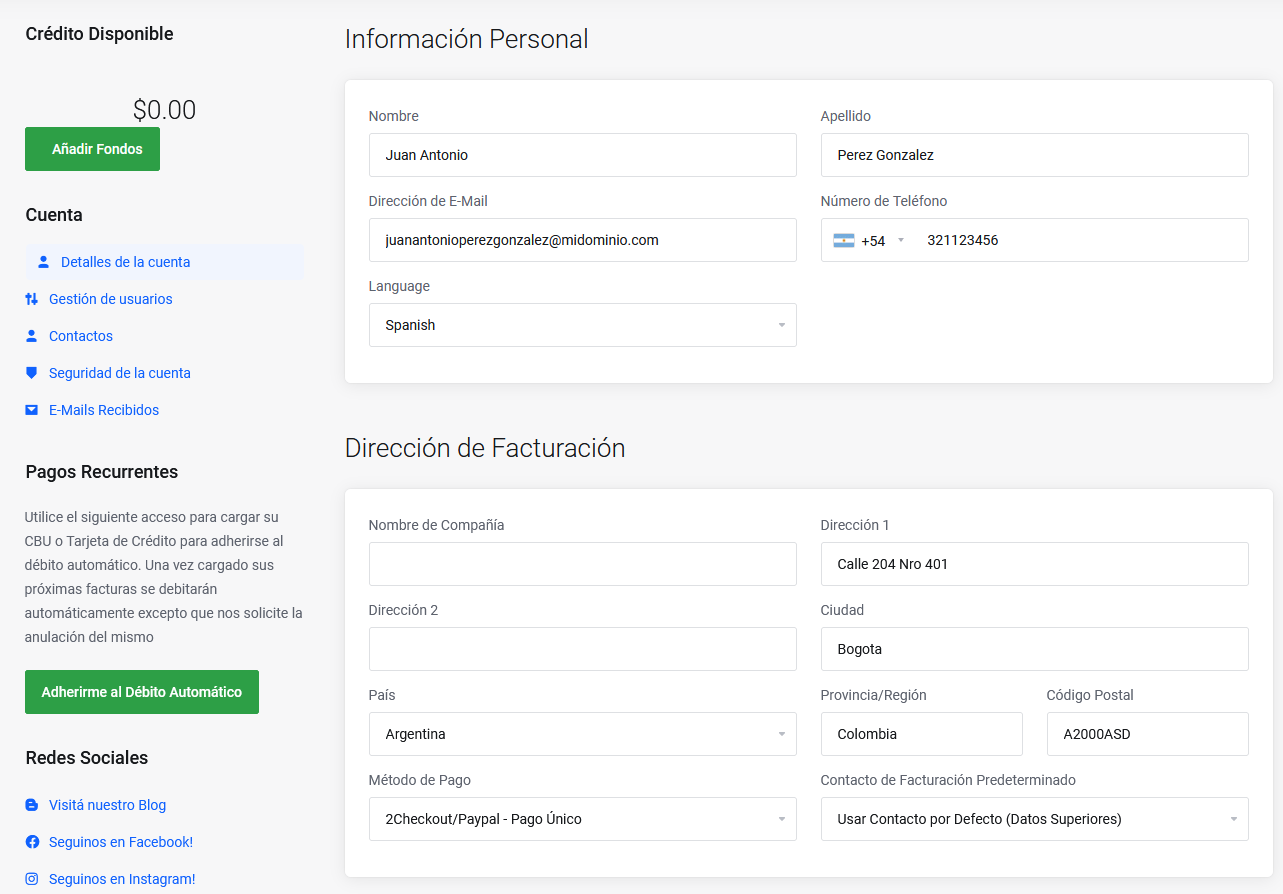
- You will see the form with your personal information, billing details, and additional information.
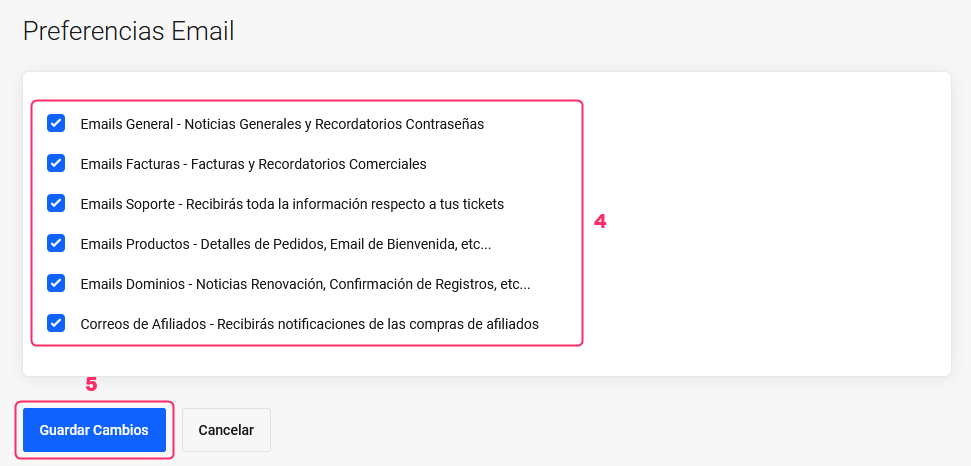
- At the bottom, you will find the Email Preferences to choose which notifications you want to receive.
- Once you have configured all the information, press the “Save Changes” button to confirm the modifications.