How do I configure an SMTP account?
Our Email Marketing platform will allow you to send email campaigns using any external mail client (Outlook, Thunderbird, Apple Mail, etc.).
When you add contacts as recipients of your sends, they will be automatically added to the contacts list in our platform.
To make this type of sending from an external mail client follow these steps:
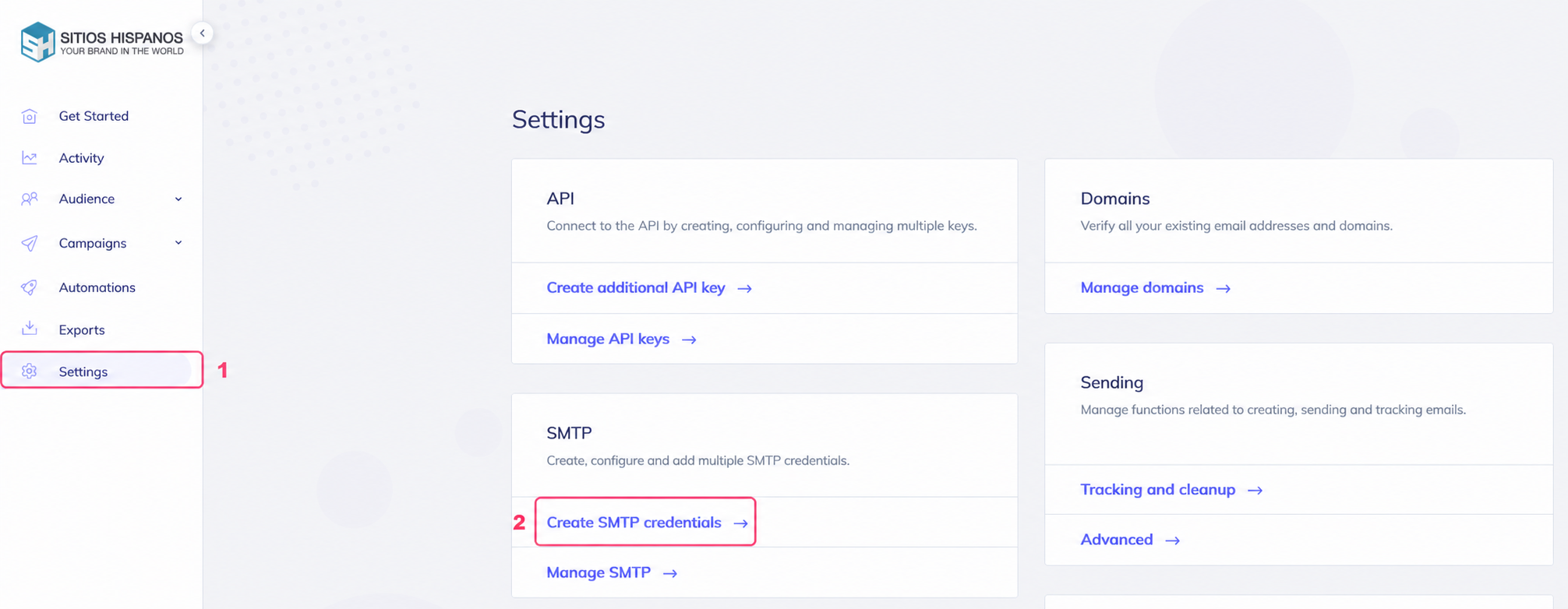
- Go to Settings.
- Then, to Create SMTP credentials, in the SMTP box.
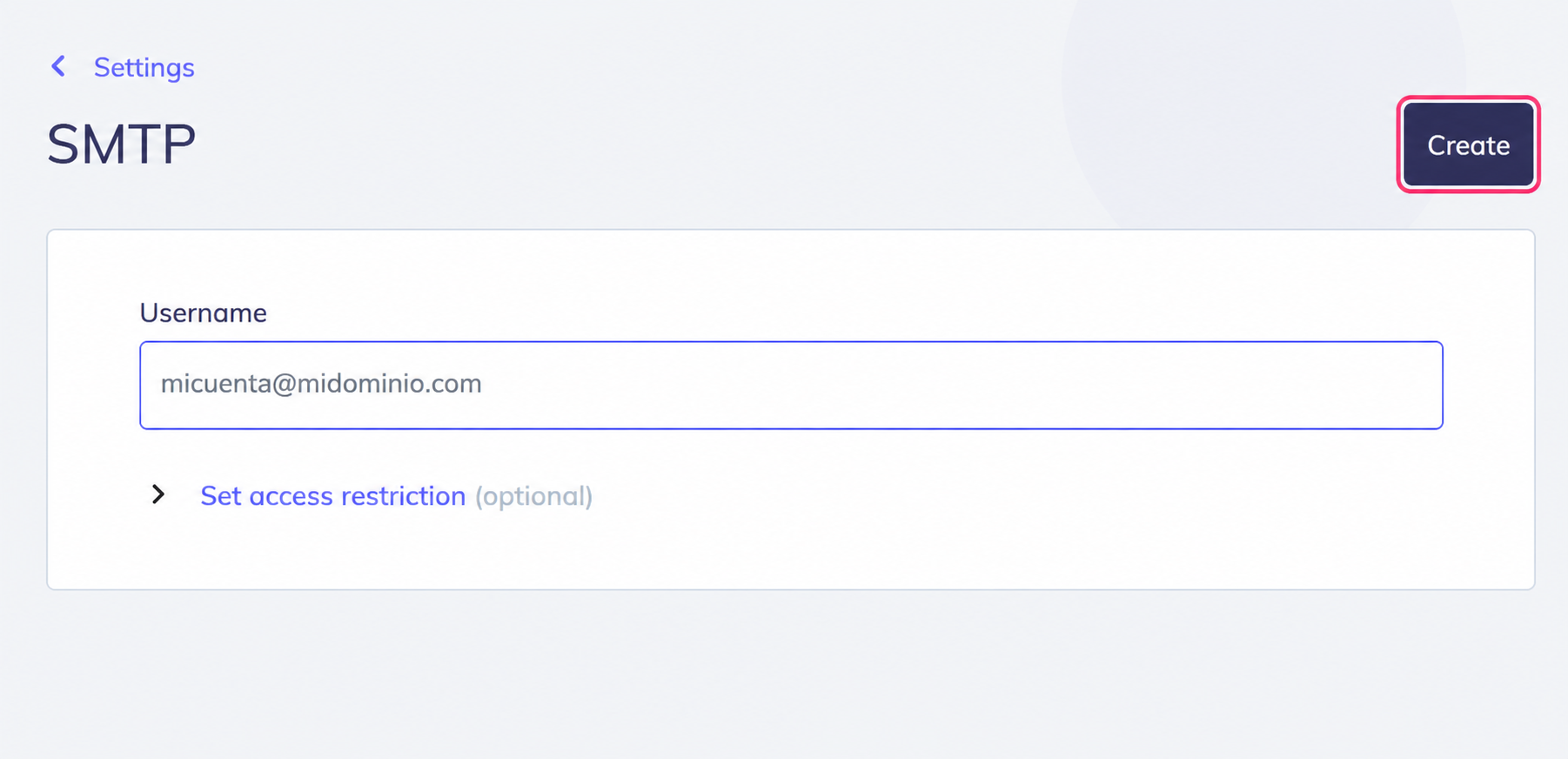
The system will ask for a mailbox that will be used to send. This mailbox, or its domain, must be verified by following these steps: que-necesito-configurar-para-usar-email-maketing.md
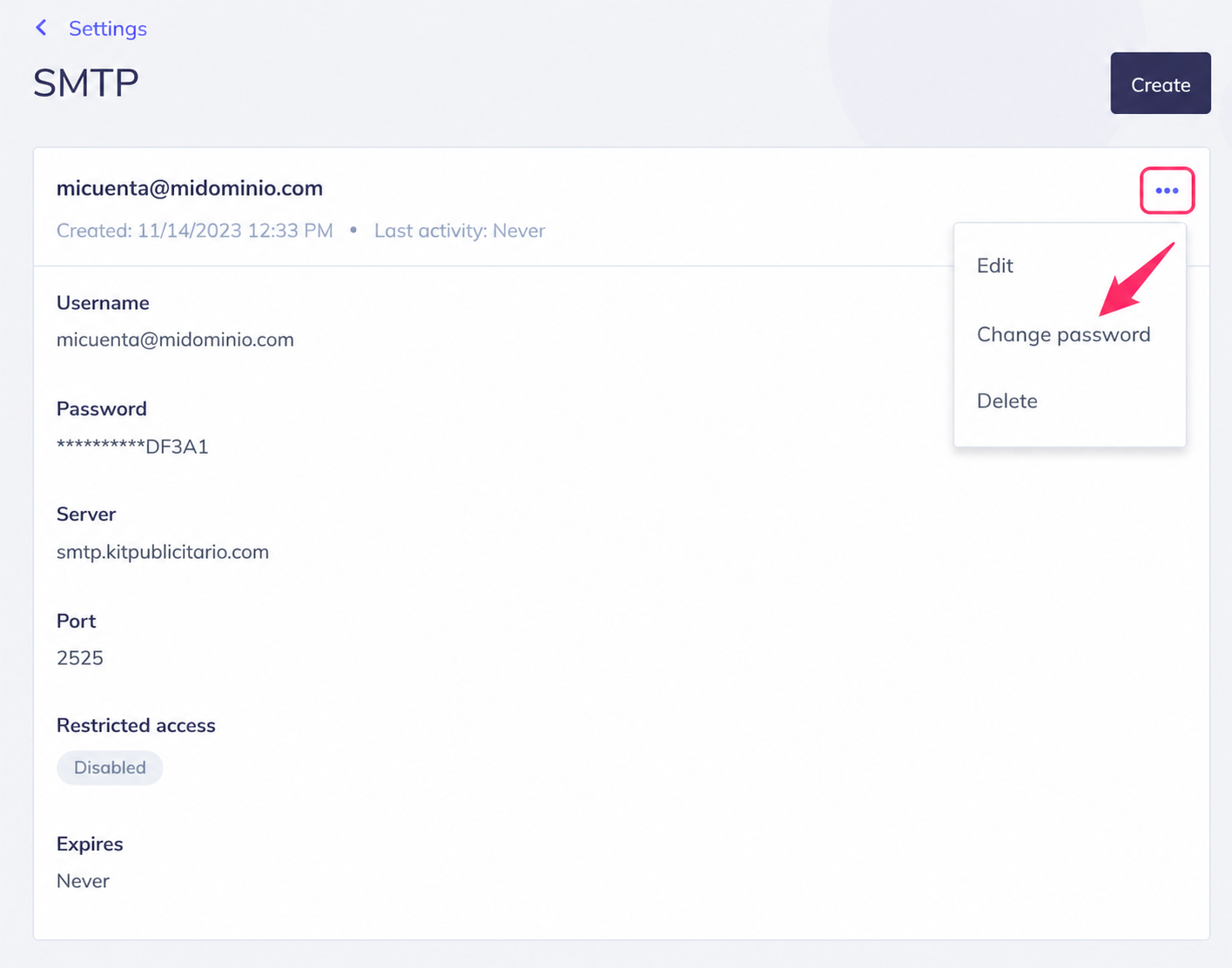
You will see the chosen mailbox, the password, and the SMTP server and port details.
You will need to configure these details in your external mail client as if it were a regular email account.
.png)
When you close the dialog you will see the information for your mailbox and its SMTP connection details.
If you press the three dots, at the top right, you will be able to change the password, edit the mailbox details, or delete it.
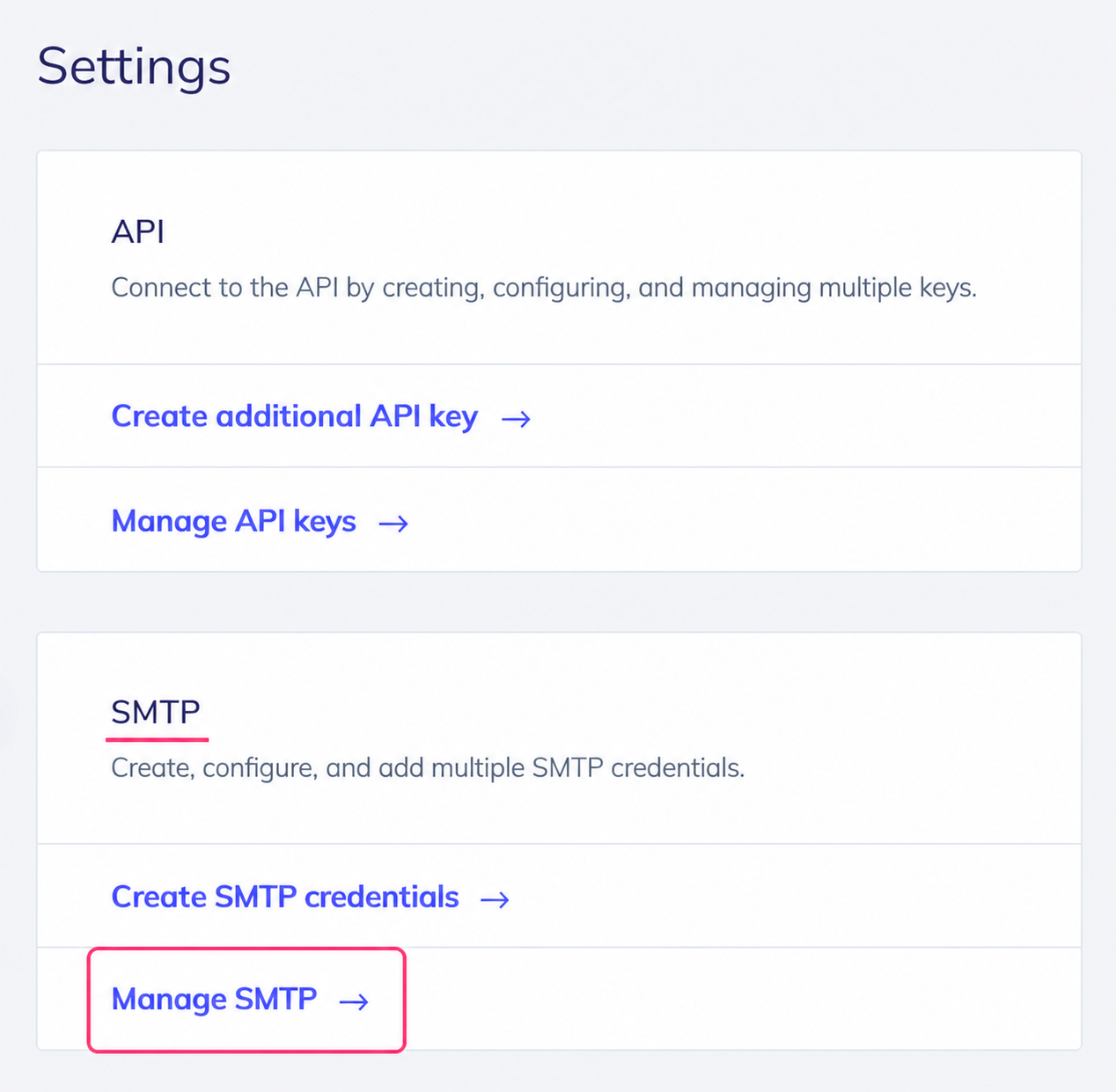
Finally, if you go to Settings again and then to Manage SMTP, you will reach the same screen shown above, where you will see your created mailboxes.