How to Generate Backups in Plesk?
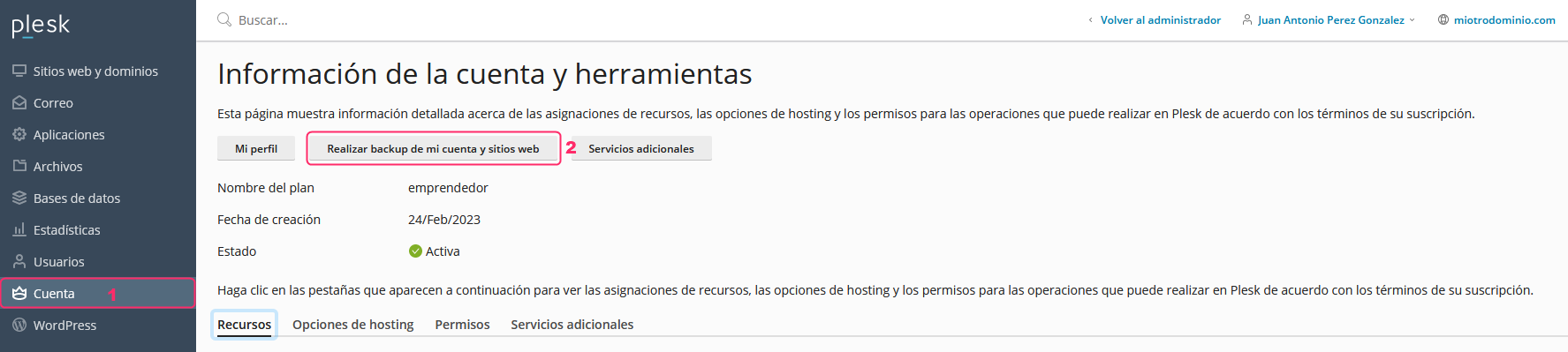
- To generate or download backups of your account go to Account in the left menu, then press the Back up my account and websites button.
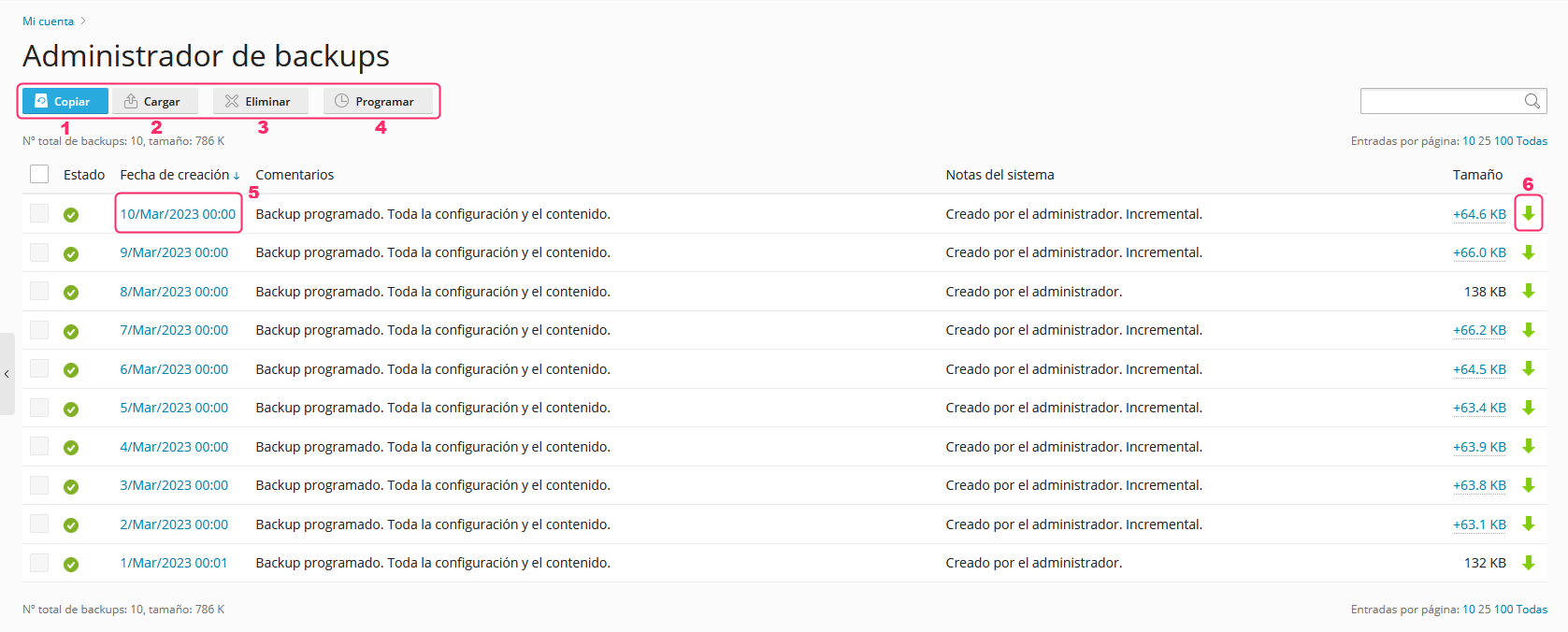
- On the new screen, you will see several buttons and options. We will outline each one and then look at them in more detail:
- With the Copy button you can create a backup. Find the steps here.
- With the Upload button you can upload a backup that you have downloaded to your PC or device. It will appear in the list to be restored if necessary.
- With the Delete button you can remove backups that you have checked using the checkboxes to their left.
- With the Schedule button you can configure times when the server will make backups of your account. Plesk already generates account backups periodically to allow restoration.
- If you click on the date of a backup, you can restore it. Find the steps here.
- If you click the green arrow on the right of a backup you can download it to your PC or device.
Create a Backup
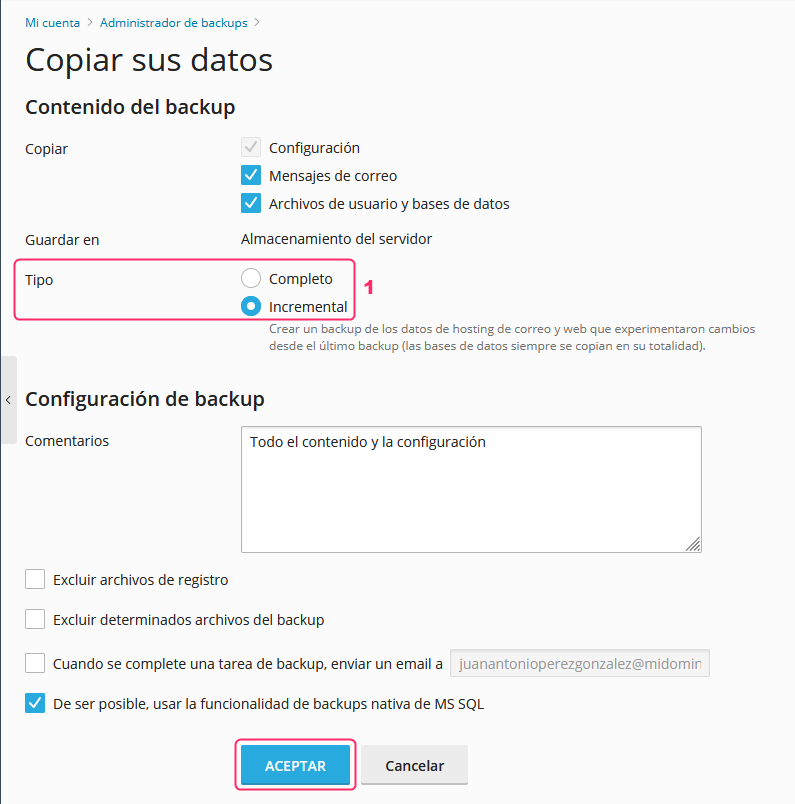
The backup creation screen will ask you for:
- What types of data to include in the backup.
- The type of backup to create. It can be Full or Incremental.
- A Full backup will copy your entire account.
- An Incremental backup will only include changes made since the last backup.
- You can exclude certain files from the backup.
- You can send a notification to an email address when the backup completes.
- It is recommended to keep the checkbox for MS SQL native backup functionality enabled.
Clicking Accept will start generating the backup of your account.
Restore a Backup
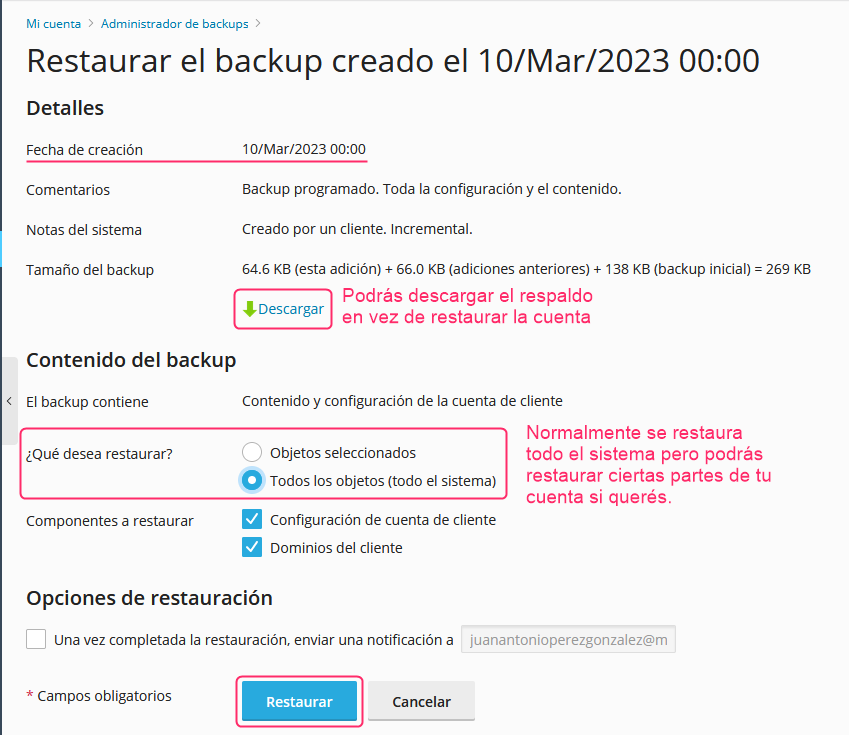
The account restoration screen will show information about the selected backup and give you different options to restore your account:
- You can download the backup to your PC if you want to keep it off the server.
- You can restore the entire account (recommended) or only certain parts.
- You can send an email notification when the restoration completes.
- Clicking the ACCEPT button will begin restoring your account.