

How do I request support?
From our website and your Client Area, you have different ways to contact us:
For commercial advice or administrative inquiries:
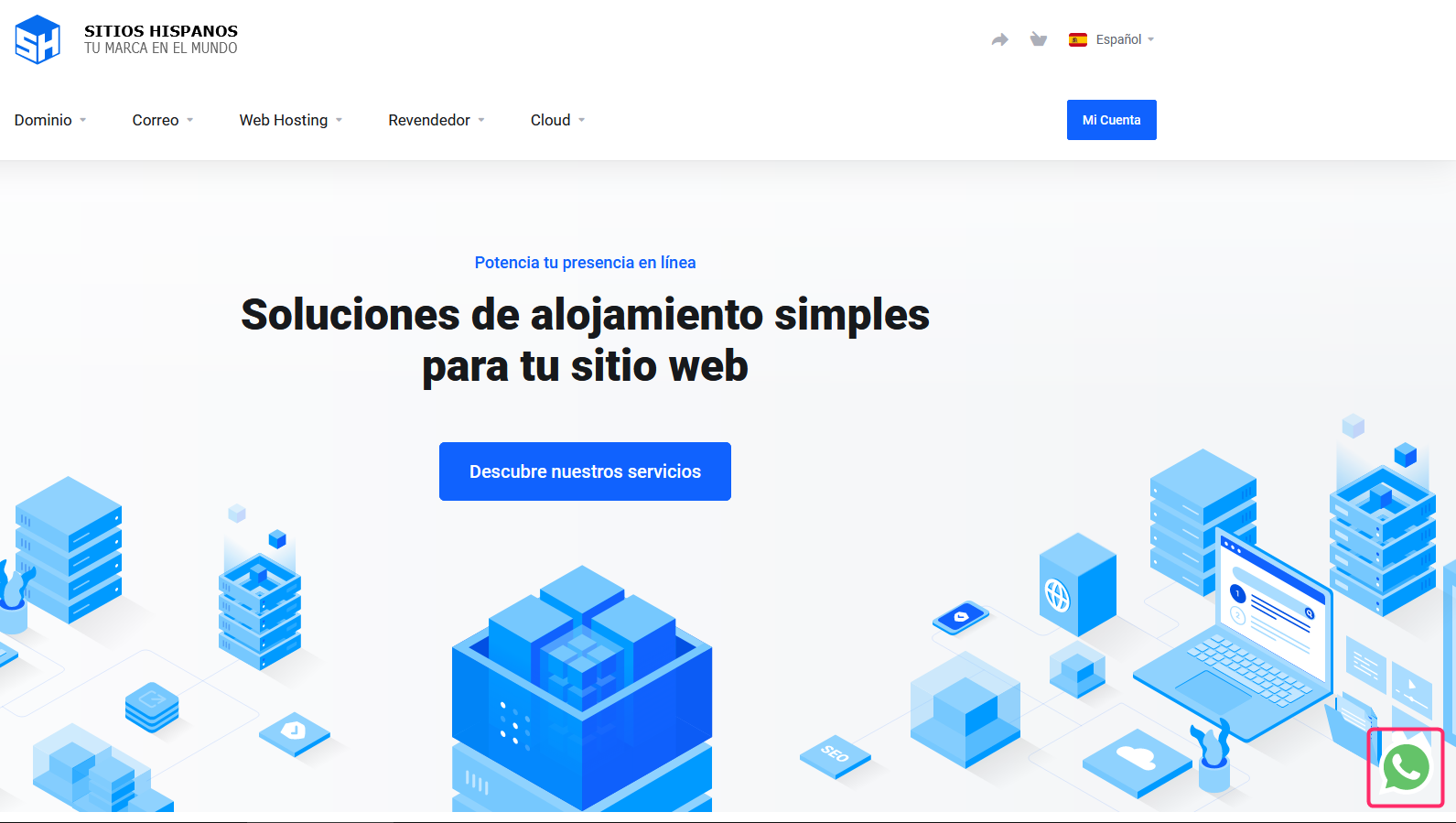
You can contact us via Whatsapp Web by clicking the icon in the bottom right corner of our website.
To open a support ticket with the different departments:
Support tickets are inquiries you can start from your Client Area.
Each response will arrive to your email as a message and you can continue your inquiry by replying directly to the email or by checking the ticket in your Client Area.
Follow these steps to open a support ticket:
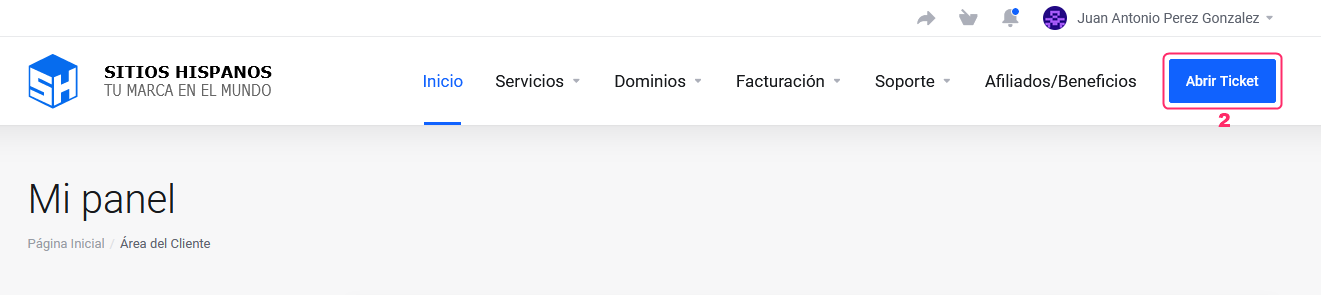
- Log in to your Client Area.
If you don’t remember how to log in follow this link: How to access the Client Area - In your Client Area click the “Open Ticket” button.
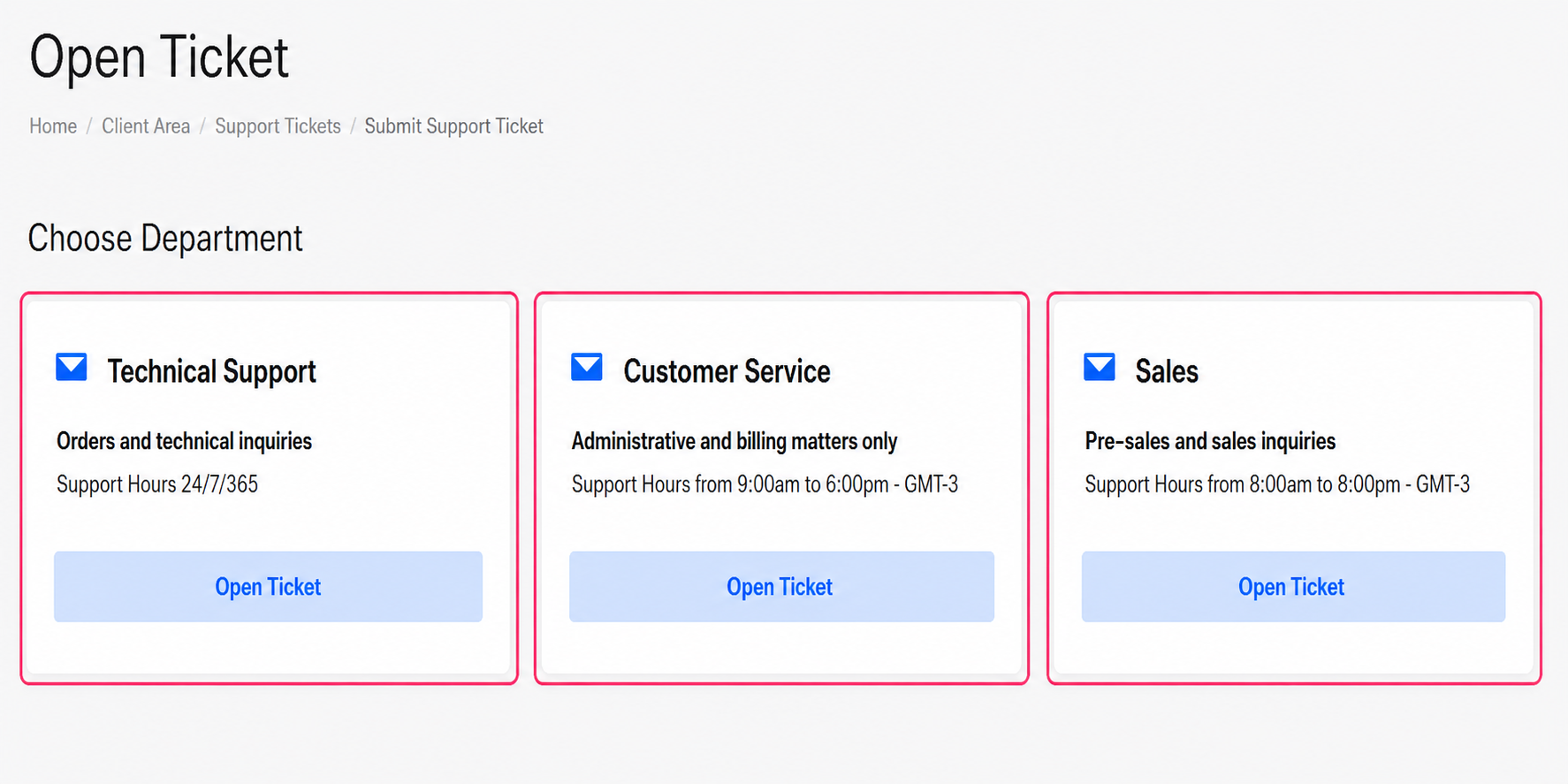
- You will find the three support departments to make your inquiry.
Open a ticket in the department that corresponds to the type of inquiry you have and they will respond as soon as possible.
Steps to open a support ticket:
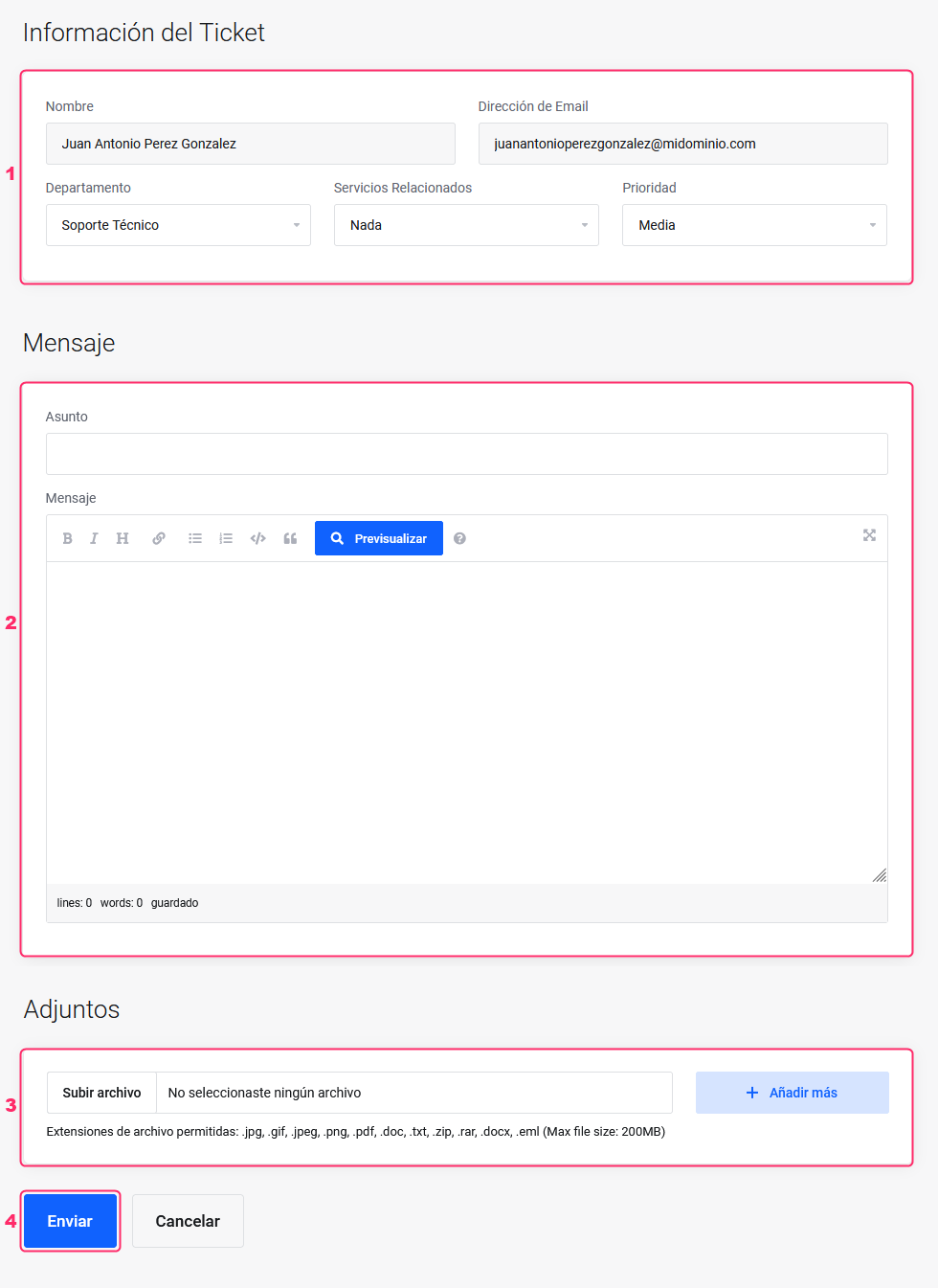
- When opening a support ticket you will see your details, the department to which you will send your inquiry, the service related to your inquiry and the response priority.
- Below you will see the text editor to write your inquiry.
- It is recommended to attach images of configurations or error screens to facilitate the resolution of a technical problem. You can do this in this section.
- Once your inquiry is written, press the “Send” button.
Your inquiry will be saved as a support ticket, and you will receive the responses in your email inbox.
To find a previous ticket:
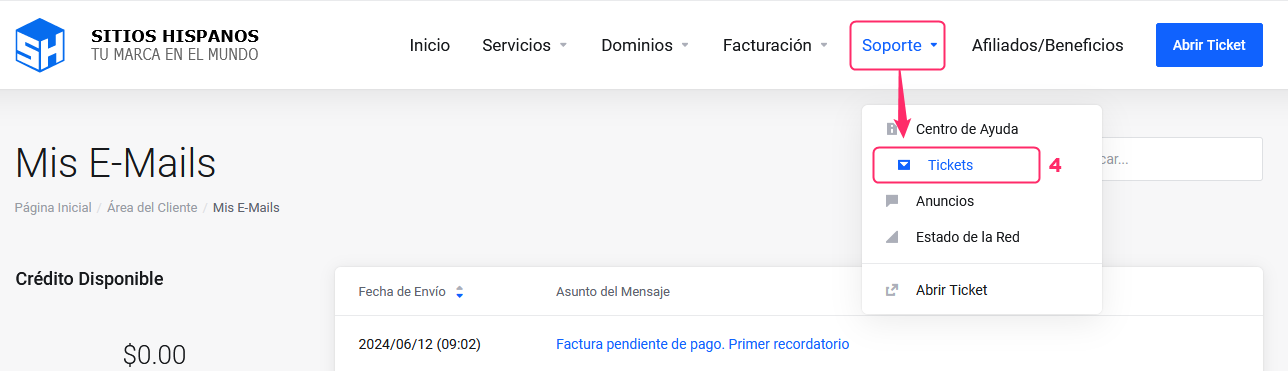
You can view your history of support tickets by going to “Support” and then selecting the “Tickets” option.
Access the Help Center:
Remember that we have a Help Center where you will find answers to most of your questions.
Enter by clicking the following link: