How to create email accounts from the control panel?
Hashtags: #Correo #Corporativo #creation #mail #cpanel
The control panel for Correo Corporativo plans is cPanel.
Creating email accounts from the control panel:
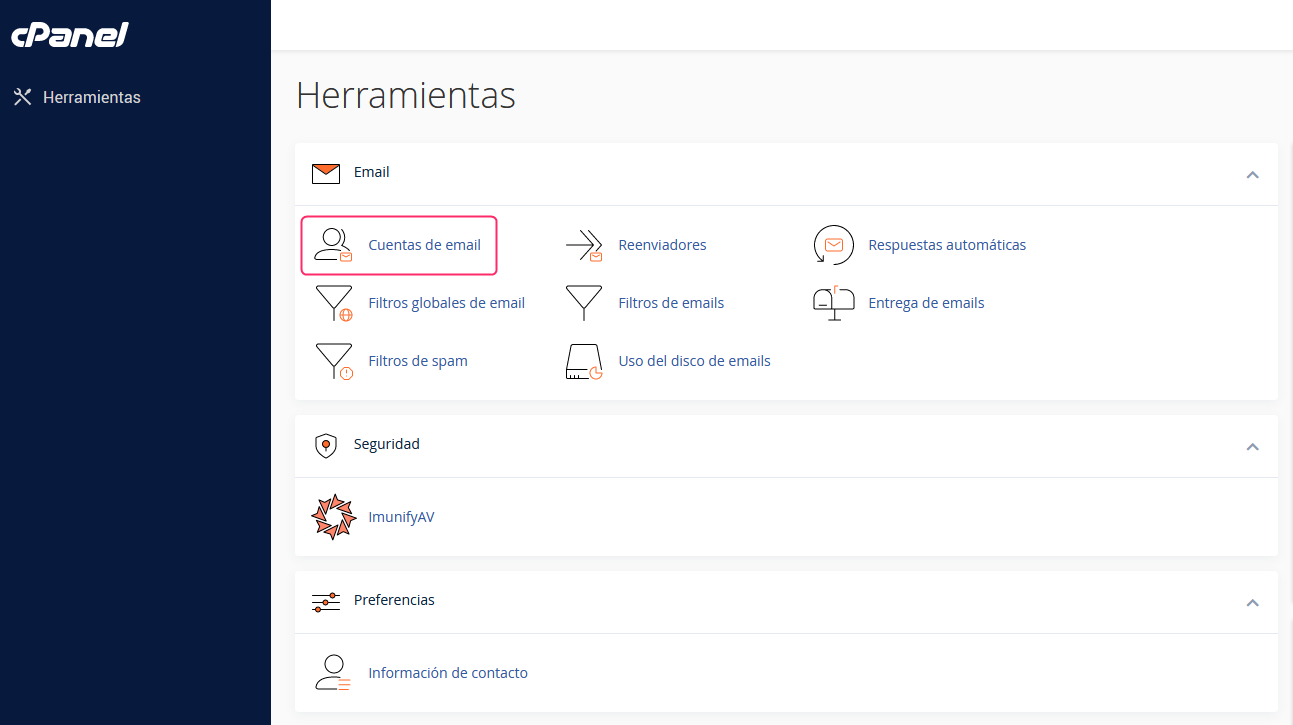
- In the cPanel control panel, go to Email Accounts, in the Email box.
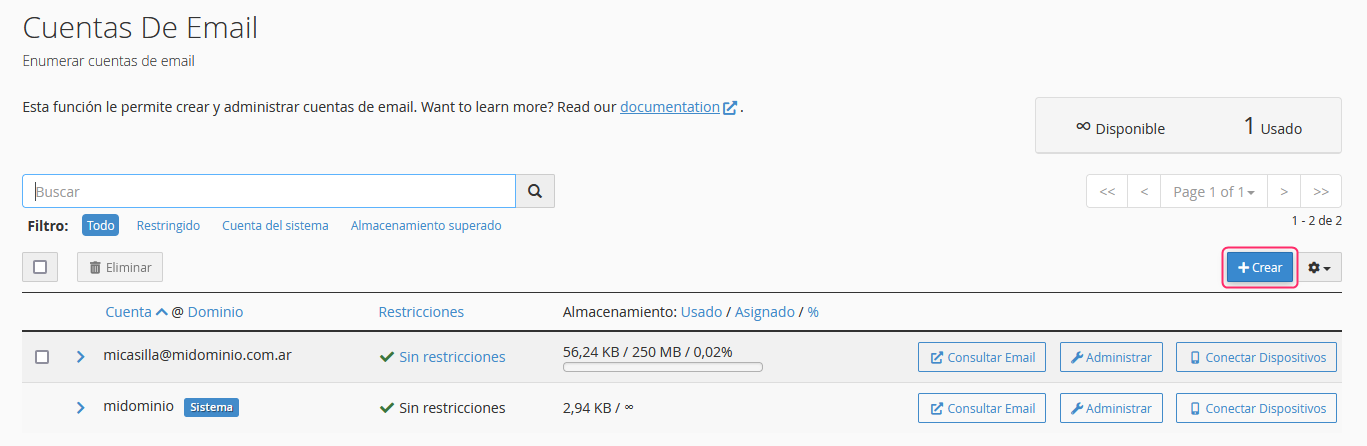
- You will see the list of email accounts you have already created. Click the Create button on the right.
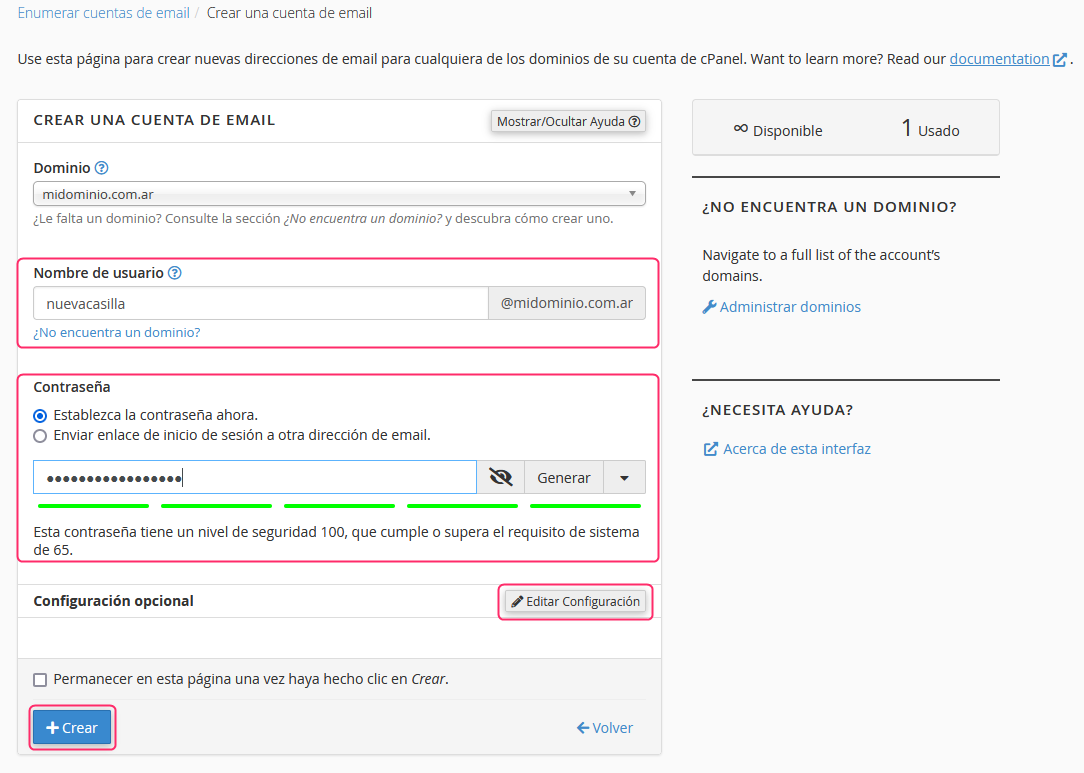
- The account creation screen will ask you to enter your account name and the password.
You will see an Edit Settings button that will allow you to modify the maximum space the email account can use.
Finally, with the Create button you will have finished creating your new email account.
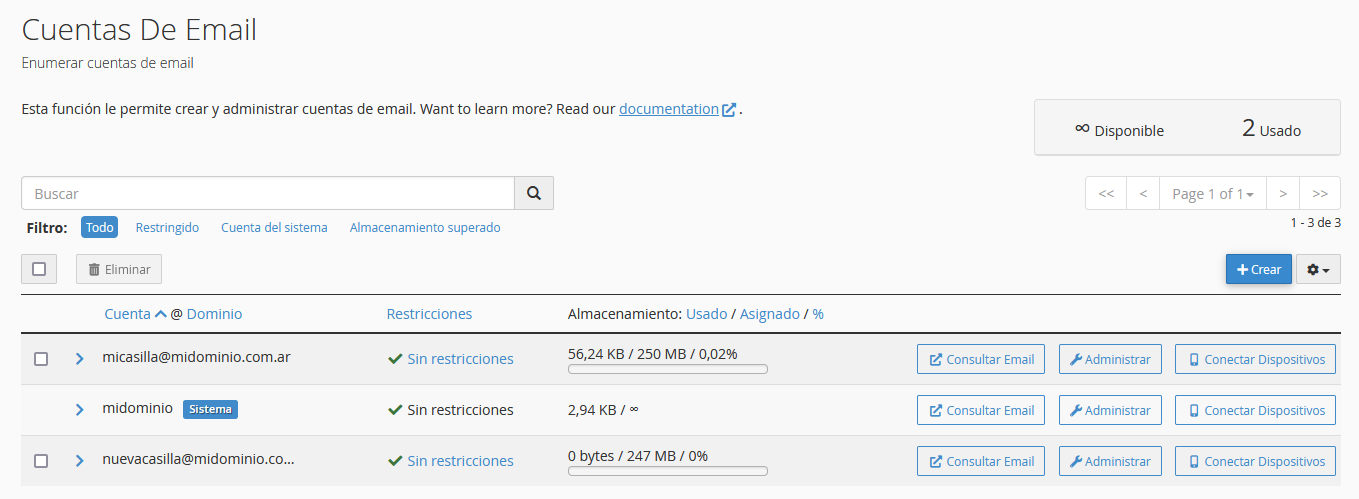
Back in the Email Accounts area you will see your new account and you will be able to access it via Webmail or modify its settings.